Forced subtitles should not be treated as full subtitles. They are only needed when viewers must understand foreign dialogue, on-screen text, signs, names, locations, or untranslated information.
With EasySub, you can upload your video, select the essential subtitle lines, translate them into English, and export an English forced SRT file in minutes.
Table of Contents
What Are Forced Subtitles?
Forced subtitles are subtitles that appear only when the viewer needs to understand specific key information. Unlike regular subtitles, forced subtitles do not display all the dialogue in the video; instead, they provide only the essential information necessary for understanding.
Forced Subtitles Meaning
Forced subtitles are also known as Forced Narrative subtitles, or FN subtitles for short. The key feature of forced subtitles is that they appear only when necessary.
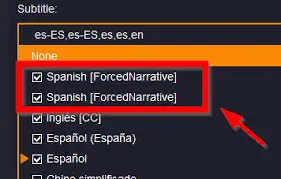
They are not full subtitles and should not display all the dialogue in a video. Full subtitles are suitable for translating dialogue throughout the entire video, while forced subtitles are better suited for conveying small amounts of critical information.
For example, if a Chinese line of dialogue suddenly appears in an English video, or if an important foreign-language text appears on screen, viewers who do not understand this content will have difficulty comprehending the video—this is when forced subtitles should be added. However, if the text is merely a fleeting, irrelevant detail in the background, there is no need to add subtitles. Forced subtitles must be accurate, but they must also be used sparingly.
What types of content typically use forced subtitles?
Forced subtitles are primarily used for the following types of information:
- Foreign-language dialogue: When characters or interviewees speak a language that the target audience cannot understand.
- On-screen text: Documents, news headlines, chat logs, emails, product specifications, etc.
- Signs and labels: Locations, directions, warnings, house numbers, store names, etc.
- Text messages or emails: These should be displayed if the content is essential to understanding the plot, lesson, or business context.
- Location, time, and character descriptions: For example, “Paris, 1998” or “Dr. Smith, Chief Engineer.”
How to Get Forced Subtitles Online

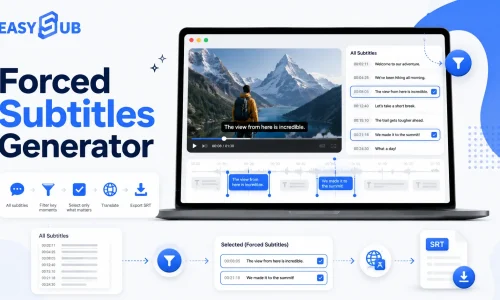
With EasySub, you can filter the subtitle lines that need to be displayed from the full transcript and export them as English forced SRT, VTT, or burned-in video.
Create Forced Subtitles Online in 6 Steps
| Step | Action | Output |
|---|---|---|
| 1 | Upload your video | Upload the video you want to process |
| 2 | Generate transcript | Automatically generate a transcript and timeline |
| 3 | Select forced subtitle lines | Select only the subtitle segments that must be displayed |
| 4 | Translate into English | Generate English forced subtitles |
| 5 | Adjust timing | Calibrate subtitle start and end times |
| 6 | Export subtitles | Export SRT, VTT, or burned-in video |
SRT, VTT, or Burned-In Video?
There are typically two approaches to handling forced subtitles:
| Method | Suitable Scenarios | Description |
|---|---|---|
| SRT / VTT | YouTube, website videos, course platforms, local media players | Subtitles are stored as separate files, making them easy to edit and upload |
| Burned-in video | Social media, advertisements, scenarios where subtitles must always be displayed | Subtitles are embedded directly into the video; viewers cannot turn them off |
If your goal is to get English forced SRT, we recommend exporting an .srt file. If you want subtitles to be displayed on every platform, we recommend choosing burned-in subtitles.
When Should You Use Forced Subtitles?
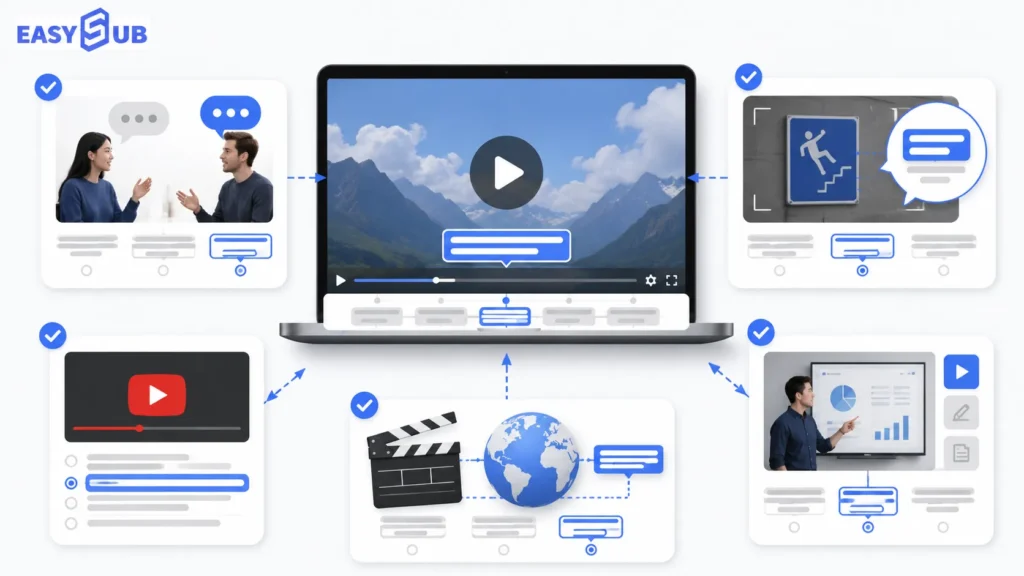
Foreign dialogue:
Forced subtitles should be used when a video contains dialogue in a foreign language that the target audience cannot understand. For example, Chinese, Japanese, Spanish, or other languages appearing in an English video.
On-screen text:
Forced subtitles should be used when important text appears on screen. Examples include text messages, emails, news headlines, document content, product specifications, and text in software interfaces.
YouTube videos:
If a YouTube video contains foreign language segments, road signs, on-screen text, or key captions, forced subtitles provide a cleaner look than full subtitles.
Films and localization:
Movies, TV series, documentaries, and localization projects often require handling foreign language dialogue, on-screen text, location descriptions, and character information.
Courses and training videos:
Courses and training videos frequently feature terminology, charts, software interfaces, foreign-language materials, or operational prompts.
Forced Subtitles vs Regular Subtitles, Captions, and Burned-In Subtitles
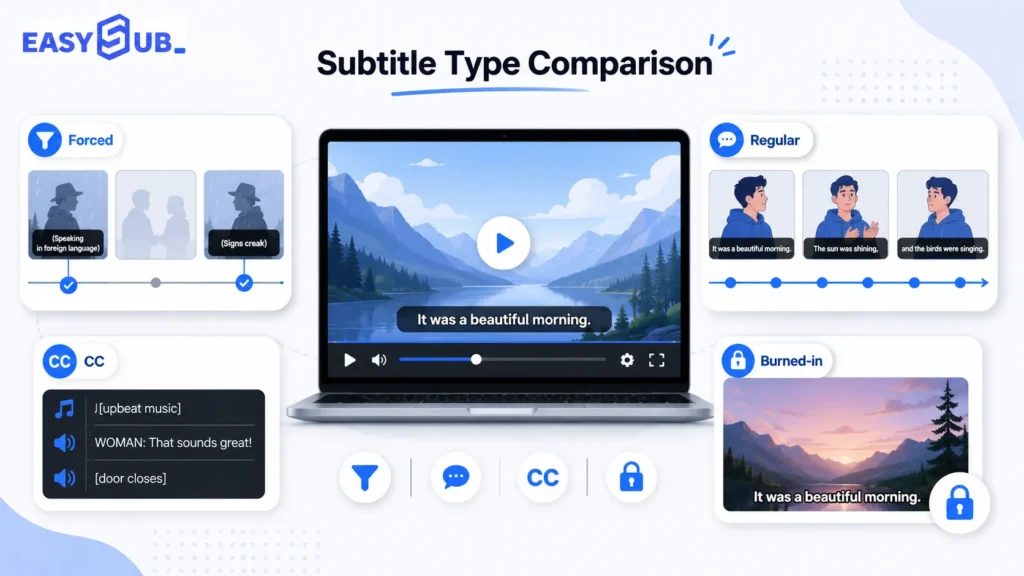
| Subtitle Type | Meaning | Main Purpose | Does it display the full dialogue? |
|---|---|---|---|
| Forced subtitles | Displays only essential subtitles | Foreign dialogue, on-screen text, locations, names, key explanations | No |
| Regular subtitles | Standard subtitles / Full subtitles | Translates or transcribes the entire dialogue | Yes |
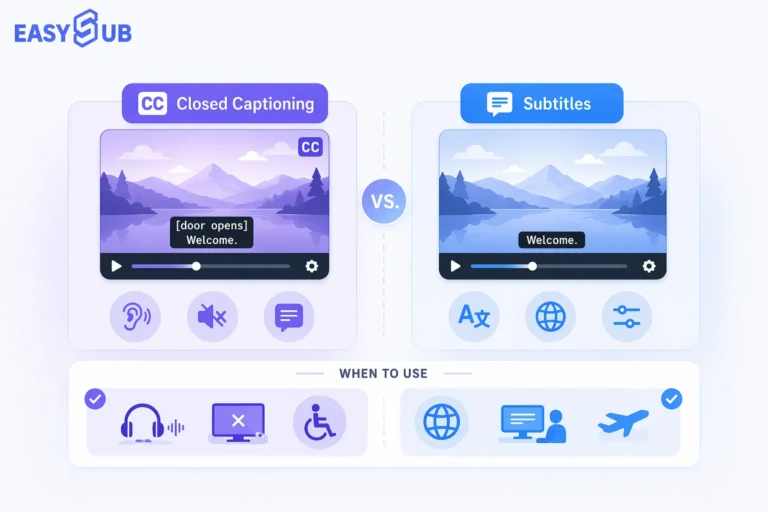
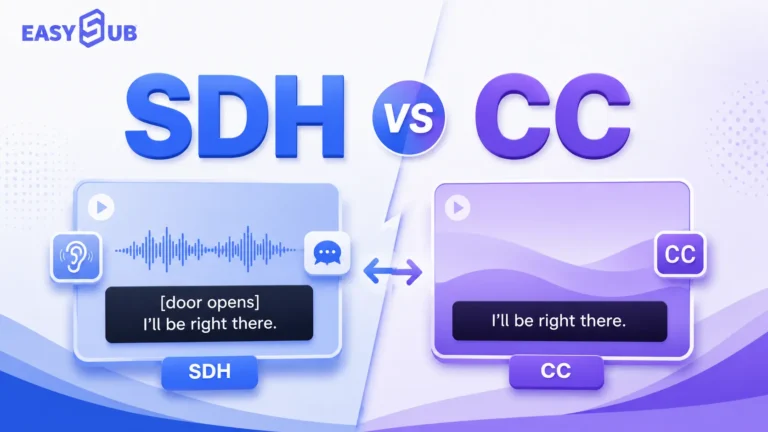
| Closed captions | Accessibility subtitles | Dialogue, sound effects, music, speaker information | Usually |
| SDH subtitles | Subtitles for the hard of hearing | Accessible streaming | Usually |
| Burned-in subtitles | Embedded subtitles | Social media, advertisements, platforms that do not support uploaded subtitles | Depends on subtitle content |
The Key Difference
Forced subtitles focus on which subtitle content must appear. They determine which information in the video is essential for viewers to understand the plot, visuals, or key details.
Burned-in subtitles focus on how subtitles appear. This refers to subtitles that are directly embedded into the video frame; viewers cannot turn them off, and no additional subtitle file needs to be loaded.
These two concepts should not be confused. Forced subtitles can be exported as standalone SRT / VTT subtitle files, used as a subtitle track within a video, or directly burned into the video frame to become burned-in subtitles.
Therefore, forced subtitles can be burned-in, but forced subtitles themselves are not the same as burned-in subtitles.
How to Choose the Right Subtitle Type
- Use regular subtitles: Use this option when the entire video requires a complete translation or transcription. Suitable for courses, language learning, silent viewing, and full content comprehension.
- Use closed captions or SDH: Use this option when the video needs to accommodate hearing-impaired viewers. In addition to dialogue, it should include information such as sound effects, music, and changes in speakers.
- Use burned-in subtitles: Use this option when subtitles must remain on screen at all times, or when the publishing platform does not support external subtitles. Suitable for TikTok, Instagram, advertisements, and social media videos.
FAQ About Forced Subtitles
FAQ 1: What are forced subtitles?
Forced subtitles are subtitles that appear only when necessary information is displayed.
They are typically used for foreign-language dialogue, on-screen text, signs, names of people or places, or untranslated content. They are not full subtitles and do not display all the dialogue in the video.
FAQ 2: What are English forced subtitles?
English forced subtitles are subtitles designed for English-speaking audiences.
They are used to explain important non-English content or untranslated information in a video, such as foreign-language dialogue, on-screen text, text messages, document content, location descriptions, and more.
FAQ 3: How to find forced subtitles?
You can look for forced subtitles in official subtitle packs, from video distributors, in the video file’s built-in subtitle track, or in existing subtitle files.
However, pre-made subtitles may not perfectly match your video version, language, or timeline.
If you can’t find accurate forced subtitles, a more reliable method is to generate them yourself. You can upload your video to EasySub, generate a transcript, filter the necessary subtitle lines, and export an English forced SRT file online.
FAQ 4: How to get English forced SRT?
The process for obtaining English forced SRT is straightforward: upload the video, generate a transcript, keep only the subtitle lines that need to be forced, translate or edit the content into English, calibrate the timeline, and then export it as an .srt file.
The key is not to generate a complete English subtitle track, but to retain only the critical information that viewers must understand.
FAQ 5: How to force subtitles in an MKV file?
To set forced subtitles in an MKV file, you typically need to add a subtitle track and use an MKV editing tool to mark that track with the forced subtitle flag.
However, before proceeding, you must first prepare an accurate subtitle file, such as an English forced SRT. Otherwise, even if the forced flag is set, inaccurate subtitle content will not resolve comprehension issues.
FAQ 6: How to force subtitles on YouTube?
YouTube allows creators to upload subtitle files, but viewers can usually control whether subtitles are displayed.
If you want subtitles to always appear in the video, a more reliable method is to use burned-in forced subtitles, which means embedding the subtitles directly into the video frame.
If you only need to upload a subtitle file, you can first use EasySub to generate an SRT or VTT file, then upload it to YouTube.
FAQ 7: Are forced subtitles always burned in?
No. Forced subtitles are not necessarily burned-in subtitles.
Forced subtitles can be standalone SRT/VTT files, a subtitle track within the video, or subtitles burned directly into the video.
The difference is: whether standalone subtitle files appear depends on the player or platform settings; burned-in subtitles will always be displayed, and viewers cannot turn them off.

With EasySub, you can upload a video, automatically generate a transcript, select the subtitle lines you want to display as forced subtitles, translate the content into English, and export it as English forced subtitles, SRT, VTT, or burned-in video.
If your goal is to get English forced SRT, EasySub allows you to retain only the necessary segments from the full transcript, generating a cleaner, more accurate English forced SRT file.
Get forced subtitles with EasySub.
👉 Click here for a free trial: easyssub.com
Thanks for reading this blog. Feel free to contact us for more questions or customization needs!