
Importance of adding auto subtitles to videos
At present, many auto subtitles groups tried to add auto subtitles part-time on their own. Producing high-quality subtitles has proven to be an extremely time-consuming process. Furthermore, subtitle creation requires specialized knowledge and technical know-how.
Not only does the video content need to be transcribed – which itself takes a lot of time – but also formatting and time stamping.
At the same time, the importance of adding subtitles is well known at this point:
Firstly, they make your video more accessible to viewers, who are hard of hearing or who may not speak the language in your video.
Secondly, Captions will also increase views and engagement. Your videos will become popular because people prefer to watching these types of videos without sound.
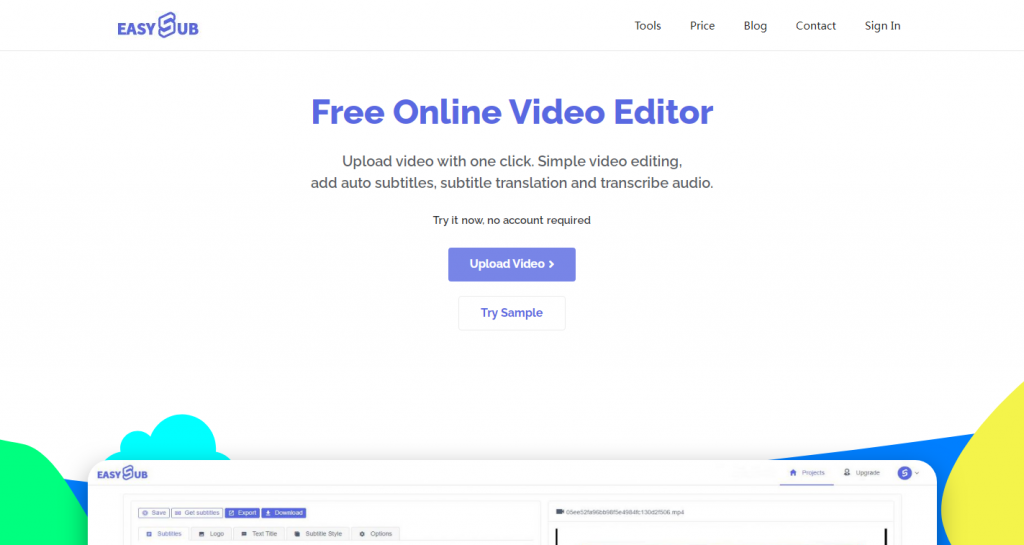
EasySub, an online automatic subtitle generator, can help traditional subtitle groups to add subtitles to videos more quickly and efficiently.
Here’s a step-by-step guide on how to add automatic subtitles with EasySub:
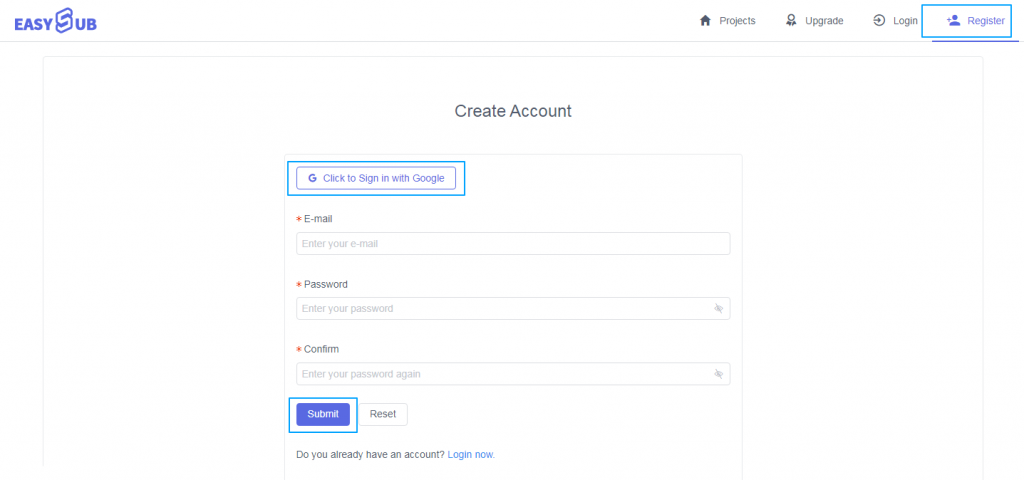
Step 1: Sign up for a free account
First, click the “Register” menu to enter the account registration page.Then, quickly enter the account password or log in directly through the Google account to get a free account.
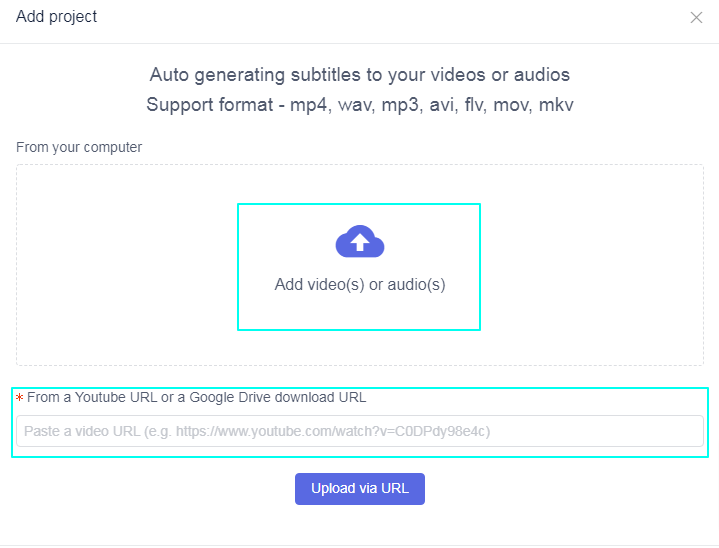
Step 2: Upload video or audio files
Next, click the “Add Project” button to upload the video file in the window. You can click to select the file or drag the file to the upload box to upload the video.However, uploading via Youtube’s video URL is the faster option.
Step 3: Add auto Subtitles to video(audio)
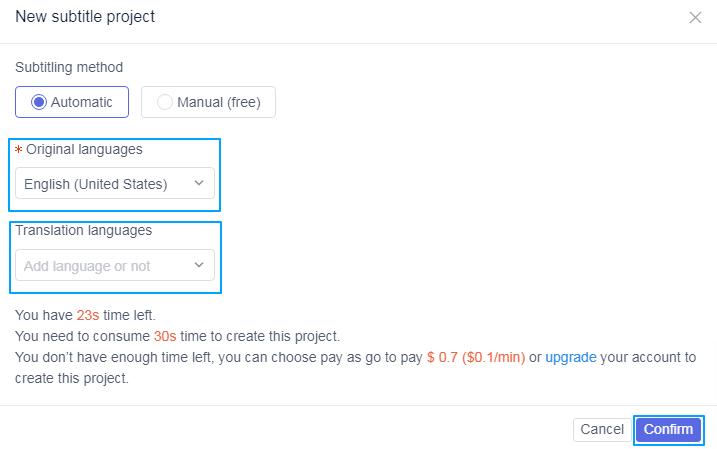
After this, video is uploaded successfully. You only need to click the “Add Subtitles” button to see the configuration for generating automatic subtitles.
Then, select the original language of your video and the target language you want to translate and click the “Confirm” button to generate automatic subtitles.
Step 4: Go to the details page to edit subtitles
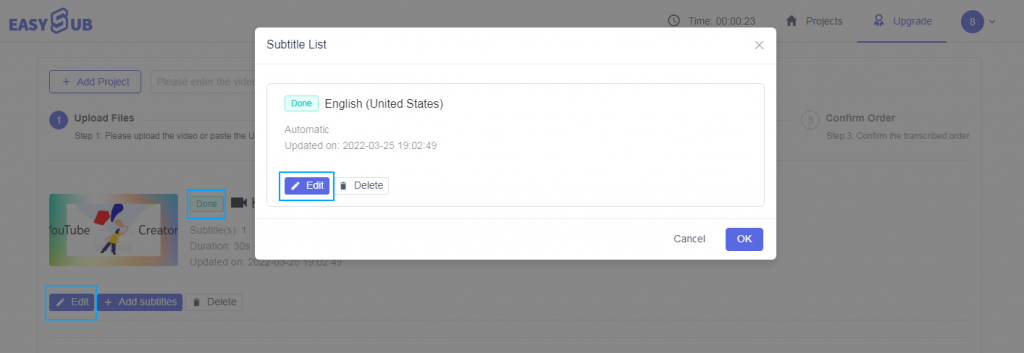
Wait for the subtitles to be generated, which usually only takes a few minutes. We can click the “Edit” button to open the subtitle list. Select the automatic you just produced to continue and click “Edit”.
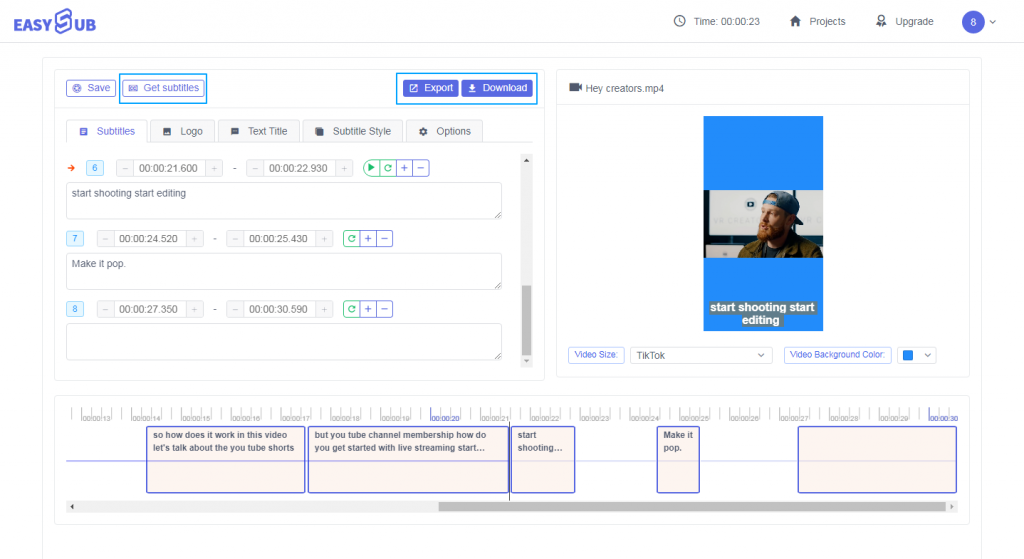
Step 5: Edit Subtitles & Edit Videos & Export Videos & Download SRT & Download Videos
After entering the details page, we can perform detailed subtitle review and editing based on the audio track and subtitle list. By modifying the style of the subtitles, we can make our subtitles and videos fit better. We can also modify the video’s background color, resolution, and add watermarks and text titles to the video.
The above is the process of how to obtain accurate automatic subtitles through EasySub. Is it very simple and convenient? Let’s start it for free.