Birçok kişi video içeriği izlerken, yüklerken veya oluştururken "altyazı cc" terimiyle karşılaşır. Peki bu aslında ne anlama geliyor? Normal altyazılardan, kapalı altyazılardan ve işitme engelliler için altyazılardan farkı nedir? Basitçe söylemek gerekirse, "altyazı cc" genellikle video altyazılarını ve kapalı altyazıları ifade eder. İzleyicilerin sessiz bir ortamda video içeriğini anlamalarına yardımcı olur ve işitme engelli kullanıcıların daha eksiksiz bilgilere erişmesini sağlar. Bu blog, "altyazı cc"nin anlamını, CC ve SDH arasındaki farkları ve altyazı dosyalarını daha verimli bir şekilde oluşturmak için yapay zeka altyazı oluşturucu veya kapalı altyazı oluşturucu kullanmanın yollarını açıklayacaktır.
İçindekiler
“Altyazı CC” Ne Anlama Geliyor?
“"Altyazı CC" genellikle videolardaki diyalogları ve önemli ses bilgilerini metin biçiminde gösteren altyazıları veya kapalı altyazıları ifade eder. Bu bağlamda, “CC” “Kapalı Altyazılar” anlamına gelir.” Çincede bu, "kapalı altyazı" veya "açılıp kapatılabilen altyazı" olarak anlaşılabilir.“
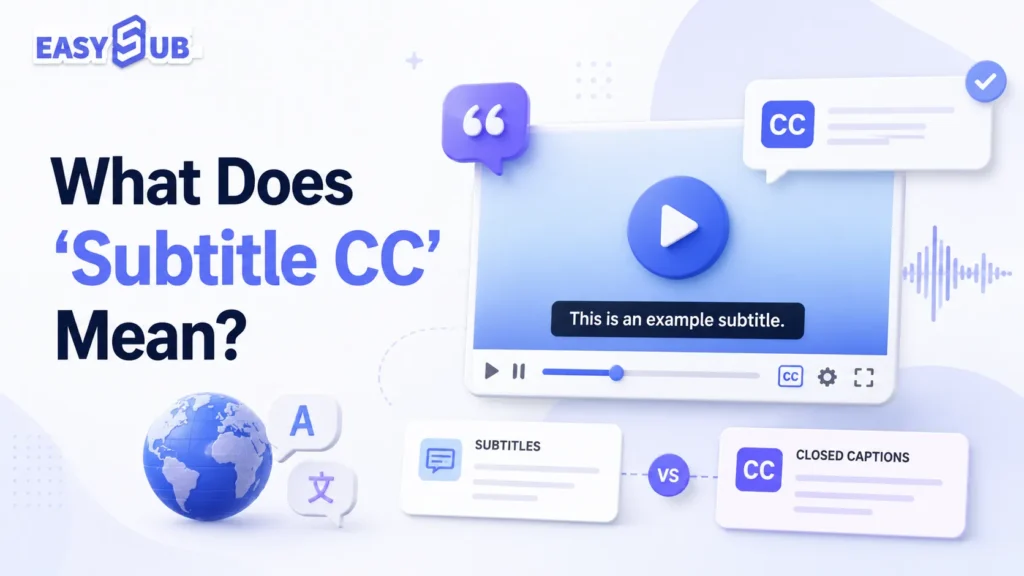
Altyazı Açıklaması CC
“"Altyazı CC" kesinlikle teknik bir terim değildir. Bu daha çok kullanıcıların arama sorgularında kullandığı birleşik bir terim gibidir. Birçok kullanıcı aşağıdaki altyazı türlerine "altyazı cc" olarak atıfta bulunur:
| Terim | Anlam |
|---|---|
| Altyazı | Genellikle karakter diyaloglarını veya çevrilmiş diyalogları görüntüler. |
| CC | Genellikle izleyici tarafından açılıp kapatılabilir ve diyalog, ses efektleri, müzik ve konuşmacı bilgileri içerebilir. |
| SDH | İşitme engelli ve işitme güçlüğü çeken kullanıcıların diyalogları ve sesli bilgileri anlamalarına yardımcı olmak için tasarlanmıştır. |
| Altyazı CC | Genellikle alt yazılar, açıklamalar veya kapalı alt yazılar anlamına gelir. |
Altyazılarda CC ne anlama gelir?
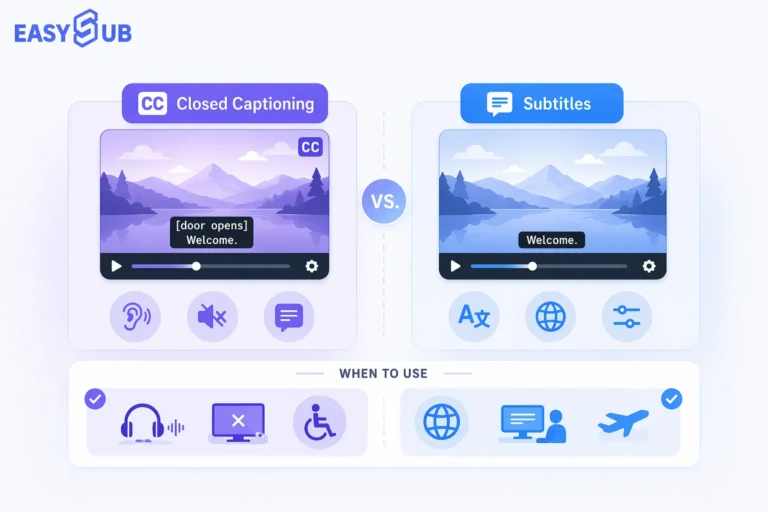
CC, Kapalı Altyazılar anlamına gelir. Altyazı bağlamında, CC genellikle açılıp kapatılabilen bir altyazı parçasını ifade eder. Normal altyazılardan farklı olarak, CC yalnızca diyalogları göstermek zorunda değildir. Yüksek kaliteli CC ayrıca şunları da içerebilir: konuşmacı adları, arka plan müziği, önemli ses efektleri ve kahkaha, alkış ve kapı zili gibi işitsel ipuçları.
Örneğin:
[Hafif müzik çalıyor] JOHN: Şimdi gitmemiz gerekiyor. [kapı kapanıyor]
Bu bilgi işitme engelli kullanıcılar için çok önemlidir. CC altyazıları, video anlama verimliliğini, izleme deneyimini ve içeriğin hedef kitleye ulaşmasını doğrudan etkiler. Daha erişilebilir bir izleme deneyimi için CC veya SDH tarzı altyazılar kullanmanızı öneririz.
| Değer | Tanım |
|---|---|
| Sessiz izleme deneyimini geliştirir. | Birçok kullanıcı işe gidip gelirken, ofiste veya halka açık yerlerde videoları sesi kapalı olarak izliyor. |
| İçeriğe erişilebilirliği iyileştirir. | İşitme engelli kullanıcıların video içeriğini anlamalarına yardımcı olur. |
| Uluslararası izleyici kitlesini genişletiyor | Çevrilmiş altyazılarla birleştirilerek çok dilli versiyonlar oluşturulabilir. |
| Video anlama becerisini geliştirin | Kullanıcılar izlerken aynı zamanda okuyabilirler, bu da bilgi kaçırma riskini azaltır. |
| Platformda yayıncılığı kolaylaştırın | SRT ve VTT gibi altyazı dosyaları YouTube, kurs platformları veya web sitesi oynatıcılarında kullanılmak üzere dışa aktarılabilir. |
Altyazı, CC ve SDH: Video Altyazıları Arasındaki Fark Nedir?
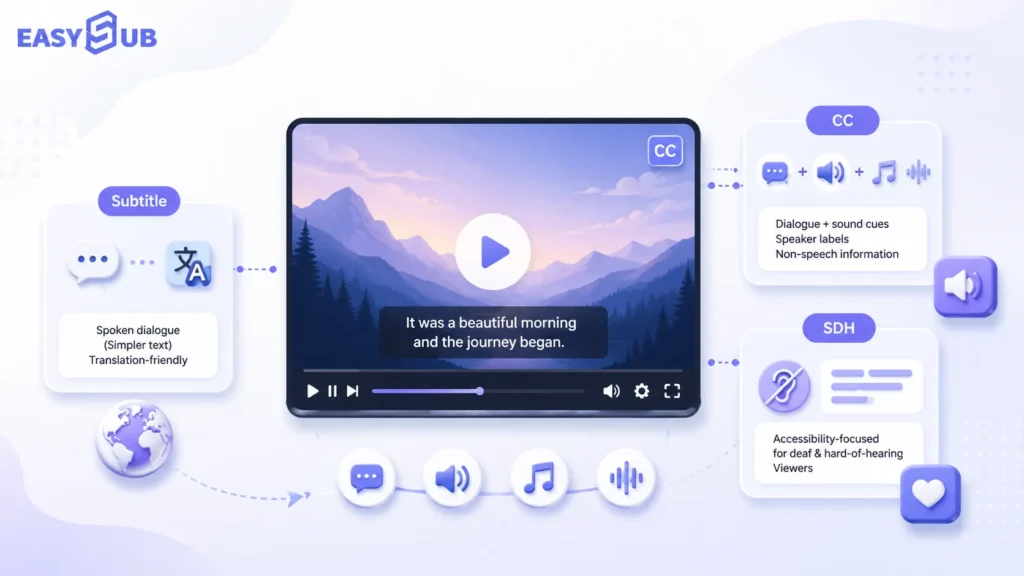
Altyazılar, CC ve SDH arasındaki temel fark, altyazıların öncelikle diyalog veya çevirileri göstermesi, CC'nin çevrilebilir kapalı altyazılara odaklanması ve SDH'nin işitme engelli kullanıcılar için erişilebilir altyazılara yoğunlaşmasıdır.
Video altyazıları bağlamında, birçok kullanıcı şu hususu dikkate alır: altyazı cc Genel bir terim olarak, normal altyazıları veya kapalı altyazıları ifade edebilir. İçerik erişilebilirlik ile ilgiliyse, SDH altyazılarını da içerebilir.
altyazılar Genellikle standart altyazılara atıfta bulunurlar. Bunlar öncelikle bir videodaki karakterlerin söylediği diyalogları gösterir. Ayrıca yabancı dildeki videoları çevirmek için de yaygın olarak kullanılırlar. Örneğin, Çince altyazılı bir İngilizce video veya İngilizce altyazılı bir İspanyolca video. Bu durumlarda, izleyiciler genellikle sesi duyabilirler ancak dili anlamalarına yardımcı olması için metne ihtiyaç duyarlar.
CC nedir?
CC, Kapalı Altyazılar anlamına gelir. Çincede bu genellikle "gizli altyazılar" veya "açılıp kapatılabilen altyazılar" olarak anlaşılır. Kapalı altyazılar sadece diyalog göstermekle kalmaz. Yüksek kaliteli kapalı altyazılar, konuşmacı tanımlama, ses efektleri, müzik ve diğer önemli işitsel bilgileri de içerebilir. İşitme engelli kullanıcılar, sesi kısık izleyenler ve ana dili Çince olmayanlar için paha biçilmezdir.
W3C, erişilebilirlik yönergelerinde altyazıların yalnızca diyalog içermekle kalmayıp, konuşmacıları da belirtmesi ve anlamlı ses efektleri gibi ses yoluyla iletilen önemli sözsüz bilgileri aktarması gerektiğini açıklamaktadır.
CC aşağıdakiler için en uygundur:
| Kullanım Örneği | Tanım |
|---|---|
| YouTube altyazıları | Kullanıcılar bunları oynatıcıda açıp kapatabilirler. |
| Çevrimiçi kurslar | Ders içeriğine erişilebilirliği artırır. |
| Kurumsal eğitim videoları | Çalışanların sessiz ortamlarda öğrenmelerine yardımcı olur. |
| Web videoları | VTT gibi altyazı parçaları için uygundur. |
| Erişilebilir video içeriği | İşitme engelli kullanıcıların sesli bilgilere erişmesine yardımcı olur. |
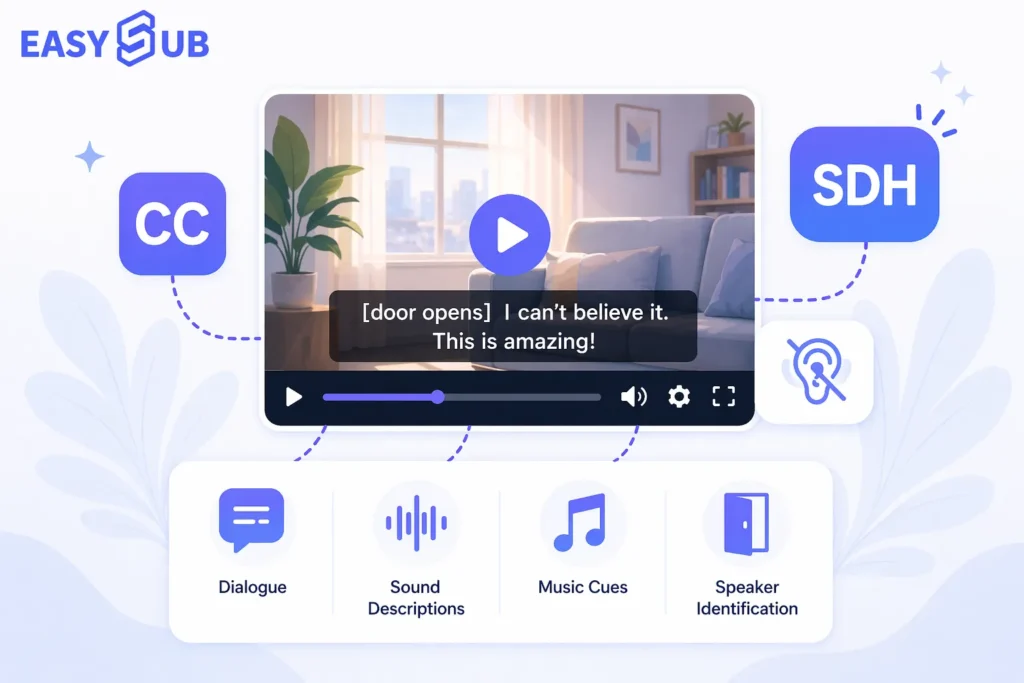
SDH Subtitles for the Deaf and Hard of Hearing (İşitme Engelliler ve İşitme Güçlüğü Çekenler için Altyazılar) kısaltması kullanılır. SDH altyazıları erişilebilirliğe odaklanır. İşitme engelli kullanıcıların duyamadığı ancak anlamaları için gerekli olan bilgileri yazıya dökmeyi amaçlarlar.
SDH aşağıdakiler için en uygundur:
| Kullanım Örneği | Tanım |
|---|---|
| Video Akışı | Örneğin, filmler, televizyon programları, belgeseller |
| Medya Yerelleştirme | Hem dil hem de erişilebilirlik ihtiyaçlarını karşılıyor. |
| İşitme Engelli Kullanıcılar Tarafından Görüntüleme | Daha kapsamlı ses bilgisi sağlar. |
| Profesyonel Altyazı Teslimi | Daha yüksek altyazı kalitesi gereksinimleri olan içerikler için uygundur. |
| Eğitim ve Kamu İçeriği | İçeriğe erişilebilirliği artırır. |
Karşılaştırma: Altyazılar vs. CC vs. SDH
| Karşılaştırma Öğesi | Altyazı | CC | SDH |
|---|---|---|---|
| Ad Soyad | altyazılar | Altyazılar | İşitme Engelliler ve İşitme Güçlüğü Çekenler İçin Altyazılar |
| Çekirdek Fonksiyon | Diyalog veya çevirileri görüntüler. | Diyalogları ve önemli ses bilgilerini görüntüler. | İşitme engelli kullanıcılara tam kapsamlı anlama desteği sağlar. |
| Ses efektlerini içerir. | Genellikle dahil değildir | Dahil edilebilir | Genellikle dahil edilir |
| Konuşmacı Bilgilerini İçerir | Mutlaka değil | Dahil edilebilir | Genellikle dahil edilir |
| Açılıp kapatılabilir. | Genellikle evet | Genellikle evet | Platforma ve dosya formatına bağlıdır. |
| Birincil Kullanıcılar | Yabancı dil izleyicileri, genel izleyici kitlesi | İşitme engelli kullanıcılar, sesi kapalı izleyen kullanıcılar, genel izleyici kitlesi | İşitme engelli ve işitme güçlüğü çeken kullanıcılar |
| Ortak Platformlar | YouTube, Netflix, kurs platformları | YouTube, web oynatıcılar, kurs platformları | Yayın hizmetleri, film ve televizyon, yerelleştirme platformları |
| Uygun İçerik | Çevrilmiş videolar, genel videolar | Çevrimiçi videolar, kurslar, kurumsal eğitimler | Film ve televizyon, eğitim, erişilebilir içerik |
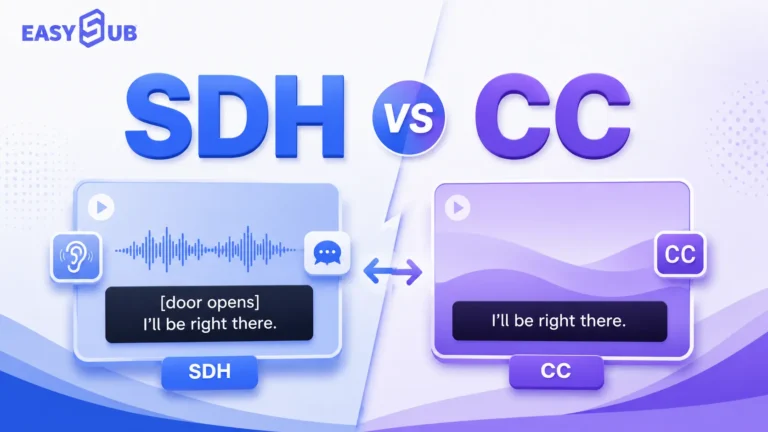
İkisi birden CC ve SDH İşitme engelli kullanıcıların videoları anlamalarına yardımcı olabilirler. Temel fark, kullanım bağlamlarında yatmaktadır.
CC Altyazı parçasının formatına daha fazla önem verir. Genellikle kullanıcı tarafından açılıp kapatılabilir. SDH Altyazı içeriğinin eksiksizliğine daha fazla önem verir. İşitme engelli kullanıcıların sadece diyalogların ötesinde sesli bilgileri anlayıp anlayamayacaklarına daha çok odaklanır. Bu nedenle, gerçek video prodüksiyonunda, aşağıdaki hususlara göre seçim yapabilirsiniz:
| İhtiyaçlarınız | Önerilen Seçenek |
|---|---|
| Sadece diyalogları veya çevirileri göstermeniz yeterli. | altyazılar |
| YouTube, kurslar veya web videoları için altyazıya ihtiyacınız var mı? | CC |
| İşitme engelli kullanıcıları da dikkate almak ve erişilebilir bir deneyim sağlamak gerekiyor. | SDH altyazıları |
| Düzenlenebilir altyazı dosyaları oluşturulması gerekiyor. | Altyazı oluşturucu kullanın. |
| Altyazıları ve zaman çizelgesini hızlıca oluşturmam gerekiyor. | Yapay zekâ destekli altyazı oluşturucu kullanın. |
| Açılıp kapatılabilen altyazılar oluşturmak gerekiyor. | Kapalı altyazı oluşturucu kullanın. |
Altyazılar öncelikle "diyaloğu anlama" ihtiyacını karşılarken, altyazılar öncelikle "ses olmasa bile videoyu anlama" ihtiyacını karşılar. SDH altyazıları ise işitme engelli kullanıcılar için eksiksiz bir izleme deneyimi vurgulayarak bir adım daha ileri gider. Video erişilebilirliğini ve platform uyumluluğunu iyileştirmek istiyorsanız, CC veya SDH tarzı altyazılara öncelik vermenizi öneririz.
İngilizce CC ile İngilizce Altyazılar Karşılaştırması
Netflix, YouTube ve diğer video platformlarında birçok kullanıcı görecektir. İngilizce, İngilizce altyazı, veya İngilizce CC. Bu seçenekler görünüşte birbirine çok benziyor, ancak farklı izleme ihtiyaçlarına hitap ediyorlar.
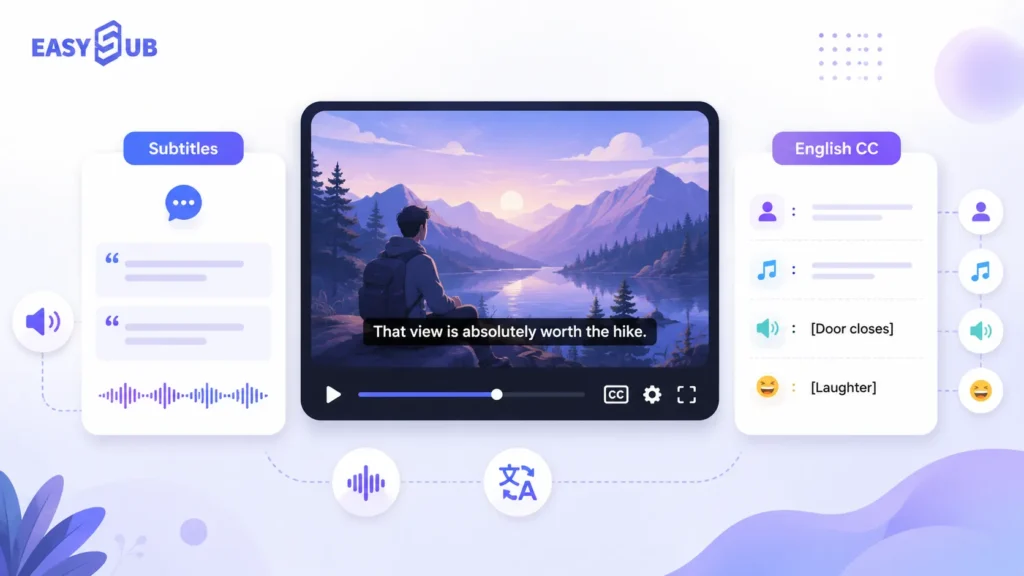
| Seçenek | Tipik olarak ne gösterir? | En iyisi |
|---|---|---|
| İngilizce altyazı | İngilizce diyalog | Sesi duyabilen ancak metin desteğine ihtiyaç duyan izleyiciler |
| İngilizce CC | İngilizce diyalog + konuşmacılar + ses efektleri + müzik ipuçları | İşitme engelli kullanıcılar, sesi kapalı izleyenler ve erişilebilirlik senaryoları |
| Çeviri Altyazılar | Çevrilmiş diyalog | Uluslararası izleyiciler, çok dilli kullanıcılar |
Netflix ve YouTube kullanıcıları neden sık sık karıştırıyor?
Çünkü birçok platform altyazı seçeneklerini aynı menüye yerleştiriyor. Kullanıcılar "İngilizce" ve "İngilizce CC" seçeneklerini gördüklerinde, bunların sadece İngilizce altyazıların iki farklı versiyonu olduğunu varsayıyorlar.
Netflix bağlamında, altyazılar, SDH ve CC'nin tümü "zamanlı metin" varlıkları olarak kabul edilir. Netflix'in resmi kılavuzuna göre, "altyazılar" genellikle diller arası metni ifade ederken, "SDH" ve "CC" aynı dildeki erişilebilirlik metnini ifade eder.
YouTube'da içerik oluşturucular, YouTube Studio aracılığıyla "altyazı" ve "açıklama" ekleyebilirler. YouTube ayrıca, genellikle videonun metin içeriğini ve ilgili zaman kodlarını içeren altyazı dosyalarının yüklenmesini de destekler.
Dolayısıyla, içerik üretimi açısından bakıldığında:
| Platform Senaryosu | Önerilen Seçim |
|---|---|
| Sadece İngilizce diyalogları göstermek istiyorum. | İngilizce altyazı |
| Sesi kapalıyken izleyen kullanıcılara yardımcı olmak istiyoruz. | İngilizce CC |
| İşitme engelli kullanıcılara destek olmak istiyoruz. | İngilizce CC veya SDH tarzı altyazılar |
| YouTube'a altyazı yüklemek istiyorum. | SRT veya VTT altyazı dosyaları oluşturun. |
| Çok dilli videolar oluşturmak istiyorum. | Çevrilmiş altyazılar oluştur |
İngilizce altyazı mı yoksa İngilizce CC mi tercih edilmeli?
| Hedefiniz | Önerilen Altyazı Türü |
|---|---|
| İzleyicilerin İngilizce diyalogları anlamalarına yardımcı olun. | İngilizce altyazı |
| Erişilebilir izleme deneyimini geliştirin | İngilizce CC |
| İşitme engelli izleyicilerin içeriğin tamamını anlamalarına yardımcı olun. | İngilizce CC veya SDH altyazıları |
| YouTube'a altyazı yükle | İngilizce Altyazılar veya İngilizce CC dosyaları |
| Videoları uluslararası alanda dağıtın. | İngilizce Altyazılar + Çevrilmiş Altyazılar |
| Kurslar, röportajlar veya podcast videoları oluşturun. | İngilizce altyazı daha uygundur. |
Altyazı oluşturma platformumuzla, çeşitli hedef kitlelere uygun farklı türde altyazılar oluşturabilirsiniz. İngilizce altyazı veya İngilizce CC tarzı altyazı oluşturabilirsiniz. Uluslararası bir kitleye ulaşmanız gerekiyorsa, çevrilmiş altyazılar da oluşturabilirsiniz.
Videonuzu yükleyin Ses kaydını otomatik olarak yazıya dökün. Ardından altyazı metnini, zaman çizelgesini, konuşmacıları ve ses ipuçlarını düzenleyin. Son olarak, dosyayı SRT, VTT veya TXT olarak dışa aktarın veya doğrudan altyazıları gömülü bir video oluşturun.
YouTube ve Netflix tarzı videolar için altyazı (CC).
Bir YouTube videosunda altyazı düğmesi veya İngilizce altyazı seçeneği yoksa, kullanıcılar genellikle altyazıları doğrudan etkinleştiremezler. Video içeriğinin sahibiyseniz, öncelikle bir altyazı oluşturucu kullanarak İngilizce altyazı oluşturabilir, ardından SRT veya VTT dosyasını platforma yükleyebilirsiniz.
YouTube: Altyazı Düğmesi Yoksa Ne Yapmalısınız?

Bir YouTube videosunda altyazı düğmesi görünmüyorsa, genellikle o video için altyazı seçeneği bulunmadığı anlamına gelir. Bunun nedeni, video oluşturucusunun altyazı yüklememiş olması olabilir. Ayrıca YouTube'un otomatik altyazı oluşturmamış olması da mümkündür.
YouTube'un resmi yönergelerine göre, içerik oluşturucular YouTube Studio'da altyazı ve açıklamalar ekleyebilirler. Altyazı ekleme yöntemleri arasında altyazı dosyalarını yükleme, otomatik senkronizasyon ve manuel giriş yer almaktadır.
Altyazı dosyaları genellikle videonun konuşma içeriğini ve ilgili zaman damgalarını içerir. Video içerik oluşturucuları için bu sorunu çözmenin yolu şöyledir:
A. Videoda altyazı düğmesi yok.Videoya altyazı dosyası oluşturun ve platforma yükleyin.
B. İngilizce altyazı yokİngilizce altyazı oluşturun veya orijinal altyazıları İngilizceye çevirin.
C. Otomatik altyazılar hatalı.Altyazı metnini, zaman damgalarını, isimleri ve teknik terimleri manuel olarak düzenleyin.
D. İşitme engelli kullanıcılara destek olmak istiyoruz.Konuşmacı tanımlayıcıları, ses efektleri, müzik ve diğer sesli ipuçları ekleyin.
e. YouTube'a yüklemek istiyorum.YouTube tarafından desteklenen SRT, VTT veya diğer altyazı formatlarını dışa aktarın.
YouTube'da İngilizce Altyazıları CC Kullanmadan Nasıl Edinebilirsiniz?
Videoda altyazı düğmesi veya İngilizce altyazı seçeneği yoksa, genellikle YouTube'da doğrudan İngilizce altyazıları etkinleştiremezsiniz. Bunun nedeni, altyazı parçalarının içerik oluşturucu tarafından yüklenmesi veya platform tarafından otomatik olarak oluşturulması gerektiğidir.
Video içerik üreticisiyseniz, İngilizce altyazı oluşturmak için yapay zeka destekli bir altyazı oluşturucu kullanabilirsiniz. Ardından altyazı dosyasını dışa aktarın. YouTube Studio'ya yükleyin.
Süreç şu şekilde işliyor:
Video yükle → Altyazı oluştur → İngilizceye çevir → Zamanlamayı düzenle → SRT/VTT olarak dışa aktar → YouTube'a yükle
Netflix: Netflix Altyazılarında "CC" Ne Anlama Geliyor?
Netflix'te "CC" genellikle kapalı altyazıları veya SDH tarzı altyazıları ifade eder. Sadece diyalogları göstermekle kalmaz; ses ipuçlarını, müziği, konuşmacı bilgilerini ve diğer sesli ipuçlarını da içerebilirler.
Netflix Yardım Merkezi, kullanıcıların altyazıları, altyazı dilini ve ses dilini seçebileceklerini açıklıyor. Ses ve Altyazılar Oynatma arayüzünün bir bölümünde yer alır. Bir başlık SDH'yi destekliyorsa, başlığın ayrıntılar sayfasında SDH simgesini görürsünüz. Bir başlık SDH'yi desteklemiyorsa, kullanıcılar yalnızca diyalog içeren, ses veya arka plan müziği bilgisi içermeyen altyazılar görebilirler. Standart altyazılar ve CC/SDH tarzı altyazılar farklı düzeylerde bilgi sunar.
| Netflix Altyazı Seçenekleri | Tipik Anlamı |
|---|---|
| İngilizce | Genellikle yalnızca İngilizce diyalogları gösterir. |
| İngilizce CC | İngilizce diyalog + ses ipuçları |
| SDH / CC | Az işitme engelliler için altyazılar |
| Diğer Dil Altyazıları | Uluslararası izleyiciler için çevrilmiş altyazılar |
Netflix, 2025 yılında yeni İngilizce altyazı seçeneklerini tanıtırken, aynı zamanda şunu da açıklığa kavuşturdu: İngilizce Konuşulan diyaloğu gösterirken İngilizce (CC) Hem diyalog hem de sesli ipuçlarını içerir.
Yapay Zeka Destekli Altyazı Oluşturucu ile Otomatik Olarak Altyazı (CC) Nasıl Oluşturulur?
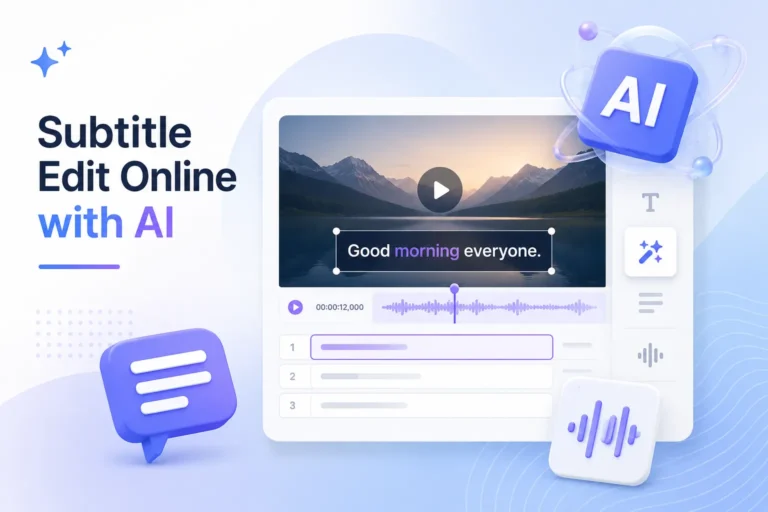
Bir altyazı (CC) oluşturucu kullanarak, videoları otomatik olarak düzenlenebilir altyazılara, kapalı altyazılara veya SDH tarzı altyazılara dönüştürebilir ve bunları SRT ve VTT gibi yaygın altyazı dosya formatlarında dışa aktarabilirsiniz. Uzun videolar, röportaj videoları, eğitim videoları ve çok dilli videolar için yapay zeka destekli altyazı oluşturucu, gereken manuel iş miktarını önemli ölçüde azaltabilir. Konuşmayı otomatik olarak tanır, altyazı metni oluşturur ve zaman çizelgesiyle senkronize eder.
Otomatik altyazı ve kapalı altyazı oluşturma süreci oldukça basittir. Kullanıcıların tek yapması gereken bir video yüklemek ve altyazıları oluşturmak, düzenlemek ve dışa aktarmak için platformun adımlarını takip etmektir.
Adım 1: Videoyu Yükleyin
Öncelikle videoyu altyazı ve kapalı altyazı oluşturucuya yükleyin. Platform, videodan ses içeriğini çıkaracaktır. Diyalogları manuel olarak yazıya dökmenize veya önceden bir altyazı dosyası hazırlamanıza gerek yoktur. Bu araç YouTube videoları, eğitim videoları, podcast'ler, toplantı kayıtları, pazarlama videoları ve sosyal medya kısa videoları için uygundur.
Adım 2: Video Dilini Seçin
Videoyu yükledikten sonra kaynak dili seçmeniz gerekecek. Bu, yapay zekanın videodaki ses içeriğini daha doğru bir şekilde tanımasına yardımcı olur.
3. Adım: Otomatik Olarak CC Altyazıları Oluşturma
-1024x700.webp)
Ardından, sistem videodaki konuşmayı otomatik olarak tanıyacak. Konuşmayı altyazı metnine dönüştürecek ve otomatik olarak bir zaman çizelgesi oluşturacaktır. Bu adım, "otomatik altyazı oluşturma" olarak anlaşılabilir; yani, videonun ses içeriğini hızlı bir şekilde okunabilir, düzenlenebilir altyazılara dönüştürme işlemidir. Erişilebilirlik amacıyla, kullanıcılar altyazıları kapalı altyazı veya SDH tarzı altyazı olarak daha da düzenleyebilirler.
4. Adım: Altyazı Metnini ve Zaman Çizelgesini Düzenleyin
Yapay zekâ tarafından oluşturulan altyazılar verimliliği artırabilir. Ancak, yüksek kaliteli altyazılar yine de manuel inceleme gerektirir. Doğru isimleri, marka adlarını, teknik terimleri ve sayısal bilgileri kontrol edebilirsiniz. Ayrıca, altyazıların video sesiyle senkronize kalmasını sağlamak için başlangıç ve bitiş zamanlarını da ayarlayabilirsiniz.
Adım 5: Konuşmacı İsimlerini ve Sesli İşaretleri Ekleyin
Kapalı altyazı veya SDH tarzı altyazı oluşturmanız gerekiyorsa, yalnızca diyaloğa güvenemezsiniz. Gerekli ses ipuçlarını da eklemelisiniz.
Örneğin, konuşmacıların isimlerini ekleyebilirsiniz. Ayrıca müzik, kahkaha, alkış, kapı çalma, ortam sesleri ve daha fazlası için ipuçları da ekleyebilirsiniz.
Yaygın formatlar şunlardır:
[Hafif müzik çalıyor] JOHN: Bugünkü dersimize hoş geldiniz. [Seyirciler alkışlıyor]
Adım 6: Altyazı Dosyasını Dışa Aktarın
Altyazıları düzenlemeyi bitirdikten sonra, yayın platformunuz için uygun formatta dışa aktarın.
- YouTube'a yüklemek için SRT olarak dışa aktarın.
- Web sitesi oynatıcıları veya kurs platformları için VTT olarak dışa aktarın.
- Transkripti düzenlemek için TXT olarak dışa aktarın.
- TikTok, Reels veya Shorts'ta paylaşım yapmak için, videoya kalıcı altyazı ekleyin.
İşte bu noktada SRT ve VTT altyazı oluşturucuları değer kazanıyor. Farklı platformlar için altyazıları uyarlamanıza olanak tanıyorlar.
Altyazı CC SSS
S1. Altyazılarda CC ne anlama gelir?
CC, Kapalı Altyazılar anlamına gelir. Altyazı bağlamında, CC genellikle izleyicilerin açıp kapatabileceği kapalı altyazıları ifade eder. Diyalogların gösterilmesinin yanı sıra, CC konuşmacı kimliği, ses efektleri, müzik ve diğer önemli ses bilgilerini de içerebilir. Bu, işitme engelli veya işitme güçlüğü çeken kullanıcılar ile sesi kısık olarak izleyenler için önemlidir.
CC, altyazı özelliğinin açılıp kapatılabileceğini vurgularken, SDH ise altyazı içeriğinin işitme engelli ve işitme güçlüğü çeken kullanıcılar için özel olarak hazırlandığını vurgulamaktadır.
CC, Kapalı Altyazılar anlamına gelir. Genellikle YouTube, web videoları, çevrimiçi kurslar ve yayın videolarında kullanılır. SDH, İşitme Engelliler ve İşitme Güçlüğü Çekenler için Altyazılar anlamına gelir. Genellikle yayın platformlarında, filmlerde ve TV şovlarında, yerelleştirilmiş içeriklerde ve profesyonel altyazı dağıtım senaryolarında kullanılır. Hem CC hem de SDH, diyalog, konuşmacı tanımlama, ses efektleri, müzik ve ortam sesleri içerebilir.
S3. YouTube'da altyazıları (CC olmadan) nasıl açabilirim?
Bir YouTube videosunda altyazı düğmesi yoksa, genellikle o video için altyazı seçeneği bulunmadığı anlamına gelir.
Video içerik üreticisiyseniz, altyazı oluşturmak için yapay zeka destekli bir altyazı oluşturucu kullanabilirsiniz. Ardından SRT veya VTT dosyası olarak dışa aktarıp YouTube'a yükleyebilirsiniz.
S4. YouTube'da CC olmadan İngilizce altyazı nasıl elde edilir?
Bir YouTube videosunda İngilizce altyazı yoksa, öncelikle şunları yapabilirsiniz: İngilizce altyazı oluşturmak veya çevirmek, Ardından altyazı dosyasını yükleyin.
Bu işlemi tamamlamak için bir altyazı (CC) oluşturucu kullanabilirsiniz. Öncelikle videoyu yükleyin, ardından sistemin sesi otomatik olarak yazıya dökmesine izin verin. Son olarak, bir SRT veya VTT dosyası dışa aktarın ve YouTube'a yükleyin.
S5. Netflix'teki altyazılarda CC ne anlama geliyor?
Netflix altyazılarında CC genellikle hem diyalog hem de ses ipuçlarını içeren kapalı altyazıları veya SDH tarzı altyazıları ifade eder. Standart İngilizce altyazılar genellikle konuşulan diyaloglara daha çok odaklanırken, İngilizce altyazılar genellikle daha fazla ses bilgisi içerir. Oynatma arayüzünün "Ses ve Altyazılar" bölümünde altyazıları, altyazı dilini ve ses dilini ayarlayabilirsiniz. Daha iyi bir erişilebilirlik deneyimi için, CC veya SDH tarzı altyazıları kullanmanızı öneririz.
S6. İngilizce CC ile İngilizce altyazılar arasındaki fark nedir?
İngilizce altyazılar genellikle yalnızca İngilizce diyalogları gösterirken, İngilizce CC genellikle İngilizce diyaloglara ek olarak ses ipuçlarını da gösterir.
Dakikalar İçinde Videolarınız İçin Altyazı (CC) Oluşturun

Altyazıları kelime kelime elle yazmaya artık gerek yok. Videonuzu yükleyin, altyazılar otomatik olarak oluşturulsun.
Altyazı metnini düzenleyebilir, zaman çizelgesini ayarlayabilir, İngilizce altyazıları çevirebilir ve konuşmacı etiketleri, ses efektleri ve müzik ipuçları ekleyebilirsiniz. İşiniz bittiğinde, SRT, VTT veya TXT dosyalarını dışa aktarabilirsiniz. Ayrıca TikTok, Reels, Shorts ve reklam videoları için uygun, videoya entegre edilmiş altyazılar da oluşturabilirsiniz.
👉 Altyazı Oluşturmaya Hemen Başlayın
Bu blogu okuduğunuz için teşekkürler. Daha fazla soru veya özelleştirme ihtiyaçlarınız için bizimle iletişime geçmekten çekinmeyin!