Nhiều người bắt gặp thuật ngữ "phụ đề CC" khi xem, tải lên hoặc tạo nội dung video. Nhưng thực chất nó có nghĩa là gì? Nó khác với phụ đề thông thường, phụ đề đóng (Closed Captions) và phụ đề SDH như thế nào? Nói một cách đơn giản, "phụ đề CC" thường đề cập đến phụ đề video và phụ đề đóng. Nó giúp người xem hiểu nội dung video trong môi trường không có âm thanh và cho phép người dùng khiếm thính tiếp cận thông tin đầy đủ hơn. Bài viết này sẽ giải thích ý nghĩa của "phụ đề CC", sự khác biệt giữa CC và SDH, và cách sử dụng trình tạo phụ đề AI hoặc trình tạo phụ đề đóng để tạo tệp phụ đề hiệu quả hơn.
Mục lục
“Phụ đề CC” nghĩa là gì?
“"Phụ đề CC" thường dùng để chỉ phụ đề hoặc chú thích đóng trong video, hiển thị lời thoại và thông tin âm thanh quan trọng dưới dạng văn bản. Trong bối cảnh này, “CC” là viết tắt của “Closed Captions” (Phụ đề đóng).” Trong tiếng Trung, điều này có thể được hiểu là "phụ đề đóng" hoặc "phụ đề có thể bật/tắt".“
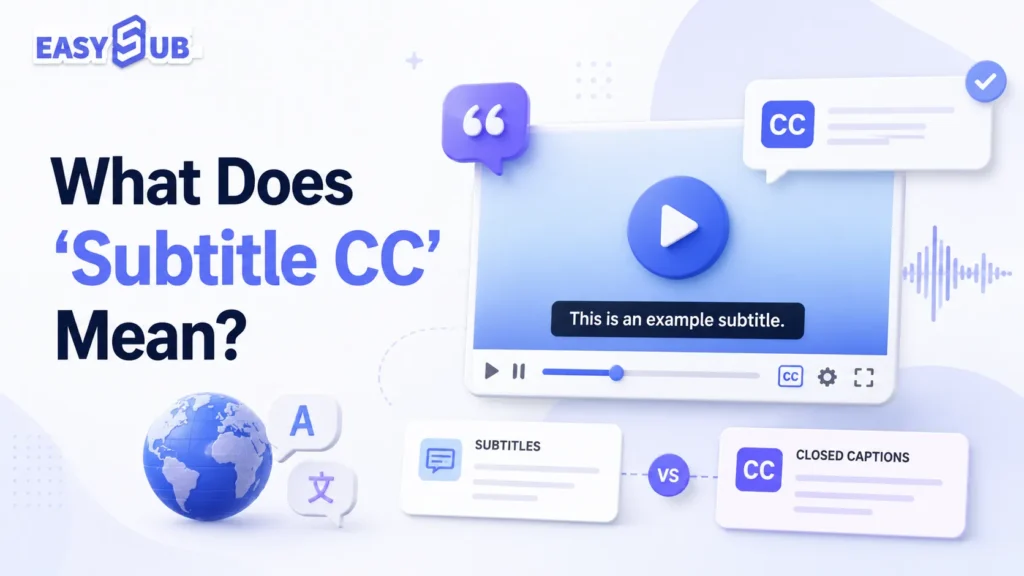
Giải thích về phụ đề CC
“"Phụ đề CC" không phải là một thuật ngữ hoàn toàn mang tính kỹ thuật. Nó giống như một thuật ngữ ghép được người dùng sử dụng trong các truy vấn tìm kiếm. Nhiều người dùng gọi các loại phụ đề sau đây là “phụ đề cc”:
| Thuật ngữ | Nghĩa |
|---|---|
| Phụ đề | Thường hiển thị lời thoại của nhân vật hoặc lời thoại đã được dịch. |
| CC | Người xem thường có thể bật hoặc tắt tính năng này và nó có thể bao gồm lời thoại, hiệu ứng âm thanh, nhạc nền và thông tin người nói. |
| SDH | Được thiết kế dành cho người khiếm thính và người nghe kém, giúp họ hiểu được hội thoại và thông tin âm thanh. |
| Phụ đề CC | Thuật ngữ này thường dùng để chỉ phụ đề, chú thích hoặc phụ đề đóng. |
CC trong phụ đề có nghĩa là gì?
CC là viết tắt của Closed Captions (Phụ đề đóng). Trong ngữ cảnh phụ đề, CC thường đề cập đến một bản phụ đề có thể bật hoặc tắt. Khác với phụ đề thông thường, CC không nhất thiết chỉ hiển thị lời thoại. CC chất lượng cao cũng có thể bao gồm: tên người nói, nhạc nền, hiệu ứng âm thanh quan trọng và các tín hiệu âm thanh như tiếng cười, tiếng vỗ tay và tiếng chuông cửa.
Ví dụ:
[nhạc nhẹ vang lên] JOHN: Chúng ta cần phải đi ngay bây giờ. [cửa đóng lại]
Thông tin này rất quan trọng đối với người dùng khiếm thính. Phụ đề CC ảnh hưởng trực tiếp đến hiệu quả hiểu video, trải nghiệm xem và phạm vi tiếp cận khán giả của nội dung. Để có trải nghiệm xem dễ tiếp cận hơn, chúng tôi khuyên bạn nên sử dụng phụ đề kiểu CC hoặc SDH.
| Giá trị | Sự miêu tả |
|---|---|
| Tăng cường trải nghiệm xem phim trong không gian yên tĩnh. | Nhiều người dùng xem video mà không bật âm thanh khi đang di chuyển, ở văn phòng hoặc ở những nơi công cộng. |
| Cải thiện khả năng truy cập nội dung | Giúp người dùng khiếm thính hiểu được nội dung video. |
| Mở rộng đối tượng khán giả quốc tế | Có thể kết hợp với phụ đề dịch để tạo ra các phiên bản đa ngôn ngữ. |
| Cải thiện khả năng hiểu video | Người dùng có thể đọc theo trong khi xem, giảm nguy cơ bỏ sót thông tin. |
| Tạo điều kiện thuận lợi cho việc xuất bản trên nền tảng | Các tệp phụ đề như SRT và VTT có thể được xuất để sử dụng trên YouTube, các nền tảng khóa học hoặc trình phát trên trang web. |
Phụ đề, CC và SDH: Sự khác biệt giữa các loại phụ đề video là gì?
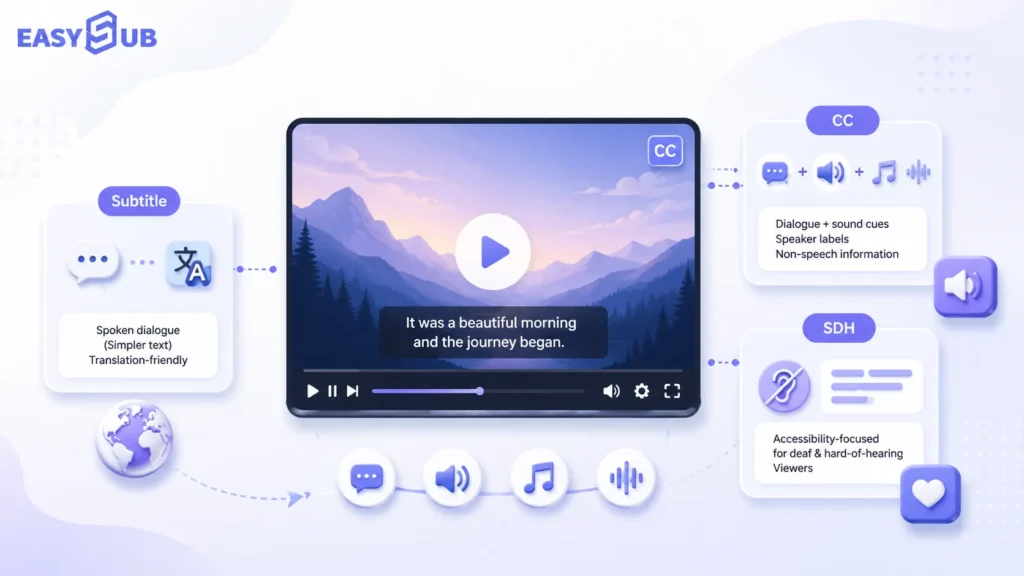
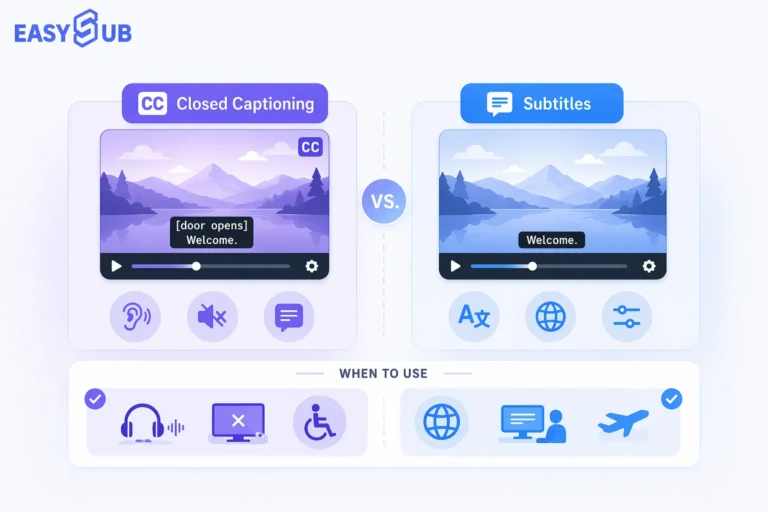
Điểm khác biệt chính giữa phụ đề, CC và SDH là phụ đề chủ yếu hiển thị lời thoại hoặc bản dịch, CC nhấn mạnh vào phụ đề có thể xoay được, còn SDH tập trung vào phụ đề dễ tiếp cận cho người dùng khiếm thính.
Trong bối cảnh phụ đề video, nhiều người dùng coi đó là... phụ đề cc Là một thuật ngữ chung, nó có thể đề cập đến phụ đề thông thường hoặc phụ đề dành cho người khiếm thính. Nếu nội dung liên quan đến khả năng tiếp cận, nó cũng có thể bao gồm phụ đề SDH (Specialized Disclosure Health Department).
phụ đề Thông thường, chúng ta sẽ đề cập đến phụ đề tiêu chuẩn. Phụ đề chủ yếu hiển thị lời thoại của các nhân vật trong video. Chúng cũng thường được sử dụng để dịch các video ngôn ngữ nước ngoài. Ví dụ, một video tiếng Anh có phụ đề tiếng Trung, hoặc một video tiếng Tây Ban Nha có phụ đề tiếng Anh. Trong những trường hợp này, người xem thường có thể nghe được âm thanh nhưng cần văn bản để giúp họ hiểu ngôn ngữ.
CC là gì?
CC là viết tắt của Closed Captions (Phụ đề đóng). Trong tiếng Trung, thuật ngữ này thường được hiểu là "phụ đề ẩn" hoặc "phụ đề bật/tắt". Phụ đề không chỉ hiển thị lời thoại. Phụ đề chất lượng cao còn có thể bao gồm nhận dạng người nói, hiệu ứng âm thanh, nhạc nền và các thông tin âm thanh quan trọng khác. Chúng vô cùng hữu ích cho người khiếm thính, người xem phim mà không bật âm thanh và người không phải là người bản ngữ.
Tổ chức W3C giải thích trong hướng dẫn về khả năng tiếp cận rằng phụ đề không chỉ nên bao gồm lời thoại mà còn phải xác định người nói và truyền đạt thông tin phi ngôn ngữ quan trọng được truyền tải qua âm thanh, chẳng hạn như hiệu ứng âm thanh có ý nghĩa.
CC phù hợp nhất với:
| Trường hợp sử dụng | Sự miêu tả |
|---|---|
| Phụ đề YouTube | Người dùng có thể bật hoặc tắt chúng trong trình phát. |
| Các khóa học trực tuyến | Tăng cường khả năng tiếp cận nội dung khóa học. |
| Video đào tạo doanh nghiệp | Giúp nhân viên học tập trong môi trường yên tĩnh. |
| Video trên web | Thích hợp cho các bản phụ đề như VTT |
| Nội dung video dễ tiếp cận | Giúp người dùng khiếm thính tiếp cận thông tin âm thanh. |
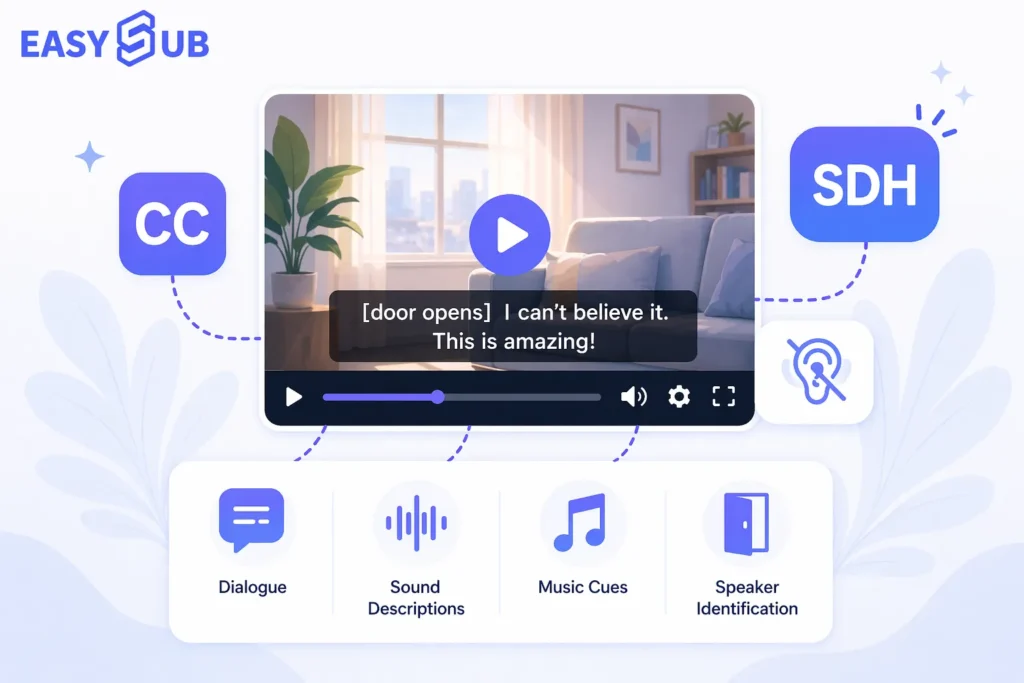
SDH là viết tắt của Phụ đề dành cho người khiếm thính và người nghe kém. Phụ đề SDH tập trung vào khả năng tiếp cận. Mục tiêu của chúng là phiên âm thông tin mà người dùng khiếm thính không thể nghe được nhưng lại rất cần thiết để hiểu nội dung.
SDH phù hợp nhất cho:
| Trường hợp sử dụng | Sự miêu tả |
|---|---|
| Video trực tuyến | ví dụ: phim điện ảnh, chương trình truyền hình, phim tài liệu |
| Bản địa hóa phương tiện truyền thông | Đáp ứng cả nhu cầu về ngôn ngữ và khả năng tiếp cận. |
| Hiển thị dành cho người dùng khiếm thính | Cung cấp thông tin âm thanh đầy đủ hơn |
| Dịch vụ phụ đề chuyên nghiệp | Thích hợp cho nội dung có yêu cầu chất lượng phụ đề cao hơn. |
| Nội dung giáo dục và công cộng | Tăng cường khả năng truy cập nội dung |
So sánh: Phụ đề (Subtitles) so với CC (CC) so với SDH (Scheduled Disclosure - Người khiếm thính
| Mục so sánh | Phụ đề | CC | SDH |
|---|---|---|---|
| Họ và tên đầy đủ | phụ đề | Phụ đề | Phụ đề dành cho người khiếm thính và người nghe kém |
| Chức năng cốt lõi | Hiển thị đoạn hội thoại hoặc bản dịch | Hiển thị đoạn hội thoại và thông tin âm thanh quan trọng. | Cung cấp hỗ trợ hiểu đầy đủ cho người dùng khiếm thính. |
| Bao gồm hiệu ứng âm thanh | Thường không bao gồm | Có thể bao gồm | Thường bao gồm |
| Bao gồm thông tin diễn giả. | Không nhất thiết | Có thể bao gồm | Thường bao gồm |
| Có thể bật/tắt | Thông thường là vậy | Thông thường là vậy | Tùy thuộc vào nền tảng và định dạng tệp. |
| Người dùng chính | Khán giả nói tiếng nước ngoài, khán giả nói chung | Người dùng khiếm thính, người dùng xem mà không bật âm thanh, khán giả nói chung | Người dùng bị điếc và khiếm thính |
| Nền tảng chung | YouTube, Netflix, các nền tảng khóa học | YouTube, trình phát web, nền tảng khóa học | Dịch vụ phát trực tuyến, phim và truyền hình, nền tảng bản địa hóa |
| Nội dung phù hợp | Video đã được dịch, video tổng hợp | Video trực tuyến, khóa học, đào tạo doanh nghiệp | Điện ảnh và truyền hình, giáo dục, nội dung dễ tiếp cận |
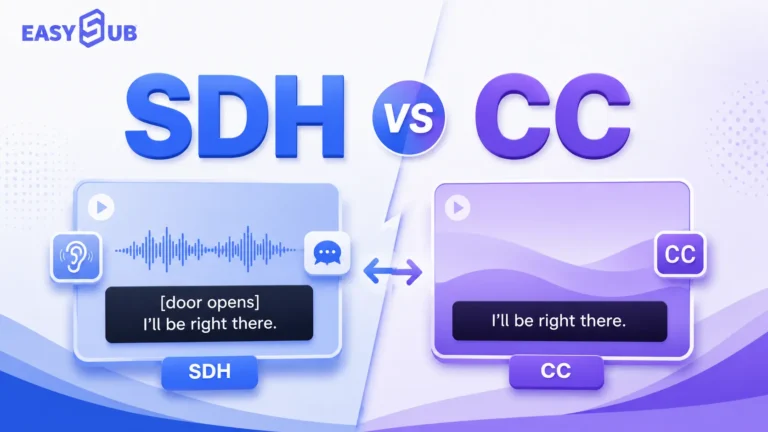
Cả hai CC và SDH Chúng có thể giúp người dùng khiếm thính hiểu được video. Sự khác biệt chính nằm ở bối cảnh sử dụng.
CC Chế độ này chú trọng hơn đến định dạng của phụ đề. Người dùng thường có thể bật hoặc tắt chế độ này. SDH Nó chú trọng hơn vào tính đầy đủ của nội dung phụ đề. Nó tập trung nhiều hơn vào việc liệu người dùng khiếm thính có thể hiểu được thông tin âm thanh ngoài phần hội thoại hay không. Do đó, trong quá trình sản xuất video thực tế, bạn có thể lựa chọn dựa trên các yếu tố sau:
| Nhu cầu của bạn | Lựa chọn được đề xuất |
|---|---|
| Chỉ cần hiển thị đoạn hội thoại hoặc bản dịch. | phụ đề |
| Cần phụ đề cho video YouTube, khóa học hoặc video trực tuyến. | CC |
| Cần đáp ứng nhu cầu của người dùng khiếm thính và đảm bảo trải nghiệm dễ tiếp cận. | Phụ đề SDH |
| Cần tạo các tệp phụ đề có thể chỉnh sửa | Sử dụng công cụ tạo phụ đề CC. |
| Cần nhanh chóng tạo phụ đề và dòng thời gian | Sử dụng công cụ tạo phụ đề bằng AI. |
| Cần tạo phụ đề có thể bật hoặc tắt. | Sử dụng công cụ tạo phụ đề |
Phụ đề chủ yếu đáp ứng nhu cầu "hiểu lời thoại", trong khi phụ đề có chú thích (CC) chủ yếu đáp ứng nhu cầu "hiểu video ngay cả khi không có âm thanh". Phụ đề SDH (Specialized Disabilities Distribution) tiến thêm một bước nữa bằng cách nhấn mạnh trải nghiệm xem trọn vẹn cho người dùng khiếm thính. Nếu bạn muốn cải thiện khả năng truy cập video và tính tương thích nền tảng, chúng tôi khuyên bạn nên ưu tiên phụ đề kiểu CC hoặc SDH.
Phụ đề tiếng Anh (CC) so với phụ đề tiếng Anh (Subtitles)
Trên Netflix, YouTube và các nền tảng video khác, nhiều người dùng sẽ thấy Tiếng Anh, Phụ đề tiếng Anh, hoặc Phụ đề tiếng Anh. Các tùy chọn này trông rất giống nhau, nhưng chúng phục vụ cho các nhu cầu xem khác nhau.
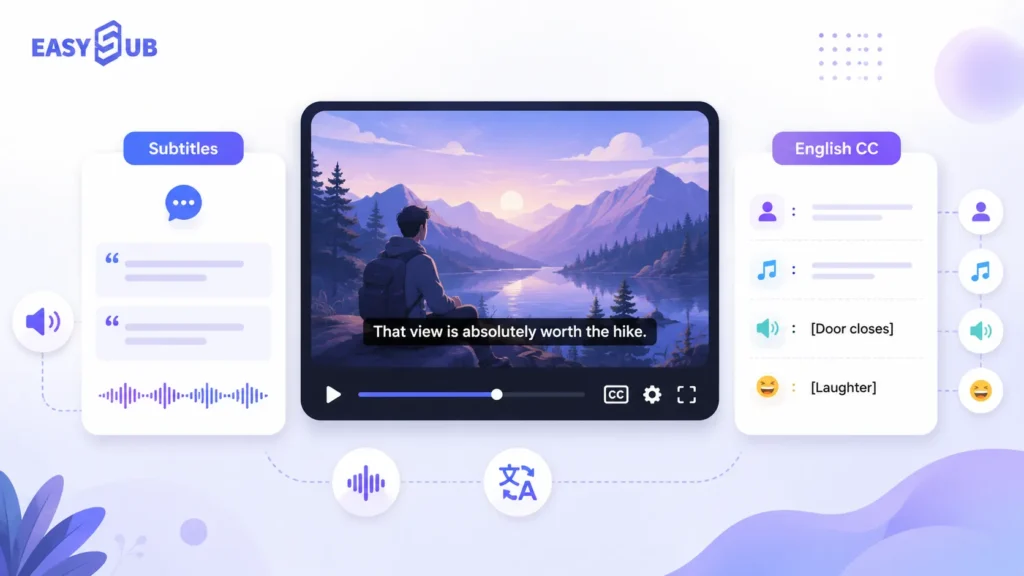
| Lựa chọn | Những gì nó thường hiển thị | Tốt nhất cho |
|---|---|---|
| Phụ đề tiếng Anh | Đối thoại tiếng Anh | Người xem có thể nghe được âm thanh nhưng cần hỗ trợ văn bản |
| Phụ đề tiếng Anh | Đối thoại tiếng Anh + người nói + hiệu ứng âm thanh + nhạc nền | Người dùng khiếm thính, người xem không bật âm thanh và các tình huống cần hỗ trợ tiếp cận. |
| Phụ đề đã dịch | Đoạn hội thoại đã được dịch | Khán giả quốc tế, người dùng đa ngôn ngữ |
Tại sao người dùng Netflix và YouTube thường nhầm lẫn giữa hai nền tảng này?
Vì nhiều nền tảng đặt tùy chọn phụ đề trong cùng một menu. Khi người dùng thấy "Tiếng Anh" và "Phụ đề tiếng Anh", họ thường cho rằng đó chỉ đơn giản là hai phiên bản phụ đề tiếng Anh khác nhau.
Trong bối cảnh của Netflix, phụ đề, SDH và CC đều được coi là "văn bản theo thời gian". Theo hướng dẫn chính thức của Netflix, "phụ đề" thường đề cập đến văn bản đa ngôn ngữ, trong khi "SDH" và "CC" đề cập đến văn bản hỗ trợ tiếp cận cùng ngôn ngữ.
Trên YouTube, người sáng tạo nội dung có thể thêm "phụ đề" và "chú thích" thông qua YouTube Studio. YouTube cũng hỗ trợ tải lên các tệp phụ đề, thường chứa nội dung văn bản của video và mã thời gian tương ứng.
Do đó, xét từ góc độ sản xuất nội dung:
| Kịch bản nền tảng | Lựa chọn được đề xuất |
|---|---|
| Muốn chỉ hiển thị đoạn hội thoại tiếng Anh | Phụ đề tiếng Anh |
| Muốn giúp người dùng xem video mà không cần bật âm thanh. | Phụ đề tiếng Anh |
| Muốn hỗ trợ người dùng bị khiếm thính | Phụ đề tiếng Anh CC hoặc SDH |
| Bạn muốn tải phụ đề lên YouTube? | Tạo tệp phụ đề SRT hoặc VTT |
| Bạn muốn tạo video đa ngôn ngữ? | Tạo phụ đề đã dịch |
Phụ đề tiếng Anh (CC) so với phụ đề tiếng Anh thông thường: Nên chọn loại nào?
| Mục tiêu của bạn | Loại phụ đề được đề xuất |
|---|---|
| Giúp người xem hiểu được lời thoại tiếng Anh | Phụ đề tiếng Anh |
| Nâng cao trải nghiệm xem dễ tiếp cận | Phụ đề tiếng Anh |
| Giúp người xem khiếm thính hiểu được toàn bộ nội dung. | Phụ đề tiếng Anh CC hoặc SDH |
| Tải phụ đề lên YouTube | Phụ đề tiếng Anh hoặc tệp CC tiếng Anh |
| Phân phối video trên toàn thế giới | Phụ đề tiếng Anh + Phụ đề dịch |
| Tạo các khóa học, phỏng vấn hoặc video podcast. | Phụ đề tiếng Anh phù hợp hơn. |
Với nền tảng tạo phụ đề của chúng tôi, bạn có thể tạo ra nhiều loại phụ đề khác nhau phù hợp với nhiều đối tượng khán giả. Bạn có thể tạo phụ đề tiếng Anh hoặc phụ đề kiểu CC tiếng Anh. Nếu cần tiếp cận khán giả quốc tế, bạn cũng có thể tạo phụ đề đã được dịch.
Tải video của bạn lên Công cụ này sẽ tự động chuyển đổi âm thanh thành văn bản. Sau đó, bạn có thể chỉnh sửa văn bản phụ đề, dòng thời gian, người nói và các tín hiệu âm thanh. Cuối cùng, xuất tệp dưới dạng SRT, VTT hoặc TXT, hoặc trực tiếp tạo video có phụ đề được nhúng.
Phụ đề CC dành cho video trên YouTube và Netflix
Nếu video trên YouTube không có nút CC hoặc tùy chọn phụ đề tiếng Anh, người dùng thường không thể bật phụ đề trực tiếp. Nếu bạn sở hữu nội dung video, trước tiên bạn có thể sử dụng công cụ tạo phụ đề CC để tạo phụ đề tiếng Anh, sau đó tải tệp SRT hoặc VTT lên nền tảng.
YouTube: Phải làm gì nếu không thấy nút phụ đề?

Nếu video trên YouTube không hiển thị nút CC (phụ đề), điều đó thường có nghĩa là không có bản phụ đề nào cho video đó. Có thể người tạo video chưa tải lên phụ đề. Cũng có thể YouTube chưa tạo phụ đề tự động.
Theo hướng dẫn chính thức của YouTube, người sáng tạo nội dung có thể thêm phụ đề và chú thích trong YouTube Studio. Các phương pháp thêm phụ đề bao gồm tải lên tệp phụ đề, đồng bộ hóa tự động và nhập thủ công.
Các tệp phụ đề thường chứa nội dung lời thoại của video và mốc thời gian tương ứng. Đối với người tạo video, đây là cách giải quyết vấn đề này:
Một. Video không có nút phụ đề.Tạo tệp phụ đề cho video và tải lên nền tảng.
b. Không có phụ đề tiếng AnhTạo phụ đề tiếng Anh hoặc dịch phụ đề gốc sang tiếng Anh.
c. Phụ đề tự động không chính xácChỉnh sửa thủ công văn bản phụ đề, dấu thời gian, tên và thuật ngữ chuyên ngành.
d. Muốn hỗ trợ người dùng bị khiếm thínhThêm thông tin nhận dạng người nói, hiệu ứng âm thanh, nhạc nền và các tín hiệu âm thanh khác.
e. Muốn tải lên YouTubeXuất phụ đề định dạng SRT, VTT hoặc các định dạng khác được YouTube hỗ trợ.
Cách bật phụ đề tiếng Anh trên YouTube mà không cần CC
Nếu video không có nút CC hoặc tùy chọn phụ đề tiếng Anh, bạn thường không thể bật phụ đề tiếng Anh trực tiếp trên YouTube. Điều này là do các bản phụ đề phải được người tạo nội dung tải lên hoặc được nền tảng tạo tự động.
Nếu bạn là người tạo video, bạn có thể sử dụng công cụ tạo phụ đề bằng AI để tạo phụ đề tiếng Anh. Sau đó xuất tệp phụ đề. Tải lên YouTube Studio.
Quá trình này như sau:
Tải video lên → Tạo phụ đề → Dịch sang tiếng Anh → Chỉnh sửa thời gian → Xuất định dạng SRT/VTT → Tải lên YouTube
Netflix: "CC" trong phụ đề Netflix có nghĩa là gì?
Trên Netflix, "CC" thường dùng để chỉ phụ đề đóng hoặc phụ đề kiểu SDH. Chúng không chỉ hiển thị lời thoại mà còn có thể bao gồm cả tín hiệu âm thanh, nhạc nền, thông tin người nói và các tín hiệu âm thanh khác.
Trung tâm trợ giúp của Netflix giải thích rằng người dùng có thể chọn phụ đề, ngôn ngữ phụ đề và ngôn ngữ âm thanh trong phần cài đặt. Âm thanh & Phụ đề phần giao diện phát lại. Nếu phim hỗ trợ SDH, bạn sẽ thấy biểu tượng SDH trên trang chi tiết của phim. Nếu phim không hỗ trợ SDH, người dùng có thể thấy phụ đề chỉ bao gồm lời thoại, không có thông tin âm thanh hoặc nhạc nền. Phụ đề tiêu chuẩn và phụ đề kiểu CC/SDH cung cấp các mức độ thông tin khác nhau.
| Tùy chọn phụ đề của Netflix | Ý nghĩa điển hình |
|---|---|
| Tiếng Anh | Thường chỉ hiển thị lời thoại tiếng Anh. |
| Phụ đề tiếng Anh | Đối thoại tiếng Anh + tín hiệu âm thanh |
| SDH / CC | Phụ đề dành cho người khiếm thính một phần |
| Phụ đề ngôn ngữ khác | Phụ đề đã được dịch cho khán giả quốc tế. |
Khi Netflix giới thiệu tùy chọn phụ đề tiếng Anh mới vào năm 2025, họ cũng đã làm rõ rằng: Tiếng Anh hiển thị đoạn hội thoại bằng giọng nói, trong khi Tiếng Anh (CC) Bao gồm cả lời thoại và tín hiệu âm thanh.
Làm thế nào để tạo phụ đề tự động bằng phần mềm tạo phụ đề AI?
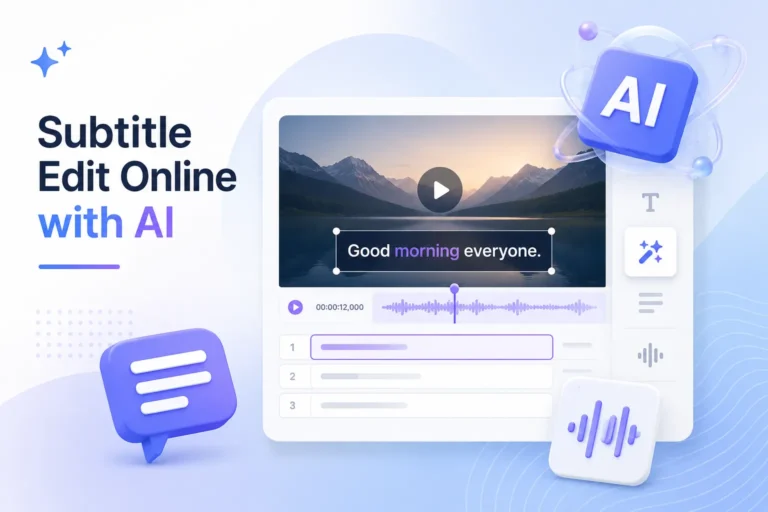
Sử dụng trình tạo phụ đề CC, bạn có thể tự động chuyển đổi video thành phụ đề có thể chỉnh sửa, phụ đề đóng (Closed Captions) hoặc phụ đề kiểu SDH, và xuất chúng dưới các định dạng tệp phụ đề phổ biến như SRT và VTT. Đối với các video dài, video phỏng vấn, video hướng dẫn và video đa ngôn ngữ, trình tạo phụ đề AI có thể giảm đáng kể lượng công việc thủ công cần thiết. Nó tự động nhận dạng giọng nói, tạo văn bản phụ đề và đồng bộ hóa với dòng thời gian.
Quá trình tạo phụ đề và chú thích tự động rất đơn giản. Người dùng chỉ cần tải video lên và làm theo các bước trên nền tảng để tạo, chỉnh sửa và xuất phụ đề.
Bước 1: Tải video lên
Đầu tiên, hãy tải video lên công cụ tạo phụ đề và chú thích. Nền tảng sẽ trích xuất nội dung âm thanh từ video. Bạn không cần phải tự chép lại lời thoại hoặc chuẩn bị file phụ đề trước. Công cụ này phù hợp với video YouTube, video giáo dục, podcast, bản ghi âm cuộc họp, video marketing và video ngắn trên mạng xã hội.
Bước 2: Chọn ngôn ngữ video
Sau khi tải video lên, bạn cần chọn ngôn ngữ nguồn. Điều này giúp AI nhận diện nội dung âm thanh trong video chính xác hơn.
Bước 3: Tự động tạo phụ đề CC
-1024x700.webp)
Tiếp theo, hệ thống sẽ tự động nhận diện giọng nói trong video. Nó sẽ chuyển đổi giọng nói thành văn bản phụ đề và tự động tạo dòng thời gian. Bước này có thể được hiểu là “tạo phụ đề tự động”—nghĩa là, nhanh chóng chuyển đổi nội dung âm thanh của video thành phụ đề dễ đọc và có thể chỉnh sửa. Vì mục đích hỗ trợ người khuyết tật, người dùng có thể chỉnh sửa thêm phụ đề thành phụ đề đóng hoặc phụ đề kiểu SDH.
Bước 4: Chỉnh sửa văn bản phụ đề và dòng thời gian
Phụ đề do AI tạo ra có thể cải thiện hiệu quả. Tuy nhiên, phụ đề chất lượng cao vẫn cần được xem xét thủ công. Bạn có thể kiểm tra tên riêng, tên thương hiệu, thuật ngữ chuyên ngành và thông tin số. Bạn cũng có thể điều chỉnh thời gian bắt đầu và kết thúc của phụ đề để đảm bảo chúng luôn đồng bộ với âm thanh của video.
Bước 5: Thêm tên người thuyết trình và tín hiệu âm thanh
Nếu bạn cần tạo phụ đề đóng hoặc phụ đề kiểu SDH, bạn không thể chỉ dựa vào lời thoại. Bạn cũng phải bao gồm các tín hiệu âm thanh cần thiết.
Ví dụ, bạn có thể thêm tên người nói. Bạn cũng có thể thêm các tín hiệu cho nhạc nền, tiếng cười, tiếng vỗ tay, tiếng gõ cửa, âm thanh môi trường xung quanh, và nhiều hơn nữa.
Các định dạng phổ biến bao gồm:
[nhạc nhẹ vang lên] JOHN: Chào mừng các bạn đến với bài học hôm nay. [khán giả vỗ tay]
Bước 6: Xuất tệp phụ đề
Sau khi chỉnh sửa phụ đề xong, hãy xuất chúng sang định dạng phù hợp với nền tảng xuất bản của bạn.
- Để tải lên YouTube, hãy xuất file dưới định dạng SRT.
- Đối với trình phát trên trang web hoặc nền tảng khóa học, hãy xuất dưới dạng VTT.
- Để sắp xếp bản ghi, hãy xuất dưới dạng tệp TXT.
- Để đăng tải lên TikTok, Reels hoặc Shorts, hãy tạo chú thích được nhúng sẵn.
Đây là lúc các công cụ tạo phụ đề SRT và VTT phát huy tác dụng. Chúng cho phép bạn điều chỉnh phụ đề cho các nền tảng khác nhau.
Câu hỏi thường gặp về phụ đề CC
Câu 1. CC trong phụ đề có nghĩa là gì?
CC là viết tắt của Closed Captions (Phụ đề đóng). Trong ngữ cảnh phụ đề, CC thường đề cập đến phụ đề đóng mà người xem có thể bật hoặc tắt. Ngoài việc hiển thị lời thoại, CC cũng có thể bao gồm nhận dạng người nói, hiệu ứng âm thanh, nhạc nền và các thông tin âm thanh quan trọng khác. Điều này rất quan trọng đối với người dùng bị khiếm thính hoặc khó nghe, cũng như những người xem mà không bật âm thanh.
CC nhấn mạnh rằng người dùng có thể bật hoặc tắt phụ đề, trong khi SDH nhấn mạnh rằng nội dung phụ đề được thiết kế riêng cho người khiếm thính và người nghe kém.
CC là viết tắt của Closed Captions (Phụ đề đóng). Nó thường được sử dụng trên YouTube, video trực tuyến, các khóa học trực tuyến và video phát sóng. SDH là viết tắt của Subtitles for the Deaf and Hard of Hearing (Phụ đề dành cho người khiếm thính và khó nghe). Nó thường được sử dụng cho phát trực tuyến, phim và chương trình truyền hình, nội dung được bản địa hóa và các trường hợp cung cấp phụ đề chuyên nghiệp. Cả CC và SDH đều có thể bao gồm lời thoại, nhận dạng người nói, hiệu ứng âm thanh, nhạc nền và âm thanh môi trường.
Câu 3. Làm thế nào để bật phụ đề trên YouTube mà không cần CC?
Nếu video trên YouTube không có nút CC (phụ đề), điều đó thường có nghĩa là video đó không có phụ đề.
Nếu bạn là người tạo video, bạn có thể sử dụng công cụ tạo phụ đề bằng AI để tạo phụ đề. Sau đó xuất file SRT hoặc VTT và tải lên YouTube.
Câu 4. Làm thế nào để xem phụ đề tiếng Anh trên YouTube mà không cần bật phụ đề (CC)?
Nếu video trên YouTube không có phụ đề tiếng Anh, trước tiên bạn có thể... Tạo hoặc dịch phụ đề tiếng Anh, Sau đó tải tệp phụ đề lên.
Bạn có thể sử dụng phần mềm tạo phụ đề CC để hoàn thành quá trình này. Đầu tiên, tải video lên, sau đó để hệ thống tự động chuyển đổi âm thanh thành văn bản. Cuối cùng, xuất tệp SRT hoặc VTT và tải lên YouTube.
Câu 5. CC trong phụ đề trên Netflix là gì?
Trong phụ đề của Netflix, CC thường đề cập đến phụ đề đóng hoặc phụ đề kiểu SDH bao gồm cả lời thoại và tín hiệu âm thanh. Phụ đề tiếng Anh tiêu chuẩn thường tập trung nhiều hơn vào lời thoại, trong khi phụ đề tiếng Anh (CC) thường bao gồm nhiều thông tin âm thanh hơn. Bạn có thể điều chỉnh phụ đề, ngôn ngữ phụ đề và ngôn ngữ âm thanh trong phần “Âm thanh & Phụ đề” của giao diện phát lại. Để có trải nghiệm hỗ trợ tiếp cận tốt hơn, chúng tôi khuyên bạn nên sử dụng phụ đề kiểu CC hoặc SDH.
Câu 6. Sự khác biệt giữa phụ đề tiếng Anh (English CC) và phụ đề tiếng Anh (English subtitles) là gì?
Phụ đề tiếng Anh thường chỉ hiển thị lời thoại tiếng Anh, trong khi phụ đề tiếng Anh (English CC) thường hiển thị cả lời thoại tiếng Anh và các hiệu ứng âm thanh.
Tạo phụ đề (CC) cho video của bạn chỉ trong vài phút.

Không cần phải tự tay gõ phụ đề từng chữ một nữa. Tải video của bạn lên để hệ thống tự động tạo phụ đề.
Bạn có thể chỉnh sửa văn bản phụ đề, điều chỉnh dòng thời gian, dịch phụ đề tiếng Anh và thêm nhãn người nói, hiệu ứng âm thanh và nhạc nền. Sau khi hoàn tất, bạn có thể xuất các tệp SRT, VTT hoặc TXT. Bạn cũng có thể tạo phụ đề nhúng phù hợp cho TikTok, Reels, Shorts và video quảng cáo.
👉 Bắt đầu tạo phụ đề ngay bây giờ
Cảm ơn bạn đã đọc blog này. Hãy liên hệ với chúng tôi nếu bạn có thêm câu hỏi hoặc nhu cầu tùy chỉnh!