Molte persone si imbattono nel termine "sottotitoli CC" quando guardano, caricano o creano contenuti video. Ma cosa significa esattamente? In cosa si differenzia dai sottotitoli tradizionali, dai sottotitoli per non udenti (Closed Captions) e dai sottotitoli per persone con disabilità uditive (SDH)? In parole semplici, "sottotitoli CC" si riferisce in genere ai sottotitoli e ai sottotitoli per non udenti presenti nei video. Aiutano gli spettatori a comprendere i contenuti video in un ambiente silenzioso e consentono agli utenti con disabilità uditive di accedere a informazioni più complete. Questo articolo spiegherà il significato di "sottotitoli CC", le differenze tra CC e SDH e come utilizzare un generatore di sottotitoli basato sull'intelligenza artificiale o un generatore di sottotitoli per non udenti per creare file di sottotitoli in modo più efficiente.
Sommario
Che cosa significa “Sottotitoli CC”?
“"Sottotitoli CC" si riferisce in genere ai sottotitoli o alle didascalie dei video, che visualizzano dialoghi e informazioni audio importanti in formato testuale. In questo contesto, “CC” sta per “Sottotitoli”.” In cinese, questo può essere inteso come "sottotitoli per non udenti" o "sottotitoli attivabili/disattivabili".“
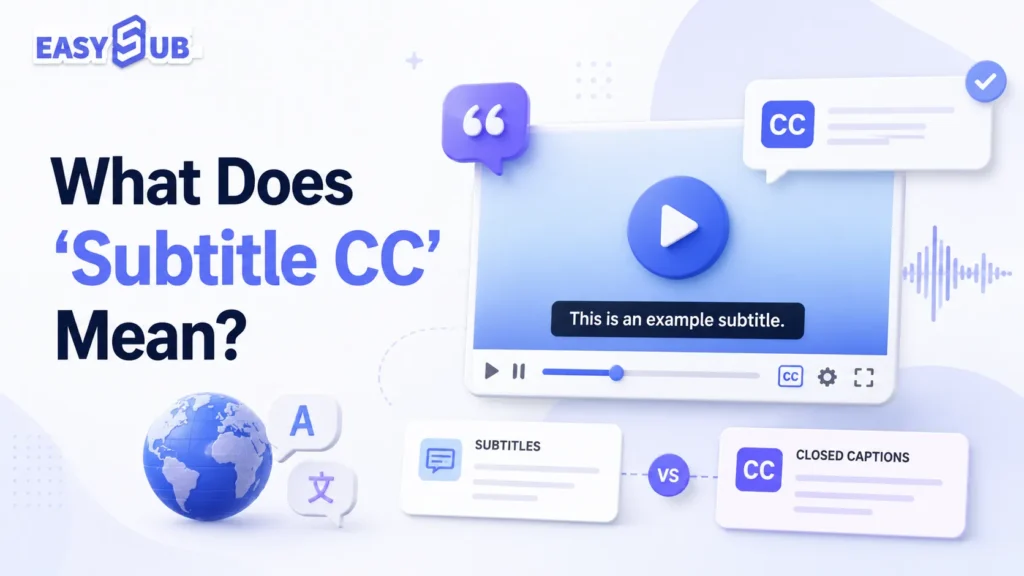
Spiegazione dei sottotitoli CC
“Sottotitoli CC” non è un termine strettamente tecnico. Si tratta piuttosto di un termine composto utilizzato dagli utenti nelle ricerche. Molti utenti si riferiscono ai seguenti tipi di sottotitoli come "sottotitoli cc":
| Termine | Senso |
|---|---|
| Sottotitolo | In genere mostra i dialoghi dei personaggi o i dialoghi tradotti |
| CC | Solitamente può essere attivato o disattivato dallo spettatore e può includere dialoghi, effetti sonori, musica e informazioni sull'oratore. |
| SDH | Progettato per utenti sordi e ipoacusici per aiutarli a comprendere dialoghi e informazioni audio. |
| Sottotitoli CC | Si riferisce generalmente a sottotitoli, didascalie o sottotitoli per non udenti. |
Cosa significa CC nei sottotitoli?
CC sta per sottotitoli. Nel contesto dei sottotitoli, CC si riferisce in genere a una traccia di sottotitoli che può essere attivata o disattivata. A differenza dei sottotitoli tradizionali, i CC non visualizzano necessariamente solo i dialoghi. I sottotitoli CC di alta qualità possono includere anche: i nomi degli interlocutori, la musica di sottofondo, gli effetti sonori importanti e segnali acustici come risate, applausi e campanelli.
Per esempio:
[musica soft in sottofondo] JOHN: Dobbiamo andare via adesso. [la porta si chiude]
Queste informazioni sono fondamentali per gli utenti con disabilità uditive. I sottotitoli CC influiscono direttamente sull'efficacia della comprensione del video, sull'esperienza di visione e sulla portata del contenuto. Per una migliore esperienza di visione accessibile, consigliamo di utilizzare i sottotitoli CC o in stile SDH.
| Valore | Descrizione |
|---|---|
| Migliora l'esperienza di visione con audio disattivato | Molti utenti guardano video con l'audio disattivato durante gli spostamenti, in ufficio o nei luoghi pubblici. |
| Migliora l'accessibilità dei contenuti | Aiuta gli utenti con problemi di udito a comprendere i contenuti video |
| Amplia il pubblico internazionale | Può essere combinato con sottotitoli tradotti per creare versioni multilingue |
| Migliorare la comprensione video | Gli utenti possono leggere mentre guardano, riducendo il rischio di perdere informazioni |
| Facilitare la pubblicazione sulla piattaforma | I file di sottotitoli come SRT e VTT possono essere esportati per essere utilizzati su YouTube, piattaforme di corsi o lettori web. |
Sottotitoli, sottotitoli in inglese (CC) e sottotitoli per non udenti (SDH): qual è la differenza tra le didascalie dei video?
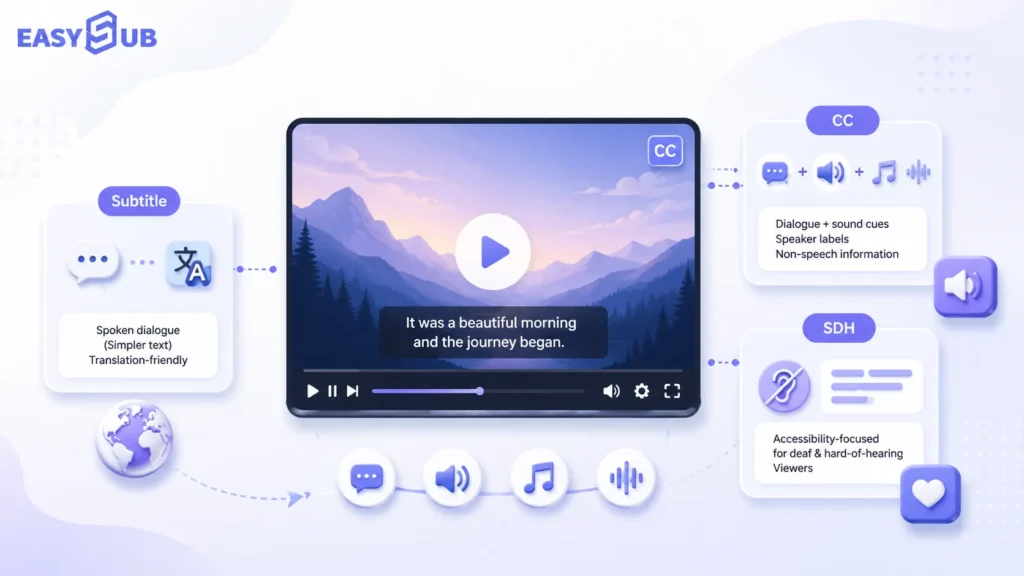
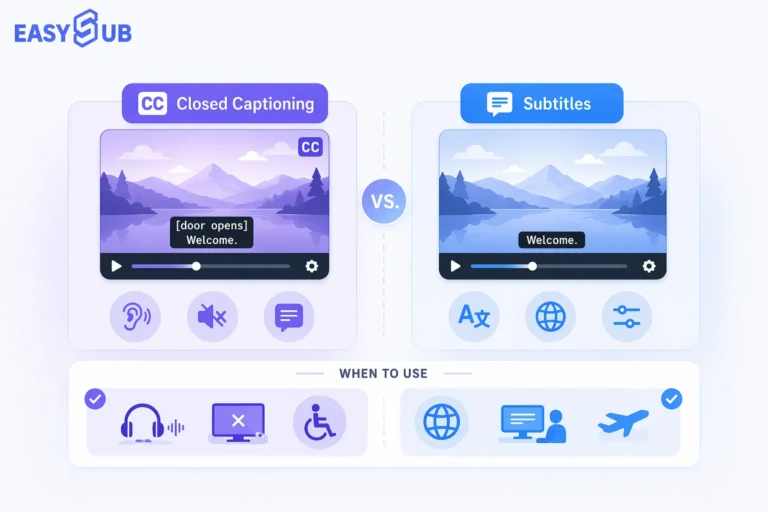
La differenza principale tra sottotitoli, CC e SDH è che i sottotitoli mostrano principalmente i dialoghi o le traduzioni, i CC si concentrano sui sottotitoli attivabili/disattivabili e gli SDH si focalizzano sui sottotitoli accessibili per gli utenti con disabilità uditive.
Nel contesto dei sottotitoli video, molti utenti trattano sottotitoli cc In senso generico, può riferirsi ai sottotitoli tradizionali o ai sottotitoli per non udenti. Se il contenuto è accessibile, può includere anche i sottotitoli per non udenti (SDH).
Sottotitoli In genere si riferiscono ai sottotitoli standard. Vengono principalmente visualizzati i dialoghi pronunciati dai personaggi in un video. Sono anche comunemente usati per tradurre video in lingua straniera. Ad esempio, un video in inglese con sottotitoli in cinese, o un video in spagnolo con sottotitoli in inglese. In questi casi, gli spettatori di solito possono sentire l'audio ma hanno bisogno del testo per capire la lingua.
Che cos'è CC?
CC sta per sottotitoli. In cinese, questo viene comunemente inteso come "sottotitoli nascosti" o "sottotitoli attivabili/disattivabili". I sottotitoli non si limitano a visualizzare i dialoghi. I sottotitoli di alta qualità possono includere anche l'identificazione di chi parla, effetti sonori, musica e altre importanti informazioni audio. Sono preziosi per gli utenti con problemi di udito, per chi guarda con l'audio disattivato e per chi non è madrelingua.
Il W3C spiega nelle sue linee guida sull'accessibilità che i sottotitoli non dovrebbero includere solo i dialoghi, ma anche identificare chi parla e trasmettere importanti informazioni non verbali attraverso il suono, come ad esempio effetti sonori significativi.
CC è più adatto per:
| Caso d'uso | Descrizione |
|---|---|
| sottotitoli di YouTube | Gli utenti possono attivarli o disattivarli nel lettore |
| Corsi online | Migliora l'accessibilità dei contenuti del corso |
| Video di formazione aziendale | Aiuta i dipendenti ad apprendere in ambienti silenziosi |
| Video web | Adatto per tracce di sottotitoli come VTT |
| Contenuti video accessibili | Aiuta gli utenti con problemi di udito ad accedere alle informazioni audio |
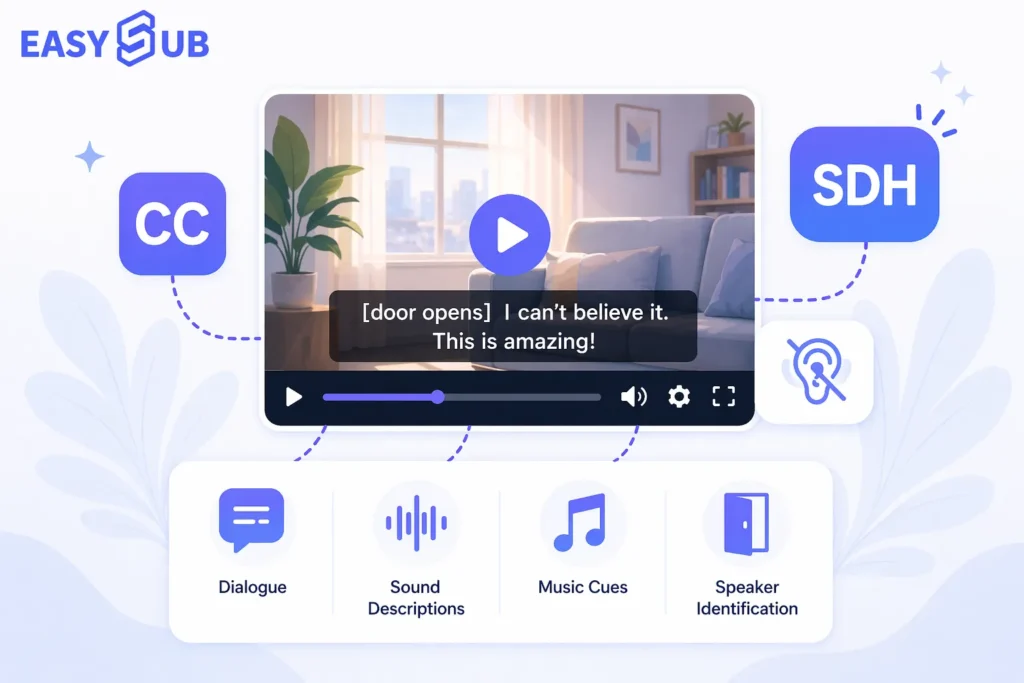
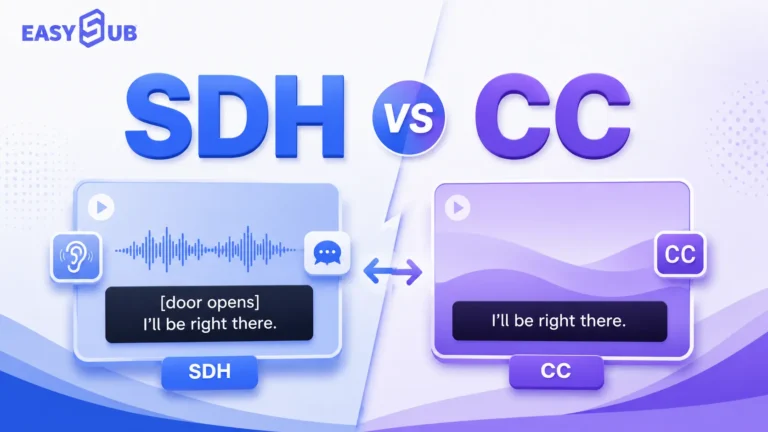
SDH sta per Sottotitoli per non udenti e ipoacusici. I sottotitoli SDH si concentrano sull'accessibilità. Il loro obiettivo è trascrivere le informazioni che gli utenti con disabilità uditive non possono sentire, ma che sono essenziali per la comprensione.
SDH è più indicato per:
| Caso d'uso | Descrizione |
|---|---|
| Video in streaming | ad esempio film, programmi televisivi, documentari |
| Localizzazione dei media | Risponde sia alle esigenze linguistiche che a quelle di accessibilità |
| Visualizzazione da parte di utenti con disabilità uditive | Fornisce informazioni audio più complete |
| Consegna di sottotitoli professionali | Adatto a contenuti con requisiti di qualità dei sottotitoli più elevati |
| Contenuti operativi e pubblici | Migliora l'accessibilità dei contenuti |
Confronto: sottotitoli vs. CC vs. SDH
| Articolo di confronto | Sottotitolo | CC | SDH |
|---|---|---|---|
| Nome e cognome | Sottotitoli | Sottotitoli | Sottotitoli per sordi e ipoudenti |
| Funzione principale | Visualizza dialoghi o traduzioni | Visualizza dialoghi e informazioni audio importanti | Fornisce un supporto completo per la comprensione agli utenti con disabilità uditive |
| Include effetti sonori | Solitamente non incluso | Potrebbe essere incluso | Solitamente incluso |
| Include informazioni sul relatore | Non necessariamente | Potrebbe essere incluso | Solitamente incluso |
| Può essere attivato/disattivato | Di solito sì | Di solito sì | Dipende dalla piattaforma e dal formato del file. |
| Utenti primari | Spettatori di lingua straniera, pubblico generico | Utenti con problemi di udito, utenti che guardano con l'audio disattivato, pubblico generico | Utenti sordi e ipoacusici |
| Piattaforme comuni | YouTube, Netflix, piattaforme di corsi | YouTube, lettori web, piattaforme di corsi | Servizi di streaming, film e televisione, piattaforme di localizzazione |
| Contenuto adeguato | Video tradotti, video generali | Video online, corsi, formazione aziendale | Cinema e televisione, istruzione, contenuti accessibili |
Entrambi CC e SDH possono aiutare gli utenti con problemi di udito a comprendere i video. La differenza principale risiede nel contesto di utilizzo.
CC pone maggiore enfasi sul formato della traccia dei sottotitoli. In genere, l'utente può attivarla o disattivarla. SDH Dà maggiore importanza alla completezza del contenuto dei sottotitoli. Si concentra maggiormente sulla capacità degli utenti con problemi di udito di comprendere le informazioni audio al di là del semplice dialogo. Pertanto, nella produzione video, la scelta può basarsi sui seguenti criteri:
| Le tue esigenze | Scelta consigliata |
|---|---|
| È sufficiente visualizzare il dialogo o le traduzioni. | Sottotitoli |
| Servono sottotitoli per YouTube, corsi o video web? | CC |
| È necessario prevedere soluzioni per gli utenti con disabilità uditive e garantire un'esperienza accessibile. | sottotitoli SDH |
| È necessario generare file di sottotitoli modificabili | Utilizza un generatore di sottotitoli CC |
| Ho bisogno di generare rapidamente sottotitoli e una timeline. | Utilizza un generatore di sottotitoli basato sull'intelligenza artificiale |
| È necessario creare sottotitoli che possano essere attivati o disattivati. | Utilizzare un generatore di sottotitoli |
I sottotitoli rispondono principalmente all'esigenza di "comprendere i dialoghi", mentre i sottotitoli per non udenti (CC) rispondono principalmente all'esigenza di "comprendere il video anche senza audio". I sottotitoli per non udenti (SDH) fanno un ulteriore passo avanti, ponendo l'accento su un'esperienza di visione completa per gli utenti con disabilità uditive. Se desideri migliorare l'accessibilità dei video e la compatibilità con le piattaforme, ti consigliamo di dare priorità ai sottotitoli CC o in stile SDH.
Sottotitoli in inglese vs sottotitoli in inglese
Su Netflix, YouTube e altre piattaforme video, molti utenti vedranno Inglese, Sottotitoli in inglese, O Inglese CC. Queste opzioni sembrano molto simili, ma si adattano a diverse esigenze di visualizzazione.
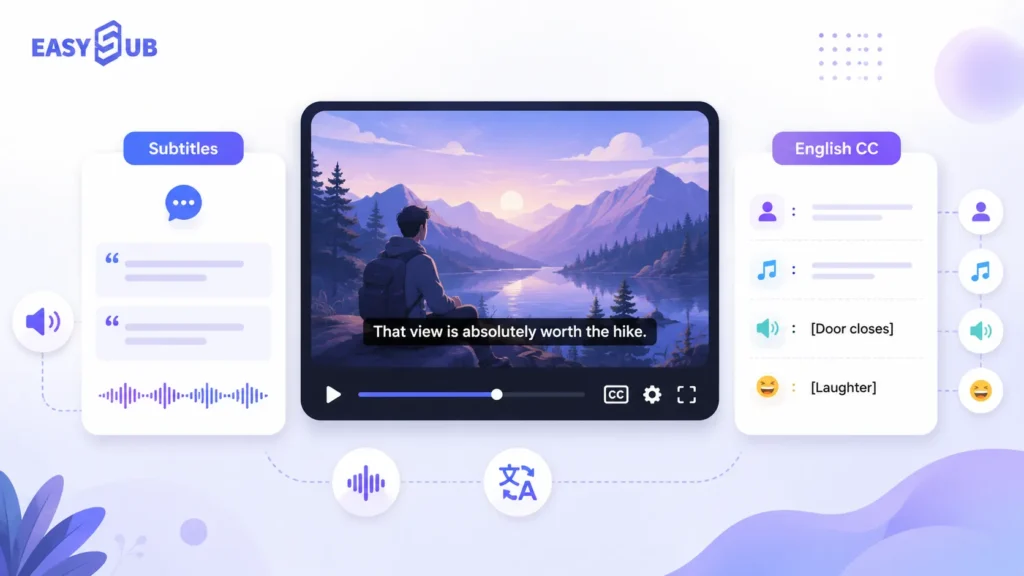
| Opzione | Ciò che in genere mostra | Ideale per |
|---|---|---|
| Sottotitoli in inglese | dialoghi in inglese | Spettatori che possono sentire l'audio ma necessitano del supporto testuale |
| Inglese CC | Dialogo in inglese + altoparlanti + effetti sonori + spunti musicali | Utenti con problemi di udito, utenti che guardano con l'audio disattivato e scenari di accessibilità |
| Sottotitoli tradotti | dialogo tradotto | Pubblico internazionale, utenti multilingue |
Perché gli utenti di Netflix e YouTube spesso si confondono?
Poiché molte piattaforme raggruppano le opzioni dei sottotitoli nello stesso menu, quando gli utenti vedono "Inglese" e "Inglese CC", spesso presumono che si tratti semplicemente di due versioni dei sottotitoli in inglese.
Nel contesto di Netflix, sottotitoli, SDH e CC sono tutti considerati contenuti testuali sincronizzati. Secondo le linee guida ufficiali di Netflix, "sottotitoli" si riferisce in genere a testi in diverse lingue, mentre "SDH" e "CC" si riferiscono a testi accessibili nella stessa lingua.
Su YouTube, i creatori possono aggiungere sottotitoli e didascalie tramite YouTube Studio. YouTube supporta anche il caricamento di file di sottotitoli, che in genere contengono il testo del video e i relativi codici temporali.
Pertanto, dal punto di vista della produzione di contenuti:
| Scenario della piattaforma | Selezione consigliata |
|---|---|
| Vuoi visualizzare solo i dialoghi in inglese? | Sottotitoli in inglese |
| Vogliamo aiutare gli utenti che guardano con l'audio disattivato | Inglese CC |
| Desideri supportare gli utenti con problemi di udito? | Sottotitoli in inglese CC o SDH |
| Vuoi caricare i sottotitoli su YouTube? | Genera file di sottotitoli SRT o VTT |
| Vuoi creare video multilingue? | Genera sottotitoli tradotti |
Sottotitoli in inglese o sottotitoli in inglese: come scegliere?
| Il tuo obiettivo | Tipo di sottotitolo consigliato |
|---|---|
| Aiutare gli spettatori a comprendere i dialoghi in inglese | Sottotitoli in inglese |
| Migliorare l'esperienza di visione accessibile | Inglese CC |
| Aiutare gli spettatori con problemi di udito a comprendere appieno il contenuto | Sottotitoli in inglese CC o SDH |
| Carica i sottotitoli su YouTube | Sottotitoli in inglese o file CC in inglese |
| Distribuisci video a livello internazionale | Sottotitoli in inglese + sottotitoli tradotti |
| Crea corsi, interviste o video podcast. | Il CC in inglese è più adatto |
Con la nostra piattaforma per la generazione di sottotitoli, puoi creare diversi tipi di sottotitoli adatti a vari pubblici. Puoi generare sottotitoli in inglese o didascalie in stile CC (Child-to-Child) in inglese. Se devi raggiungere un pubblico internazionale, puoi anche generare sottotitoli tradotti.
Carica il tuo video per trascrivere automaticamente l'audio. Quindi modifica il testo dei sottotitoli, la timeline, gli oratori e i segnali audio. Infine, esporta il file in formato SRT, VTT o TXT, oppure genera direttamente un video con sottotitoli incorporati.
Sottotitoli CC per video in stile YouTube e Netflix.
Se un video di YouTube non ha un pulsante CC o un'opzione per i sottotitoli in inglese, gli utenti di solito non possono attivare i sottotitoli direttamente. Se si possiedono i diritti del video, è possibile utilizzare un generatore di sottotitoli CC per creare i sottotitoli in inglese, quindi caricare il file SRT o VTT sulla piattaforma.
YouTube: cosa fare se non c'è il pulsante CC?

Se un video di YouTube non mostra il pulsante CC, di solito significa che non sono disponibili tracce di sottotitoli per quel video. È possibile che il creatore non abbia caricato i sottotitoli. È anche possibile che YouTube non abbia generato automaticamente i sottotitoli.
Secondo le linee guida ufficiali di YouTube, i creatori possono aggiungere sottotitoli e didascalie in YouTube Studio. I metodi per aggiungerli includono il caricamento di file di sottotitoli, la sincronizzazione automatica e l'inserimento manuale.
I file dei sottotitoli in genere contengono il contenuto parlato del video e i relativi timestamp. Per i creatori di video, ecco come risolvere questo problema:
UN. Il video non ha il pulsante per i sottotitoli.Genera un file di sottotitoli per il video e caricalo sulla piattaforma.
B. Nessun sottotitolo in ingleseGenera sottotitoli in inglese oppure traduci i sottotitoli originali in inglese.
C. I sottotitoli automatici sono imprecisiModifica manualmente il testo dei sottotitoli, i timestamp, i nomi e i termini tecnici.
D. Desideri supportare gli utenti con problemi di udito?Aggiungi identificatori degli oratori, effetti sonori, musica e altri segnali audio.
e. Vuoi caricare su YouTube?Esporta i sottotitoli in formato SRT, VTT o altri formati supportati da YouTube.
Come ottenere i sottotitoli in inglese su YouTube senza CC
Se il video non dispone di un pulsante CC o di un'opzione per i sottotitoli in inglese, di solito non è possibile attivare i sottotitoli in inglese direttamente su YouTube. Questo perché le tracce dei sottotitoli devono essere caricate dal creatore del video o generate automaticamente dalla piattaforma.
Se crei video, puoi utilizzare un generatore di sottotitoli basato sull'intelligenza artificiale per creare sottotitoli in inglese. Dopodiché, esporta il file dei sottotitoli e caricalo su YouTube Studio.
Il processo è il seguente:
Carica il video → Genera i sottotitoli → Traduci in inglese → Modifica la temporizzazione → Esporta in SRT/VTT → Carica su YouTube
Netflix: cosa significa "CC" nei sottotitoli di Netflix?
Su Netflix, "CC" si riferisce in genere ai sottotitoli per non udenti (SDH). Non si limitano a mostrare i dialoghi, ma possono includere anche segnali sonori, musica, informazioni sull'oratore e altri indizi audio.
Il Centro assistenza di Netflix spiega che gli utenti possono selezionare sottotitoli, lingua dei sottotitoli e lingua audio nel Audio e sottotitoli Sezione dell'interfaccia di riproduzione. Se un titolo supporta i sottotitoli per non udenti (SDH), vedrai l'icona SDH nella pagina dei dettagli del titolo. Se un titolo non supporta i sottotitoli per non udenti (SDH), gli utenti potrebbero visualizzare sottotitoli che includono solo i dialoghi, senza informazioni sull'audio o sulla musica di sottofondo. I sottotitoli standard e le didascalie in stile CC/SDH forniscono diversi livelli di informazione.
| Opzioni sottotitoli di Netflix | Significato tipico |
|---|---|
| Inglese | Di solito mostra solo dialoghi in inglese |
| Inglese CC | Dialogo in inglese + segnali sonori |
| SDH / CC | Sottotitoli per non udenti |
| Sottotitoli in altre lingue | Sottotitoli tradotti per il pubblico internazionale |
Quando Netflix ha introdotto nuove opzioni di sottotitoli in inglese nel 2025, ha anche chiarito che Inglese visualizza il dialogo parlato, mentre Inglese (CC) Include sia dialoghi che segnali audio.
Come generare automaticamente i sottotitoli CC con un generatore di sottotitoli basato sull'intelligenza artificiale?
Utilizzando un generatore di sottotitoli CC, è possibile convertire automaticamente i video in sottotitoli modificabili, sottotitoli per non udenti (Closed Captions) o sottotitoli in stile SDH (per persone non udenti), ed esportarli in formati di file comuni come SRT e VTT. Per video lunghi, interviste, video didattici e video multilingue, un generatore di sottotitoli basato sull'intelligenza artificiale può ridurre significativamente la quantità di lavoro manuale necessario. Riconosce automaticamente il parlato, genera il testo dei sottotitoli e lo sincronizza con la timeline.
Il processo di generazione automatica di sottotitoli e didascalie è semplice. Gli utenti devono semplicemente caricare un video e seguire le istruzioni della piattaforma per generare, modificare ed esportare i sottotitoli.
Passaggio 1: Carica il video
Innanzitutto, carica il video sul generatore di sottotitoli e didascalie. La piattaforma estrarrà automaticamente l'audio dal video. Non è necessario trascrivere manualmente i dialoghi o preparare in anticipo un file di sottotitoli. Questo strumento è adatto a video di YouTube, video didattici, podcast, registrazioni di riunioni, video di marketing e brevi video per i social media.
Passaggio 2: Selezionare la lingua del video
Dopo aver caricato il video, dovrai selezionare la lingua di origine. Questo aiuta l'intelligenza artificiale a riconoscere il contenuto audio del video con maggiore precisione.
Passaggio 3: Generazione automatica dei sottotitoli CC
-1024x700.webp)
Successivamente, il sistema riconoscerà automaticamente il parlato nel video. Convertirà il parlato in testo di sottotitoli e genererà automaticamente una timeline. Questo passaggio può essere inteso come "generazione automatica dei sottotitoli", ovvero la conversione rapida del contenuto audio del video in sottotitoli leggibili e modificabili. Per motivi di accessibilità, gli utenti possono ulteriormente modificare i sottotitoli in sottotitoli per non udenti (SSDH).
Passaggio 4: Modifica il testo dei sottotitoli e la cronologia
I sottotitoli generati dall'IA possono migliorare l'efficienza. Tuttavia, i sottotitoli di alta qualità richiedono comunque una revisione manuale. È possibile verificare la presenza di nomi propri, marchi, termini tecnici e informazioni numeriche. È inoltre possibile regolare l'ora di inizio e di fine dei sottotitoli per garantire la sincronizzazione con l'audio del video.
Passaggio 5: Aggiungere i nomi degli oratori e gli indizi audio
Se devi creare sottotitoli per non udenti (SDH), non puoi basarti esclusivamente sui dialoghi. Devi includere anche gli indizi audio necessari.
Ad esempio, è possibile aggiungere i nomi degli oratori. È anche possibile includere segnali per musica, risate, applausi, colpi, suoni ambientali e altro ancora.
I formati più comuni includono:
[musica soft in sottofondo] JOHN: Benvenuti alla lezione di oggi. [il pubblico applaude]
Passaggio 6: Esportare il file dei sottotitoli
Una volta terminata la modifica dei sottotitoli, esportali nel formato appropriato per la tua piattaforma di pubblicazione.
- Per caricare il video su YouTube, esportalo in formato SRT.
- Per i lettori web o le piattaforme dei corsi, esportare in formato VTT.
- Per organizzare la trascrizione, esportala in formato TXT.
- Per pubblicare su TikTok, Reels o Shorts, genera didascalie incorporate.
È qui che i generatori di sottotitoli SRT e VTT si rivelano preziosi. Permettono di adattare i sottotitoli alle diverse piattaforme.
Domande frequenti sui sottotitoli CC
D1. Cosa significa CC nei sottotitoli?
CC sta per sottotitoli. Nel contesto dei sottotitoli, CC si riferisce in genere ai sottotitoli per non udenti che gli spettatori possono attivare o disattivare. Oltre a visualizzare i dialoghi, i sottotitoli per non udenti possono includere anche l'identificazione di chi parla, effetti sonori, musica e altre importanti informazioni audio. Questo è importante per gli utenti non udenti o con problemi di udito, così come per coloro che guardano i contenuti con l'audio disattivato.
CC sottolinea che la traccia dei sottotitoli può essere attivata o disattivata, mentre SDH sottolinea che il contenuto dei sottotitoli è pensato appositamente per gli utenti sordi e ipoacusici.
CC sta per Closed Captions (sottotitoli chiusi). Sono comunemente usati su YouTube, nei video web, nei corsi online e nei video trasmessi. SDH sta per Subtitles for the Deaf and Hard of Hearing (sottotitoli per non udenti e ipoacusici). Sono comunemente usati per lo streaming, film e programmi TV, contenuti localizzati e in contesti professionali di fornitura di sottotitoli. Sia CC che SDH possono includere dialoghi, identificazione di chi parla, effetti sonori, musica e suoni ambientali.
D3. Come attivare i sottotitoli su YouTube senza CC?
Se un video di YouTube non ha il pulsante CC, di solito significa che non è disponibile una traccia di sottotitoli per quel video.
Se sei un creatore di video, puoi utilizzare un generatore di sottotitoli basato sull'intelligenza artificiale per crearli. Dopodiché, esporta un file SRT o VTT e caricalo su YouTube.
D4. Come ottenere i sottotitoli in inglese su YouTube senza CC?
Se un video di YouTube non ha i sottotitoli in inglese, puoi prima generare o tradurre sottotitoli in inglese, quindi carica il file dei sottotitoli.
Per completare questo processo, puoi utilizzare un generatore di sottotitoli CC. Innanzitutto, carica il video, poi lascia che il sistema trascriva automaticamente l'audio. Infine, esporta un file SRT o VTT e caricalo su YouTube.
D5. Cosa significa CC nei sottotitoli di Netflix?
Nei sottotitoli di Netflix, CC si riferisce in genere ai sottotitoli per non udenti (SDH), che includono sia i dialoghi che gli indizi sonori. I sottotitoli standard in inglese si concentrano solitamente di più sui dialoghi, mentre i sottotitoli in inglese (CC) includono in genere più informazioni audio. È possibile regolare i sottotitoli, la lingua dei sottotitoli e la lingua audio nella sezione "Audio e sottotitoli" dell'interfaccia di riproduzione. Per una migliore esperienza di accessibilità, consigliamo di utilizzare i sottotitoli in stile CC o SDH.
D6. Qual è la differenza tra sottotitoli in inglese (CC) e sottotitoli in inglese?
I sottotitoli in inglese in genere mostrano solo il dialogo in inglese, mentre i sottotitoli in inglese (CC) in genere mostrano il dialogo in inglese più gli indizi sonori.
Crea sottotitoli CC per il tuo video in pochi minuti.

Niente più sottotitoli da digitare manualmente parola per parola. Carica il tuo video e i sottotitoli verranno generati automaticamente.
È possibile modificare il testo dei sottotitoli, regolare la timeline, tradurre i sottotitoli in inglese e aggiungere etichette per gli oratori, effetti sonori e segnali musicali. Una volta terminato, è possibile esportare i file in formato SRT, VTT o TXT. È inoltre possibile generare sottotitoli incorporati adatti per TikTok, Reels, Shorts e video pubblicitari.
👉 Inizia subito a generare i sottotitoli
Grazie per aver letto questo blog. Non esitate a contattarci per ulteriori domande o esigenze di personalizzazione!