
How to Automatically Add Subtitles to MP4 and Translate in 2024

Articles and tutorials for more creativity

How-to-Automatically-Add-Subtitles-to-MP4-and-Translate
Want to learn how to automatically add subtitles to MP4 in a super fast and easy way? This is the perfect tutorial for you.

EasySub is an easy-to-use and powerful auto subtitle generator. Now, many video creators have proven the quiet effectiveness of adding subtitles and subtitle files to their MP4 videos.

Many of them add subtitles or subtitles to make their video content accessible to those who are hard of hearing or who prefer to watch videos with the sound muted. Others use EasySub to automatically add and translate their MP4 videos, allowing viewers to watch content in other languages.

In short:

  • Firstly, upload video to EasySub;
  • Secondly, automatically add subtitles to MP4;
  • At last, automatically translate subtitles.

Minus processing time, this stuff takes about 5 minutes. We’ll show you how.
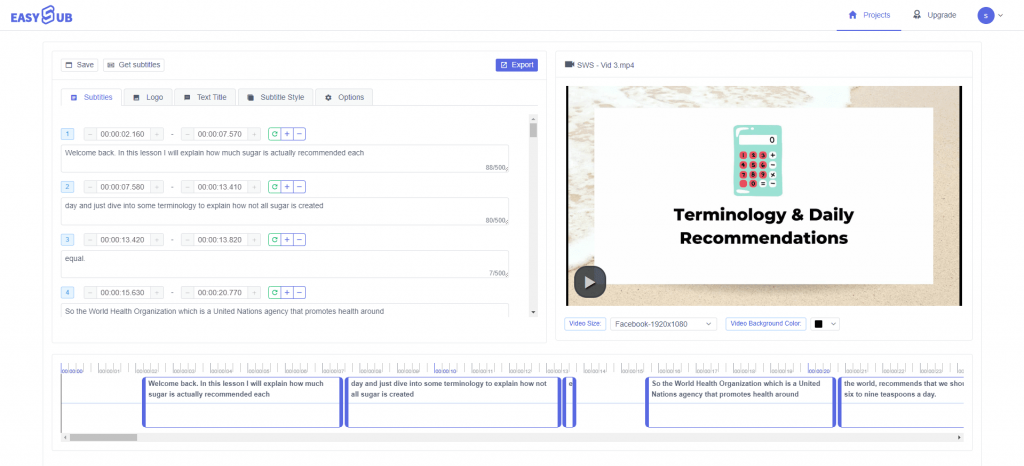
Add Subtitles to MP4 Online

How To Automatically Add Subtitles To MP4 Videos

1.Go to EasySub and upload the video you want to add subtitles to automatically

NOTE: If you want to save your project and start a new one, just register for free at EasySub (you just need to enter your email).
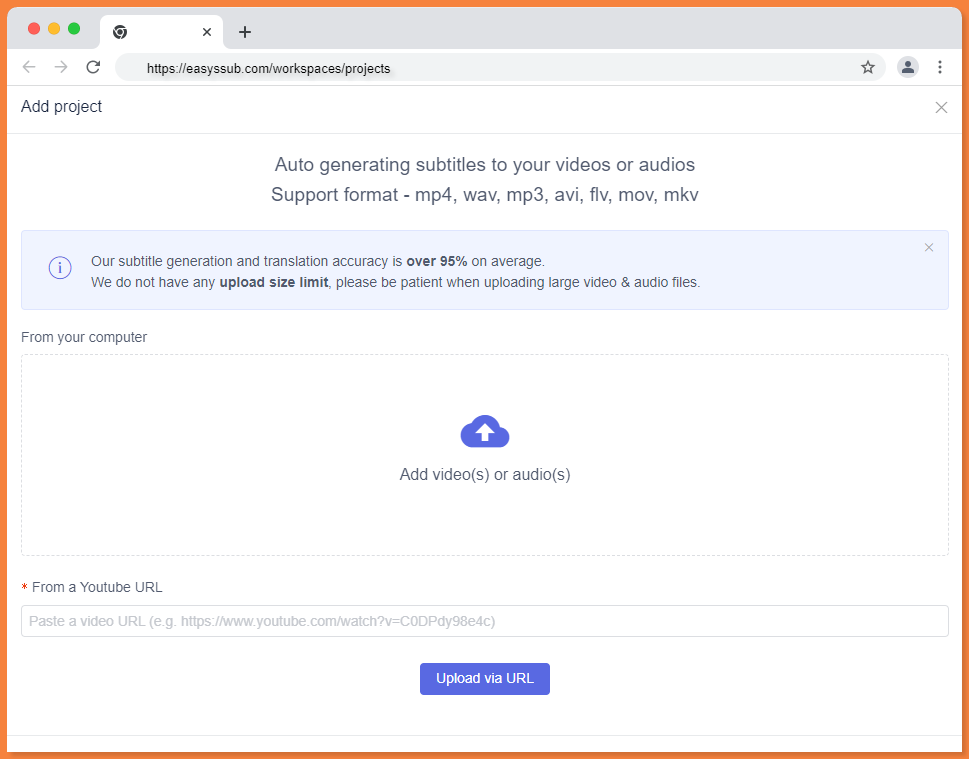
Upload Videos With EasySub

You can upload your MP4 file from:

  • Your personal folder
  • Dropbox
  • YouTube link

2.click “Add Subtitles” and choose your language and the language you want to translate

Secondly, you need to remember to not only select the original language, but also specify the translate language.

Therefore, EasySub’s AI transcription is strong, but it doesn’t automatically transcribe English accents correctly if you choose American English subtitles. Different accents mean different ways of pronouncing the same words.

Add Subtitles To Videos

3.Click “Confirm”

Now, wait for it to render and automatically add subtitles to MP4 files. It should be done immediately. As VEED said, please be patient.
Wait for the video transcription to complete, and you click “Detail” to enter the subtitle details page.
In the media player, you should now see the subtitles playing. You can go to the subtitle editor to change subtitles:
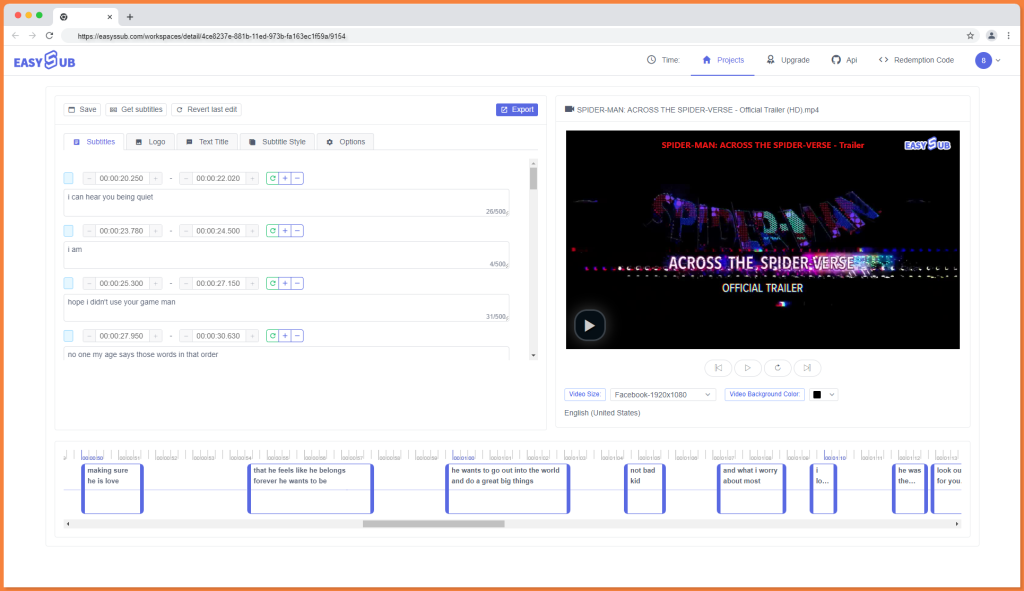
Auto Subtitle Generator Online

4.Click “Get Subtitles” to download subtitles as SRT, ASS or TXT file format

5.Once subtitles have been added to the video, click Export

Popular Readings

YouTube Subtitle Downloader

YouTube Subtitle Downloader: Download, Extract & Translate YouTube Subtitles Online

YouTube videos contain a wealth of valuable text content, such as tutorial explanations, product introductions, interview transcripts, course highlights, and marketing materials. Manually copying subtitles is time-consuming and prone to omissions. Using a subtitle downloader, you can directly extract and download YouTube captions and export them in SRT, VTT, or TXT formats. These subtitle files

Forced Subtitles Generator

Forced Subtitles Generator: Create English Forced Subtitles

Forced subtitles should not be treated as full subtitles. They are only needed when viewers must understand foreign dialogue, on-screen text, signs, names, locations, or untranslated information. With EasySub, you can upload your video, select the essential subtitle lines, translate them into English, and export an English forced SRT file in minutes. Table of Contents

what are subtitles

What Are Subtitles? Meaning, Types, Uses, and Best Practices

Table of Contents What Are Subtitles? Subtitles are text that appears on the video screen in sync with the audio, helping viewers understand dialogue, translated content, or key audio information. By synchronizing text, timing, and visuals, subtitles make video content easier to understand, remember, and share. In actual video production, subtitles typically serve two purposes:

DMCA
PROTECTED