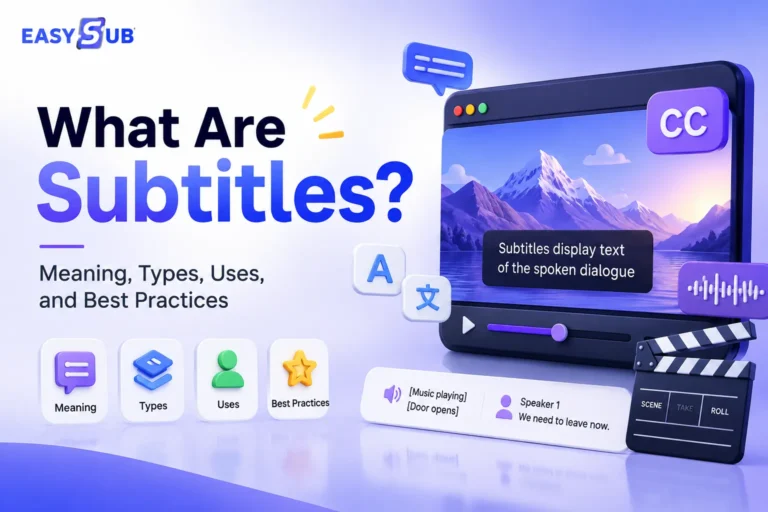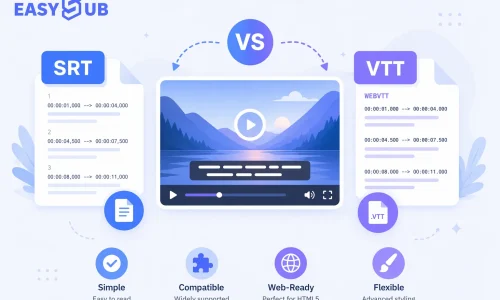
Subtitles are a fundamental feature for enhancing video viewing experiences and content accessibility. A significant number of users watch videos in silent environments, and search engines rely on subtitle text to understand video content. Consequently, subtitles directly impact user retention time, content dissemination effectiveness, and SEO performance. SRT vs VTT: Which Subtitle Format Should You Choose? Different subtitle formats exhibit significant differences in platform compatibility, web support capabilities, and search engine friendliness. This article systematically explains the core distinctions between SRT and VTT, their applicable scenarios, and the optimal choice for online video. It helps you avoid display and performance issues caused by selecting the wrong format.
Table of Contents
What Are SRT and VTT Subtitle Formats?
What Is an SRT File?
SRT stands for SubRip Subtitle and is one of the most common and widely supported subtitle file formats today. It exists as plain text with a very simple structure, typically containing only three parts: a line number, a timestamp, and the subtitle content.
Due to its simplicity, virtually all video platforms and players support SRT, including YouTube, Facebook, and various local media players. This is why SRT has become the “default choice” for many creators.
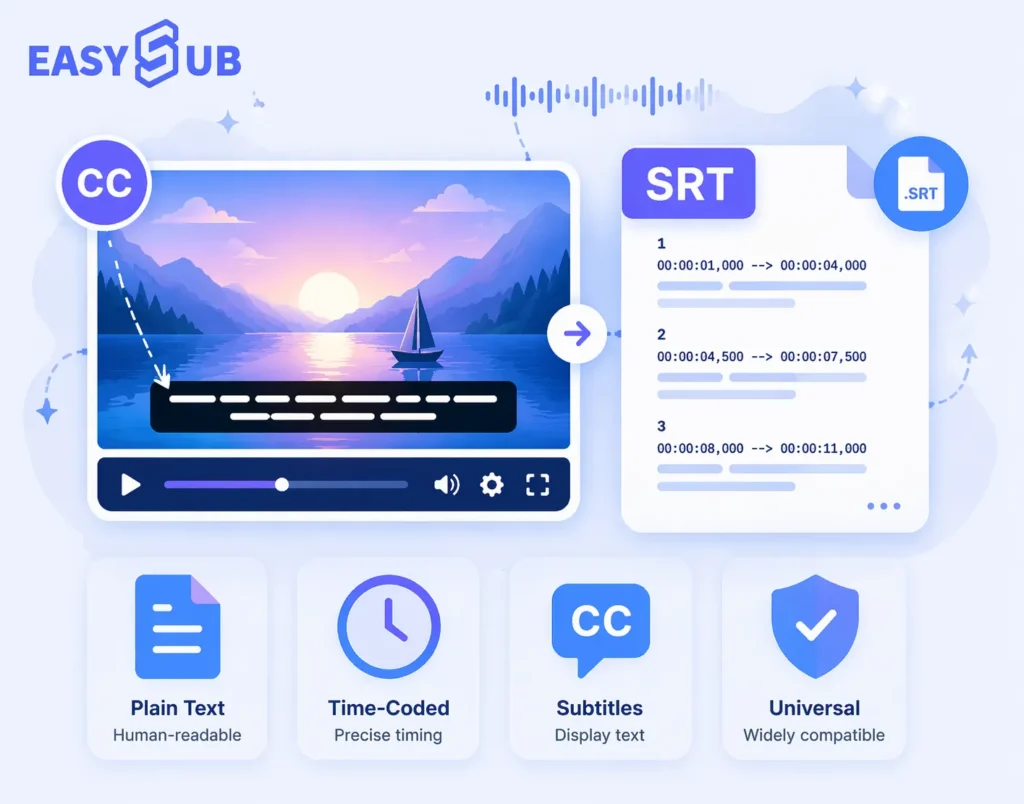
In practical use, SRT files are easy to generate, edit, and maintain, making them very user-friendly for non-technical users. From an SEO perspective, the subtitle text in SRT files can be parsed by platforms to understand video content. However, it lacks styling, positioning, or web interactivity capabilities, presenting certain limitations in web scenarios.
What Is a VTT File?
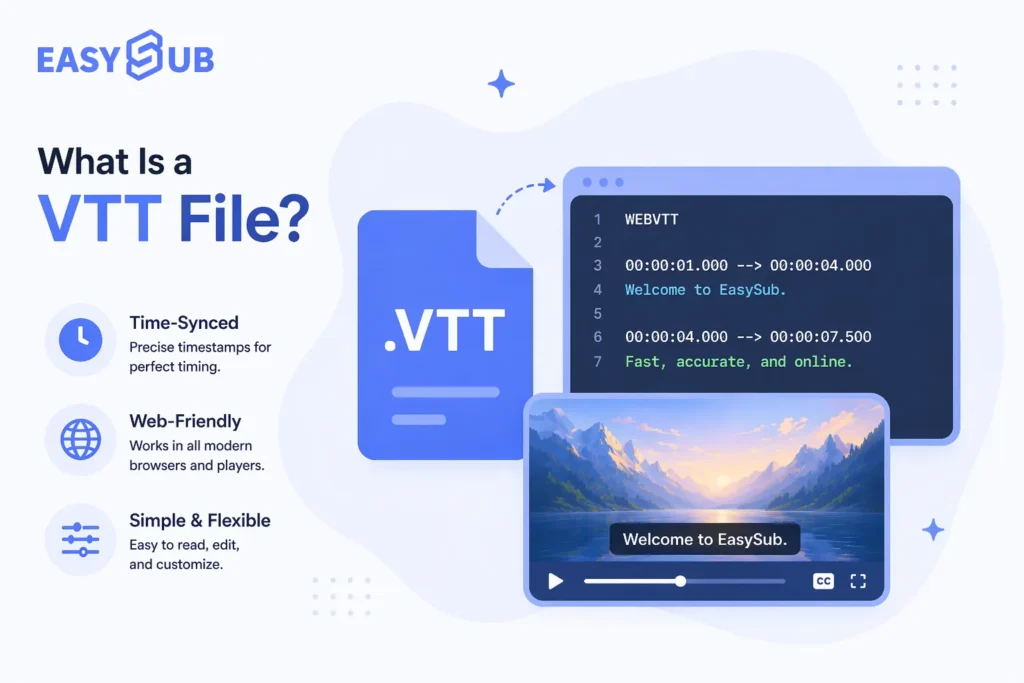
VTT stands for WebVTT (Web Video Text Tracks), a W3C-defined web standard subtitle format. It is a subtitle solution specifically designed for HTML5 online video.
Compared to SRT, VTT has a more standardized structure. The file must begin with the WEBVTT identifier. Additionally, VTT supports subtitle styling, positional control, and metadata extensions, making it more flexible for web videos.
In practical applications, most website videos, online course platforms, and SaaS products prioritize VTT usage. Furthermore, VTT offers better compatibility with web accessibility standards like WCAG and is more search engine-friendly for understanding page content.
SRT vs VTT: Key Differences Explained for Online Videos
SRT is simpler and more versatile; VTT is better suited for the web, supporting styling and accessibility. For online video and website scenarios, VTT is typically the preferred choice.
| Comparison Dimension | SRT (SubRip) | VTT (WebVTT) |
|---|---|---|
| Standard Origin | De facto, non-official format | W3C official Web standard |
| Primary Use Cases | General video / social platforms | HTML5 websites / online videos |
| Native Web Support | Limited | Native support via <track> |
| Styling & Positioning | Not supported | Supports styling and positioning |
| SEO Friendliness | Basic | More favorable for Web SEO |
| Accessibility | Limited | Better compliance with WCAG / ADA |
| Ease of Use | Very easy | Slightly more complex but more powerful |
| Long-Term Scalability | Moderate | Strong |
- Differing Standards and Positioning: SRT is the de facto industry-wide format. VTT, developed by W3C, is specifically designed for web video.
- Clear Web Compatibility Differences: SRT requires additional processing on websites. VTT can be used directly within HTML5 video tags.
- Styling and Presentation Capabilities: SRT contains only timestamps and text. VTT supports positional, stylistic, and structural information.
- SEO and Accessibility: Both provide indexable text. However, VTT integrates more closely with webpage structure and better supports accessibility standards.
- Usage and Maintenance Costs: SRT is easier to edit. VTT is more suitable for long-term content and website assets.
When Should You Use SRT Subtitles? Best Use Cases Explained
SRT is one of the most widely used subtitle formats today. In many scenarios, choosing SRT is an efficient and reliable approach. It is particularly suitable for users with straightforward subtitle requirements who prioritize quick publishing.
a. Ideal for YouTube and Social Media Platforms

For mainstream platforms like YouTube, Facebook, and Instagram, SRT is the preferred standard subtitle format. Its upload process is straightforward, compatibility is high, and recognition issues are virtually nonexistent.
Based on platform usage habits, most creators automatically choose SRT when adding subtitles to public videos. This makes SRT one of the lowest-risk options for content distribution.
b. Ideal for Rapidly Published Video Content
SRT files feature a simple structure, generate quickly, and require minimal editing effort. In scenarios demanding frequent video updates and prioritizing publishing efficiency, SRT significantly reduces production time. This is particularly crucial for marketing videos, short-form content, and daily updates.
c. Ideal for Beginner Creators and Non-Technical Users
SRT requires virtually no technical background. Even first-time users can easily understand and utilize it. For individual creators, small teams, or those new to video content, SRT is the subtitle format with the lowest entry barrier. It fulfills basic subtitling needs without adding unnecessary complexity.
When Should You Use VTT Subtitles?
Ideal for Websites and HTML5 Videos
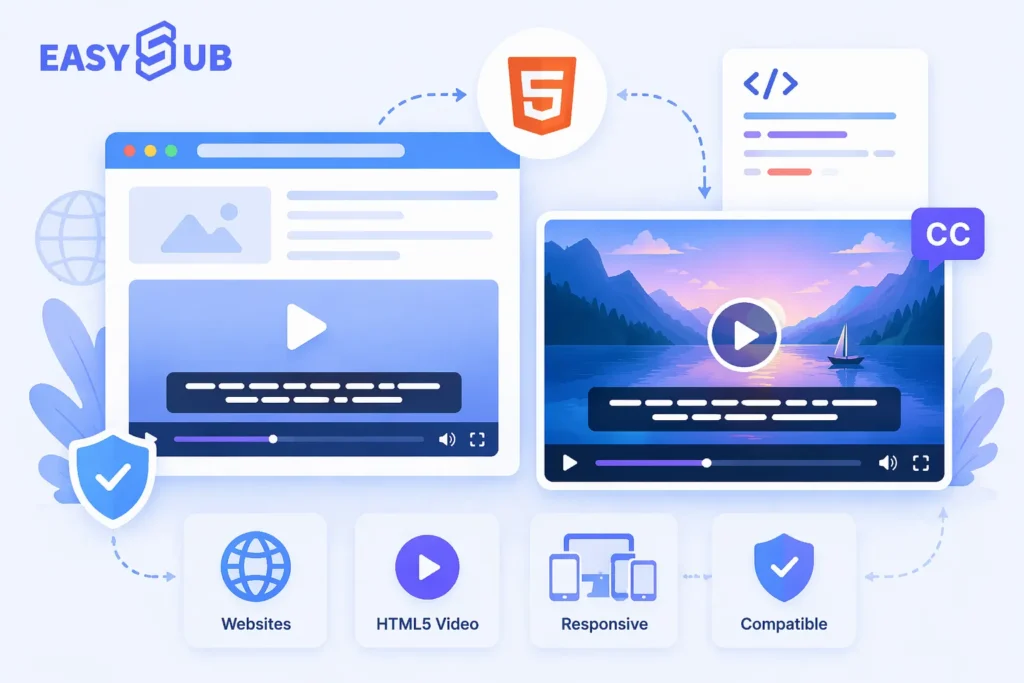
When embedding videos on official websites, product pages, or blogs, HTML5 players are commonly used. VTT is the native subtitle format for the HTML5 <track> tag, requiring no additional conversion. This ensures more stable subtitle loading and better compatibility, minimizing display or synchronization issues. For website-centric video content, VTT holds a clear advantage in the SRT vs VTT comparison.
Ideal for LMS, Enterprise, and Educational Scenarios
Online course platforms, corporate training systems, and educational websites often demand higher accuracy, standardization, and maintainability for subtitles. VTT supports clearer structure and extensibility, facilitating long-term updates and multi-course management. It also better aligns with industry requirements for standardized content. Therefore, VTT is frequently the recommended format in educational and corporate environments.
Ideal for Multilingual and Accessibility Needs
VTT offers superior multilingual subtitle support and integrates more seamlessly with web structures. It also better complies with accessibility standards like WCAG and ADA, which is crucial for hearing-impaired users and international audiences. In scenarios prioritizing user experience and compliance, VTT is the more reliable choice over SRT.
SRT vs VTT for SEO and Accessibility: What Really Matters for Online Videos
When comparing SRT vs VTT, SEO and accessibility are two often overlooked factors that significantly impact long-term performance. Subtitles not only affect the viewing experience but also influence how search engines understand and evaluate your video content.
The Real Impact of Subtitles on SEO
In the SRT vs VTT comparison, SEO and accessibility are often underestimated, yet they are crucial for the long-term performance of online videos. Search engines cannot directly comprehend video visuals; they rely solely on textual content to determine subject matter, making subtitles the most important source of indexable text within a video.
Whether using SRT or VTT, accurate subtitles help search engines better grasp video semantics, indirectly boosting page relevance and user dwell time.
Why VTT is Better for Web SEO
The real difference lies in web scenarios. VTT is the standard subtitle format designed for HTML5 video, seamlessly integrating with webpage structure via the <track> tag. This native support enables more stable loading and parsing of subtitle content. Consequently, VTT facilitates better search engine crawling and comprehension within website environments while enhancing overall page experience. In contrast, SRT files typically require additional processing on web pages. If implemented improperly, this can negatively impact both subtitle display and SEO effectiveness.
Therefore, in website and online video contexts, VTT delivers more stable Web SEO performance.
Key Differences in Accessibility (WCAG / ADA)
VTT’s advantages are even more pronounced in accessibility. It offers better compatibility with accessibility standards like WCAG and ADA, making it easier for screen readers and assistive technologies to recognize. This is particularly crucial for educational platforms, corporate websites, and sites targeting international audiences.
While SRT can meet basic subtitle needs, in scenarios with explicit accessibility requirements, VTT is generally the more compliant and long-term valuable choice over SRT.
Platform Compatibility: SRT vs VTT Across Popular Video Platforms
Different platforms do not support subtitle formats identically. When choosing between SRT and VTT, understanding platform compatibility helps avoid issues like subtitles failing to display or poor viewing experiences. The table below summarizes support for both formats across common platforms, facilitating quick decision-making.
SRT vs VTT Platform Compatibility Comparison Table
| Platform Type | SRT Support | VTT Support | Recommended Choice |
|---|---|---|---|
| YouTube | Supported | Supported | SRT or VTT |
| Website / HTML5 Video | Usable (requires extra handling) | Native support | VTT |
| LMS / Online Learning Platforms | Supported | Preferred | VTT |
| Social Media Platforms | Widely supported | Partially supported | SRT |
On video platforms like YouTube, both SRT and VTT files can be uploaded and used without issues. Due to its simplicity and high compatibility, SRT remains the preferred choice for most creators. For publicly shared video content, the functional differences between the two formats are negligible.
In website and HTML5 video contexts, VTT’s advantages become more pronounced. As HTML5’s native subtitle format, it can be loaded directly via the <track> tag, offering greater stability and better alignment with web standards. In contrast, SRT often requires additional conversion or configuration.
In LMS and online learning platforms, VTT is typically the recommended format. These platforms prioritize standardization, multilingual support, and accessibility, where VTT excels in structure and long-term maintainability.
For social media platforms, SRT maintains the broadest support. Its mature upload and distribution workflows suit rapid publishing and high-frequency content updates.
SRT vs VTT: Which Subtitle Format Is Better Overall?
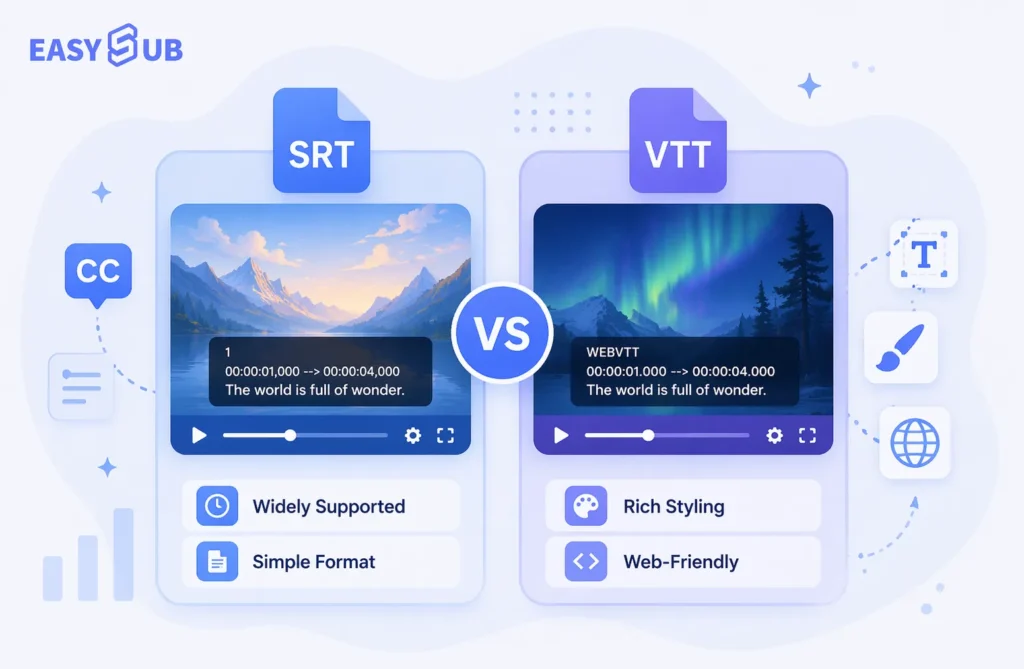
In the comparison between SRT and VTT, there is no universally applicable “best answer.” These two subtitle formats were designed with different purposes and suit different scenarios, so their relative merits must be evaluated within specific usage contexts.
If your videos are primarily published on YouTube or social media platforms, and your goal is rapid deployment with guaranteed compatibility, SRT remains an efficient and reliable choice. Its simple structure and broad support meet most basic subtitle needs, making it ideal for novice creators and high-frequency publishing scenarios.
If your videos are primarily used on websites, HTML5 players, online courses, or enterprise platforms, VTT typically offers greater long-term advantages. As a web-standard subtitle format, VTT excels in web compatibility, accessibility, and structured management, making it more suitable for professional and sustainable online video content.
Overall, SRT excels in versatility and efficiency, while VTT shines in web integration and standardization. In choosing between SRT and VTT, the true deciding factor isn’t the technology itself, but your publishing platform, audience requirements, and the long-term usage context of your content.
FAQs: SRT vs VTT
There is no universally superior subtitle format. SRT is more versatile and suitable for YouTube and social media. VTT is better suited for websites and HTML5 videos. The choice between SRT and VTT ultimately depends on the specific use case.
Q2: Does YouTube prefer SRT or VTT?
YouTube supports both SRT and VTT formats. Due to its simplicity and high compatibility, SRT is the go-to choice for most creators. If you already have a VTT file, you can upload and use it directly.
Q3: Which subtitle format is best for websites?
For websites and embedded HTML5 videos, VTT is typically the better option. As a native web subtitle format, it offers superior stability, SEO benefits, and accessibility.
The subtitle text itself has the same impact on SEO; search engines prioritize content accuracy. However, in web contexts, VTT integrates more seamlessly with webpage structures, leading to better long-term SEO performance.
Q5: Can I convert SRT to VTT?
Yes, SRT and VTT can be converted between each other. However, manual conversion risks errors in timecode formatting or structure. Using subtitle tools that support multi-format export is more efficient.
Q6: What if I’m not sure whether to use SRT or VTT?
If uncertain about format choice, the safest approach is to prepare both SRT and VTT. This allows direct selection of the appropriate subtitle format for different platforms, avoiding duplicate production.
The Smart Way to Handle Subtitle Formats: Generate SRT and VTT with Ease

In practice, most creators don’t need to agonize over SRT vs VTT. Different platforms have varying requirements for subtitle formats. Having to recreate or convert subtitles every time you publish a video is not only time-consuming but also prone to errors.
A more efficient approach is to use a subtitle generation platform that supports multiple formats simultaneously. EasySub generates subtitles once and exports SRT and VTT formats on demand. Whether your videos are published on YouTube, social media, or embedded in websites or online courses, you can directly use the appropriate subtitle format, avoiding compatibility issues.
By automating subtitle generation and formatting, EasySub significantly reduces manual processing time and minimizes risks from formatting errors. For creators and businesses seeking to boost efficiency and maintain professionalism, this offers a more reliable and sustainable solution.
Try EasySub for Free to manage subtitle formats smarter, making content publishing simple and efficient.
👉 Click here for a free trial: easyssub.com
Thanks for reading this blog. Feel free to contact us for more questions or customization needs!