When you’re ready to upload a video, the platform prompts you to add subtitles or captions. You might hesitate: Aren’t they the same thing? Just different terms for translation and closed captions? Could choosing the wrong option affect recommendations, watch time, or even compliance issues?
The Difference Between Subtitles and Captions isn’t merely a matter of terminology—it’s a fundamental distinction in function, audience, regulations, and platform algorithms. If you’re a YouTube creator, short-form video operator, cross-border marketing manager, or online course producer, this issue directly impacts:
- Whether your video can be understood by more users
- Whether it meets accessibility requirements
- Whether it boosts search visibility
- Whether you’re wasting time on the wrong subtitle type
Simply put:
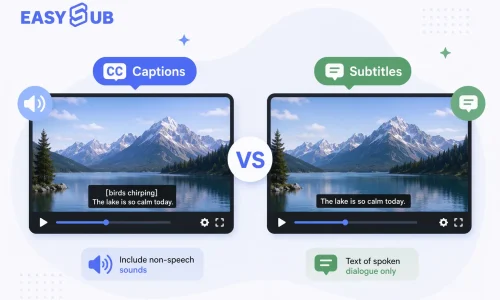
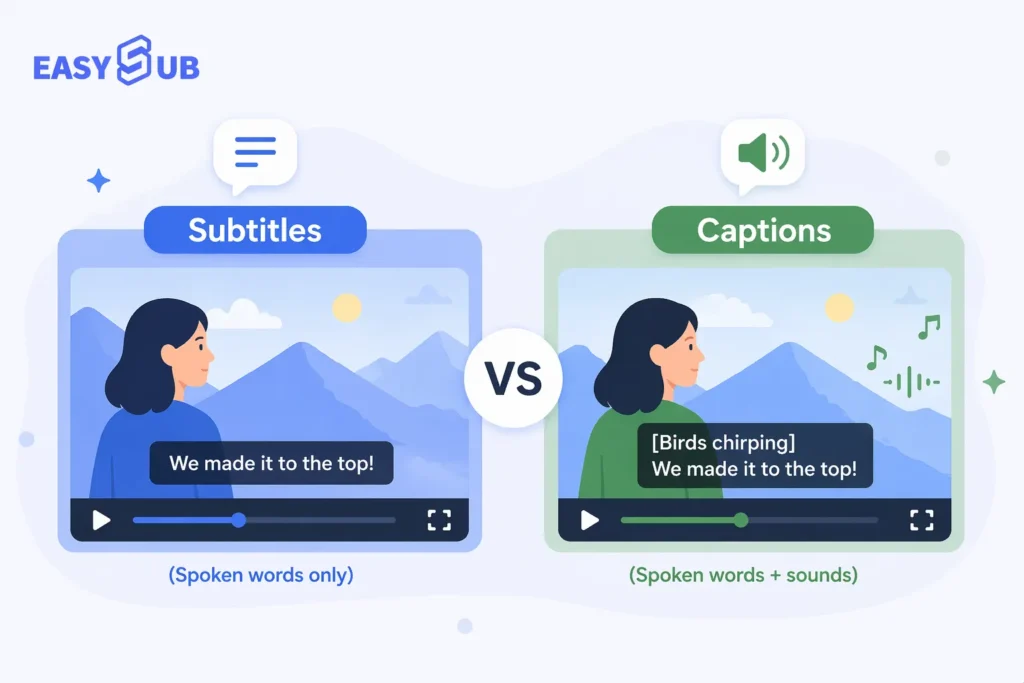
- Subtitles primarily translate dialogue, assuming viewers can hear the audio.
- Captions include dialogue, sound effects, music cues, and speaker identification—serving hearing-impaired users and silent viewing scenarios.
If you’re expanding content globally, boosting SEO traffic, or aiming to increase user retention, you need more than a definition—you need clear criteria: When should you use subtitles? When are captions essential? Do they impact recommendations and compliance? How can you generate them efficiently?
Table of Contents
What Is the Difference Between Subtitles and Captions?
When you’re ready to publish a video, platforms typically offer “Subtitles” or “Captions” options. Many creators assume these are just different names for the same thing, but the difference between subtitles and captions directly impacts your audience reach, video experience, SEO performance, and even compliance risks.
If you’re a video creator, cross-border marketer, or online course producer, you must understand the fundamental distinction between the two—not just rely on vague assumptions.
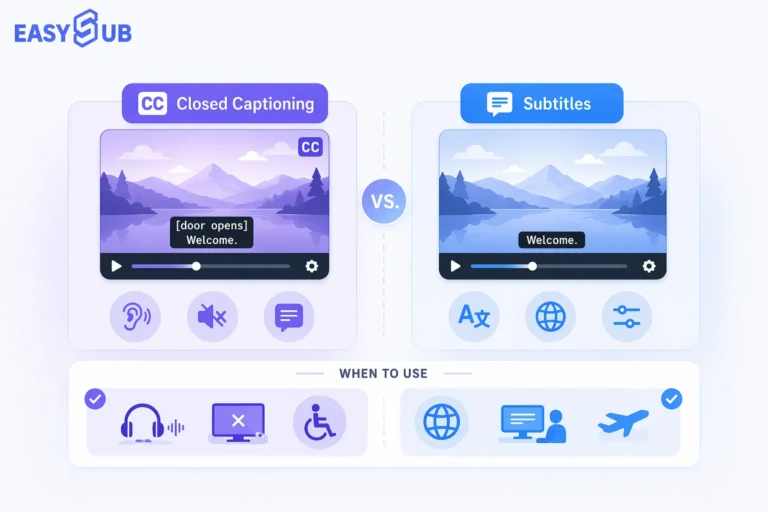
- Subtitles: Primarily used to translate or transcribe dialogue, assuming viewers can hear the video’s audio.
- Captions: Provide a complete representation of all audio content—including dialogue, background sound effects, music cues, and speaker identification—primarily serving hearing-impaired users or silent viewing scenarios.
In short:
- Subtitles address language barriers.
- Captions address hearing barriers.
Subtitles vs Captions: Side-by-Side Comparison
If you’re a content creator or brand manager, this comparison chart can help you make a decision in 30 seconds.
| Feature | Subtitles | Captions |
|---|---|---|
| Primary Purpose | Translate or transcribe spoken dialogue | Provide full audio information including dialogue and sound cues |
| Target Audience | Viewers who can hear but do not understand the language | Viewers who are deaf, hard of hearing, or watching without sound |
| Includes Sound Effects | No | Yes |
| Includes Speaker Identification | Rarely | Yes |
| Main Use Case | Cross-language content and global distribution | Accessibility compliance and complete audio representation |
| Legal Requirement | Generally not required | Often required in certain regions and industries |
| Typical Example | English translation of a Spanish video | “[Music playing]” or “SARAH: Welcome everyone.” |
| SEO Impact | Adds searchable dialogue text | Adds searchable dialogue plus contextual audio information |
What Are Subtitles?
If your goal is to expand your content globally, tap into multilingual markets, or help more international viewers understand your videos, you need to understand what subtitles are.
Subtitles are essentially the textual representation of a video’s “dialogue content,” primarily used for translating or transcribing language. They assume viewers can hear the video’s audio but don’t understand the original language. Therefore, subtitles address “language barriers,” not “hearing impairments.”
For example:
- You create a Chinese product introduction video and add English subtitles to expand into European and American markets.
- You operate English course content and wish to enter the Spanish-speaking market, so you add Spanish subtitles.
In these scenarios, you are utilizing subtitles.

When Should You Use Subtitles?
- Expand Global Audience Reach
- Enhance Cross-Language Communication
- Increase Indexable Text in Videos (Boosting Search Visibility)
- Improving viewer comprehension in noisy environments or when playing audio at low volume
It’s important to note that subtitles typically only include dialogue content and do not include sound effect or background music cues. They also rarely indicate who is speaking. This makes them more suitable for cross-language communication rather than accessibility compliance scenarios.
If your primary concern is “how to make my videos understandable to more international viewers,” then subtitles are the first type of captions you should consider.
What Are Captions?
If you want your video to be fully understood in any situation—regardless of whether viewers can hear the audio—then you need to understand what captions are.
Captions are the textual representation of “all audio information” in a video, including not only character dialogue but also background sound effects, ambient sounds, music cues, and speaker identification. For example:
- [music playing]
- [door closes]
- SARAH: Welcome to our webinar.
Unlike subtitles, the core purpose of captions isn’t to translate language, but to ensure viewers can fully understand the video content even when sound is unavailable. Thus, captions address “hearing impairment” or “silent viewing” scenarios.

When Should You Use Captions?
- Online courses or corporate website videos require professionalism and accessibility awareness.
- For European and American markets, accessibility compliance may be required.
- On social media platforms, many users watch videos with sound muted.
If your pain points are “how to boost completion rates,” “how to meet accessibility needs,” or “how to enhance your brand’s professional image,” captions often offer a more comprehensive solution than subtitles alone.
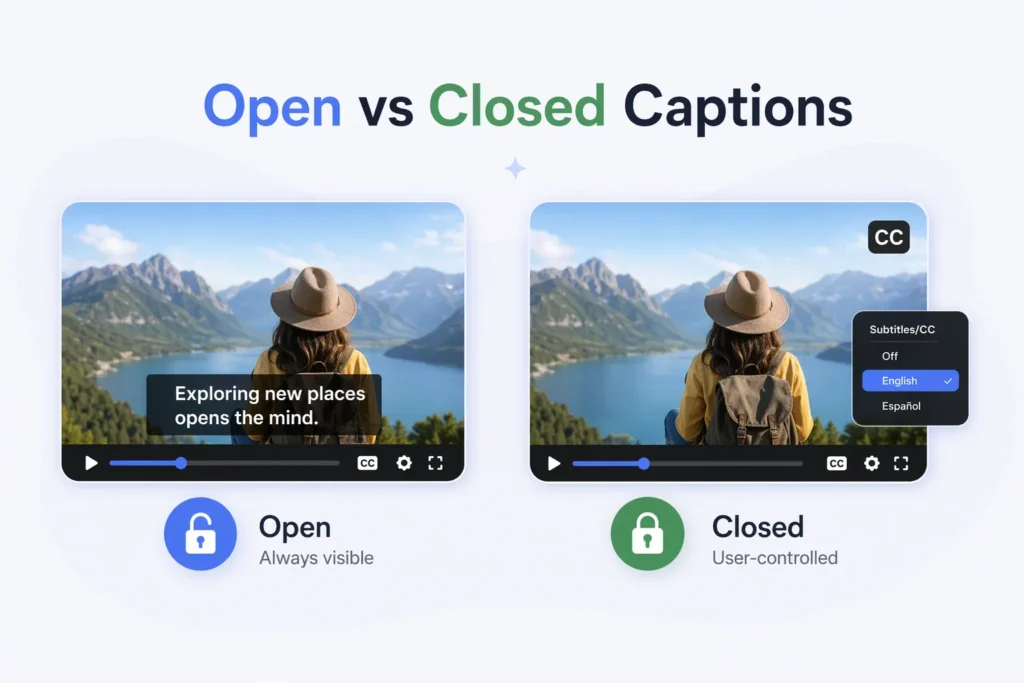
When distributing videos across YouTube, your official website landing pages, LinkedIn, TikTok/Reels, you’ll encounter a very real pain point: while they’re all called “subtitles,” different platforms have varying levels of support for subtitle tracks. This is why you need to understand the difference between Open Captions (burned-in captions) and Closed Captions (switchable captions, commonly abbreviated as CC). This distinction directly determines whether your content can be “seen,” “indexed,” and whether it meets accessibility requirements.
Open Captions typically refer to subtitles “burned-in” or embedded directly into the video frame, which viewers cannot turn off. Closed Captions, however, are separate subtitle tracks/files that viewers can enable or disable within the player. They often support multiple language tracks and style customization.
For your target audience (video creators, cross-border marketers, course teams), the decision hinges on these three critical factors:
- Distribution Compatibility and Stable Rendering
- Accessibility and User Control
- SEO and AI Search Readability
Practical Advice
When creating content for YouTube, official websites, or course platforms, prioritize Closed Captions (toggleable, multilingual, manageable, and beneficial for indexing and accessibility).
For short-form video distribution, ad placements, or cross-platform reposting, use Open Captions to ensure “visibility everywhere.” However, it’s best to maintain a separate Closed Captions version on the primary platform for indexing and long-term asset preservation.
Are captions Legally Required?
If you’re just creating personal entertainment content, you might view captions as merely an optional “experience enhancer.” But if you manage a brand website, online courses, corporate promotional videos, or publish content targeting Western markets, you must seriously consider this question: Are captions a legal obligation?
The short answer is: In many cases, yes.
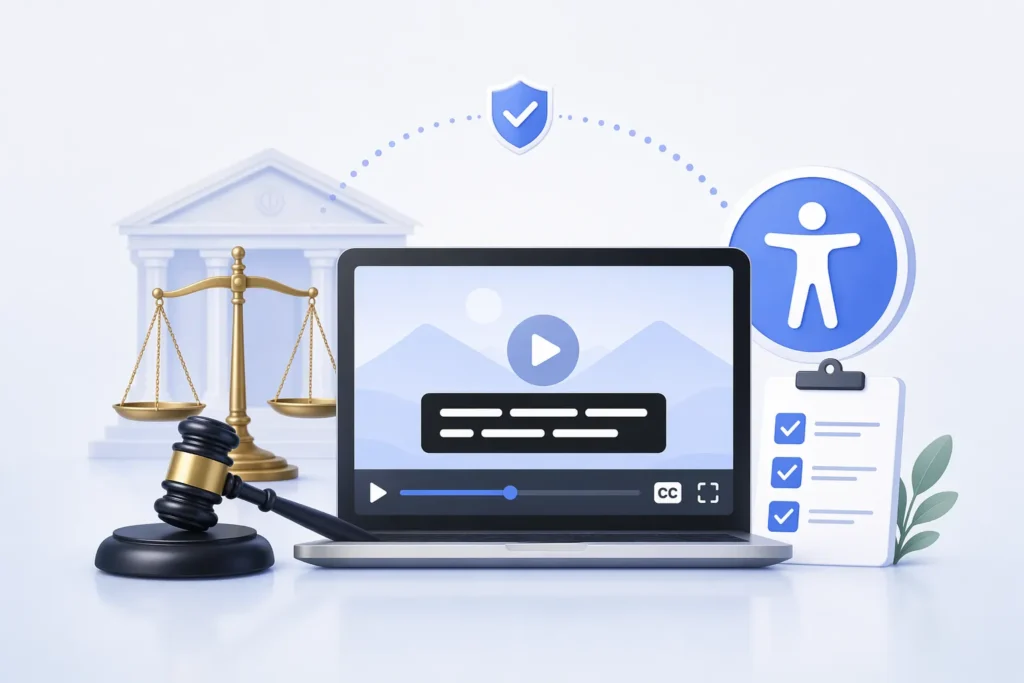
In global accessibility standards, WCAG (Web Content Accessibility Guidelines) 2.1/2.2 explicitly requires: Pre-recorded videos containing audio information must provide synchronized captions to ensure users with hearing impairments can understand the content. For video content published on websites or mobile applications, this has become an internationally recognized benchmark for compliance.
In the United States, the Americans with Disabilities Act (ADA) requires public service agencies and many businesses to provide “effective means of communication.” While the legal text does not list technical details item by item, providing captions is widely regarded in actual court cases and industry practice as a necessary measure to meet accessibility requirements.
Additionally, the 21st Century Communications and Video Accessibility Act (CVAA) further stipulates that programs broadcast on television with captions must retain those captions when streamed on online platforms. This regulation particularly impacts media organizations and streaming services.
In the European Union, the European Accessibility Act (EAA) will be fully implemented in 2025, strengthening accessibility requirements for digital content. Providing captions for publicly accessible digital services, including video content, is progressively becoming the compliance standard.
What does this mean for you?
- If your videos are used on corporate websites, educational platforms, or government-related projects, providing captions is nearly mandatory.
- If you aim to enter the European and American markets, neglecting captions may pose compliance risks.
- If you operate SaaS, courses, or branded content, offering captions not only reduces legal exposure but also enhances professionalism and trustworthiness.
More importantly, even if some platforms don’t enforce captions for individual creators, the accessibility trend is strengthening globally. For long-term content brands, captions aren’t just a legal issue—they’re becoming the foundational standard for future digital content.
Simply put:
If you publish content publicly, especially in developed markets, captions have evolved from an “option” to a “best practice” and even a “default requirement.”
Do Subtitles or Captions Improve SEO?
If your pain points are:
“Why can’t my videos be found in searches?”
“Why aren’t my recommendations increasing?”
Then subtitles can indeed help you.
Search engines and AI platforms cannot directly understand video audio; they primarily rely on textual content to determine a video’s subject matter. Adding subtitles or captions is like adding a layer of readable text to your video.
Simply put:
- Subtitles add dialogue text, helping cover more keywords—especially multilingual ones.
- Captions include dialogue plus additional contextual information, making it easier for search systems to understand video content.
Whether in Google Search, YouTube Search, or AI search environments, videos with subtitles are generally easier to understand and match than those without.
Lorem ipsum dolor sit amet, consectetur adipiscing elit. Ut elit tellus, luctus nec ullamcorper mattis, pulvinar dapibus leo. Lorem ipsum dolor sit amet, consectetur adipiscing elit.
Common Misconceptions About Subtitles and Captions
If you’re creating video content, it’s easy to misunderstand subtitles and captions due to certain “industry jargon.” The following misconceptions are common pitfalls that many creators and brands have encountered in practice.
Misconception 1: Subtitles Only Affect Viewing Experience, Not Traffic
Many creators overlook subtitles’ role in search and AI environments.In fact, subtitles increase indexable text.
Videos with textual content are easier for search systems to understand their subject matter.
Ignoring subtitles means sacrificing search visibility.
Misconception 2: File Format Determines Type
Some believe SRT files are subtitles while VTT files are captions.
This is incorrect.
File format is merely a container. The true determinant is content structure—whether it includes sound effect descriptions and speaker identification.
The same SRT file can be either subtitles or captions.
Misconception 3: Auto-Generated Subtitles Equate to Captions
Many platforms automatically generate subtitles, but auto-transcriptions typically only include dialogue text without sound effect descriptions and rarely identify speakers.
Strictly speaking, this resembles “auto-generated subtitles” rather than full captions.
If you have accessibility or professional presentation needs, relying solely on auto-generated subtitles may be insufficient.
How to Create Subtitles and Captions Efficiently?
If you’re consistently publishing videos, you’ve likely encountered this pain point:
Subtitle production is incredibly time-consuming.
Manually transcribing each sentence, repeatedly proofreading timelines, and then handling multilingual translations isn’t just inefficient—it’s error-prone. Especially when you’re releasing weekly videos, managing multiple platforms, or creating cross-border content, subtitle production quickly becomes the bottleneck in your content workflow.
To efficiently create subtitles and captions, you need to change your production approach—not add more manpower.
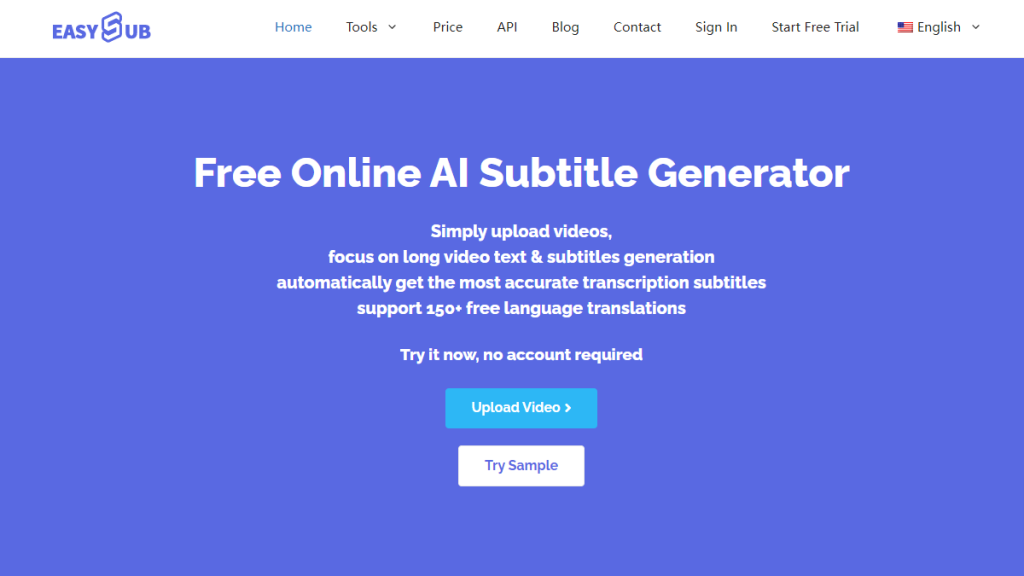
Step 1: Automatic Speech Recognition (ASR) Generates a Draft
Modern AI speech recognition technology can now complete full transcriptions within minutes and automatically generate timelines. This is dozens of times more efficient than manual transcription.
For subtitles, automatically generated dialogue text already meets over 80% of requirements.
For captions, additional sound effect descriptions and speaker identifiers must be added to the automatic transcription.
The key point isn’t “whether to use AI,” but rather:
Use AI to generate a draft + rapid human proofreading, rather than starting production from scratch.
Step 2: Automatic Timeline Synchronization
Many creators waste time adjusting timelines manually.
The efficient approach is to use automatic timecode matching, allowing subtitles to naturally align with the audio rhythm.
Industry Recommendations:
– Limit each subtitle to no more than 2 lines
– Keep characters per line within a reasonable range
– Ensure display duration matches reading speed
Modern subtitle tools can now automatically optimize segmentation and reading pacing, significantly reducing post-production editing time.
Step 3: One-Click Multilingual Translation
If your goal is global expansion or audience growth, efficiency hinges on “batch translation capabilities.”
AI translation models can generate multilingual subtitles within minutes, bypassing manual line-by-line translation.
This is especially crucial for cross-border marketers and course platforms.
The efficient workflow should be:
Video upload → Automatic transcription → Automatic translation → Batch export.
Step 4: Generate Open and Closed Captions Simultaneously
To balance distribution and SEO, you can:
- Generate open captions for short-form video platforms
- Simultaneously export SRT/VTT files for YouTube or official websites
This approach ensures visibility while preserving indexable text.
FAQ: Subtitles vs Captions
Is automatic captioning enough?
Automatic captions can serve as an efficient starting point, but they typically require proofreading.
Automatic transcriptions usually contain only dialogue text and may not include complete sound effect descriptions. If you have professional or compliance requirements, it is recommended to perform simple optimizations based on the automatically generated content.
Should I use open captions or closed captions?
- If you’re posting on short-form video platforms, open captions (burned-in subtitles) are more reliable.
- If you’re posting on YouTube or your official website, closed captions are better for indexing and accessibility.
Ideally, both should be used simultaneously.
Do I need both subtitles and captions?
It depends on your goals.
- If you’re doing cross-border content distribution, multilingual subtitles are more important.
- If you’re creating courses, building official websites, or targeting the European and American markets, captions are more essential.
In many cases, you can provide both formats simultaneously to balance distribution and compliance.
Start Using EasySub to Enhance Your Videos Today
👉 Click here for a free trial: easyssub.com
Thanks for reading this blog. Feel free to contact us for more questions or customization needs!