Against the backdrop of rapidly expanding video content, subtitle download has become a frequently searched topic among creators, educational institutions, and enterprise users. Whether for YouTube, short-form video platforms, courses, or business presentations, subtitles directly impact viewing experiences. Research indicates that a significant portion of videos are played in silent environments, where subtitles can substantially boost completion rates and content comprehension. This article systematically explores common subtitle download methods based on real-world scenarios, helping you determine which approach offers greater stability and suitability for long-term use.
Оглавление
Why Should You Download Subtitles?
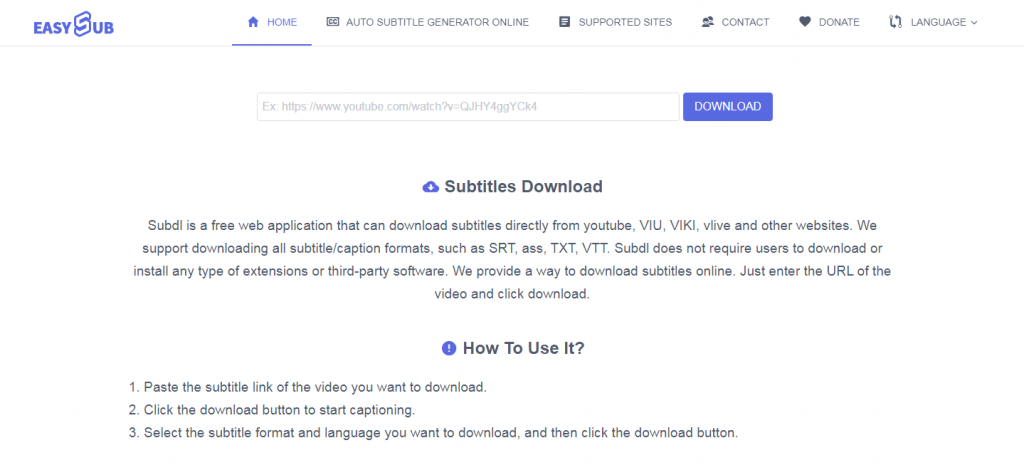
Downloading subtitles is not merely a technical operation but a crucial means to enhance the overall performance of videos. For content creators and businesses, subtitles have become an essential component of the video publishing process.
- A significant number of users watch videos in silent environments. Industry research indicates that over 70% of video playbacks occur with the sound muted, making subtitles directly improve information delivery efficiency.
- Subtitles help increase completion rates and viewing duration. Audiences grasp content faster, reducing drop-offs due to inaudible audio or language barriers.
- Downloadable subtitle files facilitate secondary editing and management. Compared to hardcoded subtitles, SRT or VTT files offer greater flexibility for content revisions or multilingual versions.
- Subtitle text is recognized by platforms and search engines. This aids in more accurate video categorization and recommendations, ultimately boosting overall visibility.
- Subtitles improve content accessibility. They serve as an indispensable aid for hearing-impaired users or those watching in noisy environments.
From dissemination effectiveness and platform mechanisms to user experience, subtitle downloads remain an indispensable component of high-quality video content.
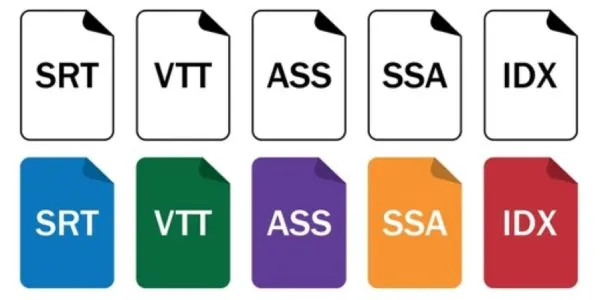
Before downloading subtitles, understanding the subtitle format is the most time-saving step. Subtitle files aren’t “ready to use” once downloaded. Different formats have different capabilities, and platform support varies.
- Primarily published on YouTube / websites / course platforms: Prioritize SRT или VTT.
- Primarily published on TikTok / Reels / Shorts: Prioritize exporting hard-coded subtitle videos.
- Requiring visual effects subtitles: Use ASS/SSA as the production format, then burn them in.
- Only needing a text transcript for translation or organization: Choose ТЕКСТ.
① SRT (SubRip Subtitle)
SRT is the most widely used subtitle format. It is essentially “plain text with timestamps.” Its structure is simple: sequence number + start/end time + subtitle content.
Differences and Characteristics
- Advantage lies in compatibility. Almost all players, editing software, and subtitle tools can read it.
- Simple format, suitable for quick editing. Can even be modified with Notepad.
- Limited styling capabilities. Cannot perform complex positioning, animations, or multi-layer styling like ASS.
Use Cases
- YouTube Upload Subtitles: Most common. Facilitates post-production modifications.
- Course/Corporate Training Videos: Requires editable, reviewable, and archivable subtitles.
- Multilingual Management: Maintain multiple SRT files per video, each corresponding to a different language.
- Translation project delivery: Commonly used by subtitle providers and translators as the delivery format.
② VTT (WebVTT)
VTT, short for WebVTT, is specifically designed for web videos. Similar to SRT in its “timeline + text” structure, it’s more optimized for web environments.
Differences and Features
- Better compatibility with HTML5 video players.
- Supports basic styling and positioning controls (superior to SRT but far less robust than ASS).
- Widely used by YouTube and many online course platforms.
- Relatively more standardized format, better suited for web rendering.
Use Cases
- Website videos/standalone site videos: e.g., product pages, landing pages, SaaS tutorial videos.
- YouTube subtitles: Also commonly used, especially when exporting from web tools.
- Online learning platforms: Scenarios requiring stable subtitle display on web pages.
- Доступность: Easier integration with accessibility features on web pages.
③ ASS / SSA (Advanced SubStation Alpha / SubStation Alpha)
ASS/SSA belongs to the “advanced style subtitle format.” It not only records timelines and text but also allows defining fonts, colors, outlines, positions, motion paths, special effects, and more.
Differences and Features
- The most significant feature is its “strong expressiveness.” Subtitles can appear anywhere on the screen. Animation is possible. Multi-layer subtitles can be created.
- Precisely because of its powerful functionality, the editing threshold is high. Professional subtitle software like Aegisub is typically required.
- Platform compatibility is inferior to SRT/VTT. Many platforms do not directly support ASS uploads.
- More suitable for “final cut subtitles” or special effects subtitle production, rather than general delivery.
Use Cases
- Anime/Otaku Subtitles: Commonly used for multi-color, special effects, and position-specific subtitles.
- MV/KOL Style Subtitles: Emphasizes visually striking subtitle effects.
- Film Post-Production & Special Effects Subtitles: Used when precise layout and visual design are required.
- Master files before hardcoding subtitles: Create styles with ASS first, then burn into video.
④ TXT (Plain Text / Transcript)
TXT typically refers to “plain text scripts” without timelines. It functions more like a transcript or script than a subtitle file.
Differences and Characteristics
- Advantage: Easiest to edit. Ideal for content organization, translation preparation, and script archiving.
- Major limitation: Cannot be played directly as subtitles due to lack of timing information.
- To convert into subtitles, a timeline must be regenerated (manually or via automated alignment tools).
Use Cases
- Script Organization & Proofreading: Proofread content first for more efficient subsequent subtitle generation.
- Translation Preparation: Translators first translate the TXT file, then use tools to align timelines.
- SEO/Content Reuse: Convert video content into articles, FAQs, or social media copy.
- Meeting Minutes/Interview Transcription: Generate text transcripts first, then decide later whether to add subtitles.
⑤ Burned-in/Hardcoded Subtitles vs. Downloadable Subtitle Files (Soft Subtitles)
The difference between these two is crucial. Many users download subtitles specifically for “distribution.” The choice depends on the distribution platform.
What Are Hard Subtitles?
Subtitles are permanently “burned” into the video frame. They become an integral part of the video. They cannot be turned off separately. They also cannot be extracted as text by platforms.
Characteristics of Hard Subtitles
- Most stable display. Visible on any platform and any player.
- Ideal for short-form video platforms. Users may not always enable the subtitle track.
- Difficult to modify. Once errors are found, re-exporting the video is usually required.
Подходящие сценарии
- TikTok / Instagram Reels / Shorts: Hard subtitles are nearly standard.
- Advertising Materials: Emphasize message delivery, ensuring comprehension even when muted.
- Social Media Distribution: Prevents subtitles from being obscured by UI elements or hidden due to settings.
What Are Downloadable Subtitle Files (Soft Subtitles)?
Subtitles exist as separate files (e.g., SRT, VTT). They are loaded by the platform or player during playback. Users can toggle them on/off. They are also easy to replace.
Characteristics of Downloadable Subtitle Files
- Flexible. Subtitle content or timelines can be modified at any time.
- Easy multilingual management. One video corresponds to multiple subtitle files.
- Better for platform content understanding. Platforms like YouTube can read subtitle text for search and recommendations.
Подходящие сценарии
- YouTube: Uploading SRT/VTT files aids SEO and multilingual management.
- Course platforms: Requiring post-production maintenance and version iterations.
- Corporate videos: Requiring review, archiving, translation, and consistent terminology.
What Are the Best Ways to Download Subtitles?
There are four primary methods for obtaining subtitles, each with distinct differences in stability, accuracy, and long-term availability. From a long-term perspective, automatically generating subtitles followed by manual proofreading offers a more balanced solution between efficiency and quality. It also better aligns with the practical demands of sustained content creation.
Obtaining Pre-made Subtitles from Download Sites
This is the most direct approach. Its advantages include speed and suitability for popular film and TV content. Disadvantages include subtitle versions that may not match the video, with timing discrepancies being common. Multilingual coverage is unreliable, and it is unsuitable for original content or long-term use.
Downloading Existing Subtitles from Video Platforms
Some platforms permit downloading or exporting existing subtitle files. Stability is relatively good, but subtitle quality depends on the original source. Automatically generated subtitles typically require secondary proofreading. Limited multilingual support makes this suitable for repurposing published content.
Automatically generate and download subtitles using subtitle tools
Online subtitle tools generate subtitle files directly from the video’s audio. Accuracy remains stable with clear audio. Supports multilingual expansion and offers controllable workflows, making it ideal for original videos and long-term content production.
Manually create subtitles and export files
Human-crafted subtitles line by line offer the highest accuracy but also the greatest time and cost investment. Scalability is nearly nonexistent, making this approach suitable for small-scale, high-demand projects rather than frequent updates.
Method 1 – Download Subtitles from Online Subtitle Websites
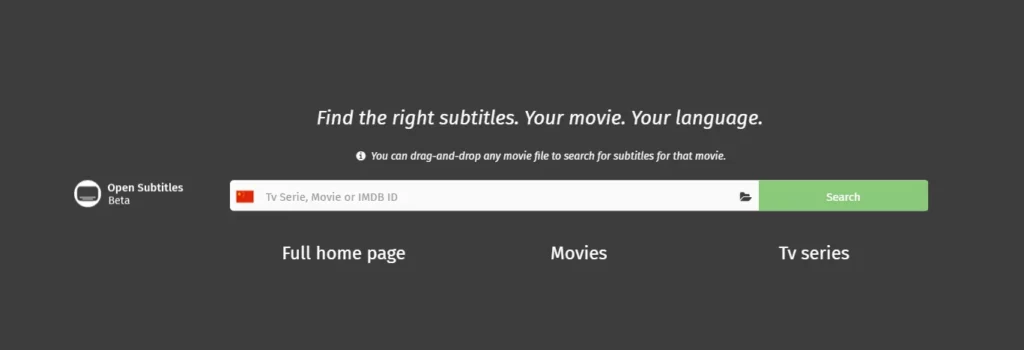
The core value of subtitle download websites lies in their “readiness.” They typically rely on community contributions or historical archives to provide pre-made subtitle files for films, TV shows, and public videos. For non-original content or temporary needs, this is the most straightforward way to download subtitles.
Key Advantages
Fast Access: For popular films and TV shows, subtitles are usually already available. No need to wait for generation—download and use immediately.
Low Barrier to Entry: No need to upload videos or configure complex settings, making it ideal for users seeking quick access to subtitle files.
Common Limitations
Subtitle Versions May Not Match Videos: Differences in release versions, editing lengths, or frame rates often cause subtitles to appear too early or too late.
Timing Deviations Are Common: Even with accurate language, manual timeline adjustments may be required.
Translation Quality Varies: Translation style depends on contributors. Issues like literal translations, awkward phrasing, or inconsistent terminology may occur.
Commercial and Copyright Risks: Most subtitles are intended for personal use only. Careful evaluation of licensing terms is necessary before using them in commercial videos.
The following platforms are reliably searchable and primarily used to obtain existing subtitle files:
- OpenSubtitles
Covers a wide range of film and TV content with multiple language options. However, subtitle quality depends on uploaders and requires manual filtering.
- Подсцена
Features an intuitive interface ideal for finding mainstream film/TV subtitles. Pay special attention to version compatibility.
- Субтитры YIFY
Better suited for specific film versions with relatively consistent natural language, though coverage is limited.
- TVsubtitles
Primarily targets TV series content, suitable for episodic shows, though update frequency varies.
When This Method Makes Sense
Subtitle download sites are best suited for non-original content и temporary use scenarios. When used solely for personal viewing or learning purposes with low subtitle accuracy requirements, this method offers quick access to usable subtitles.
Method 2 – Download Subtitles from Video Platforms

Currently, several mainstream video platforms natively support subtitle management or export features. Common platforms include:
- YouTube: Supports uploading, managing, and exporting subtitle files, making it one of the most common subtitle sources.
- Вимео: Allows creators to upload subtitles and export subtitle files under certain permission settings.
- Online course platforms (e.g., certain LMS systems): Typically support subtitle file management, facilitating content reuse for teaching purposes.
- Enterprise internal video platforms: Used for training or meeting replays, where subtitles are often stored as files.
These platforms are better suited for obtaining existing subtitles rather than generating new subtitle content.
Manual Subtitles vs Auto-Generated Subtitles
Within platform subtitles, the source determines quality.
Manually uploaded subtitles typically exist as SRT or VTT files, featuring accurate timelines and clear linguistic structure, closer to publishable standards.
Автоматически сгенерированные субтитры rely on speech recognition, offering fast generation but prone to errors in sentence segmentation, punctuation, and proper nouns.
In practical use, manual subtitles are more suitable as sources for official downloads and reuse.
How Subtitle Files Are Retrieved
For platforms supporting export, subtitles are typically available as SRT or VTT files. These files facilitate subsequent editing, translation, or format conversion. Auto-generated subtitles can also be downloaded but often require additional cleanup and proofreading before use.
Limitations You Should Be Aware Of
Platform subtitles are not equivalent to release-grade subtitles. Automatic subtitles exhibit higher error rates in noisy audio, multi-speaker dialogue, or multilingual scenarios. Multilingual subtitles provided by platforms usually rely on machine translation, offering limited quality that makes them unsuitable for direct use in professional or commercial content.
When Platform Subtitles Are Useful
Platform subtitles serve best as reference material or initial drafts. For formal releases, multilingual coverage, or long-term content management, further editing or regeneration using specialized subtitle tools is usually required to ensure quality and consistency.
Method 3 – Generate and Download Subtitles Using AI Tools
This is currently the most stable and suitable subtitle download method for long-term content production needs. Unlike relying on pre-existing subtitles, AI subtitle tools generate subtitle files directly from the video’s original audio, making them ideal for original videos and multilingual scenarios.
Why AI Subtitle Download Is Becoming the Mainstream
AI subtitle download is gaining mainstream adoption not because it’s “new,” but because it solves real-world problems.
- Eliminates reliance on pre-existing subtitles. Generates captions directly, even for never-before-released videos.
- Offers greater control. Caption content, timing, and language can be edited post-generation.
- Ideal for original content. Creators are no longer constrained by platform or community subtitle availability.
- Supports multilingual expansion. A single video can rapidly generate subtitles in multiple languages, ideal for international releases.
In practice, this approach strikes a better balance between efficiency and quality.
Step-by-Step: Generate and Download Subtitles with an Online Tool
-1024x598.png)
The process for using online AI subtitle tools is relatively standardized with low barriers to entry.
Step 1: Upload Video
Supports common video formats. Clearer audio yields higher subtitle accuracy. Processing begins without complex setup.
Step 2: Auto-Generate Subtitles
The system recognizes speech and produces a draft. For clear dialogue-based videos, accuracy typically meets most use cases.
Step 3: Edit and Proofread
This crucial step ensures subtitle quality. Common adjustments include sentence segmentation, punctuation, proper nouns, and names. An intuitive editing interface significantly reduces proofreading effort.
Step 4: Download or Export Subtitles
Скачать SRT, VTT, or TXT files for platform uploads or translation. Alternatively, export videos with hard-coded subtitles for short-form video platforms.
Common AI Subtitle Tools You Can Use
Below are some mainstream AI subtitle generation platforms that support automatic subtitle creation and download of subtitle files:
- EasySub – Online automatic subtitle and translation tool supporting multilingual subtitle generation and download.
- VEED.IO – Automatically generates subtitles and supports export formats like SRT, VTT, and TXT.
- Капвинг – Online AI subtitle generator with subtitle file download capability.
- Vmaker AI – Provides watermark-free subtitle generation, translation, and download capabilities.
- HeyGen – Automatically transcribes and supports multilingual export.
- Maestra AI – Multilingual AI subtitle generator supporting multiple subtitle formats.
- unifab.ai – Automatically generates subtitles and downloads them in standard formats.
While each tool has its unique features, they all share the common capability of generating and downloading subtitles online, making them adaptable to various publishing scenarios.
How Easysub Fits into the Subtitle Download Workflow?
1. Easysub's Role in the Workflow (Generate → Edit → Download)
Easysub isn’t just a simple subtitle source download site. It covers the entire subtitle production chain:
- Generate Subtitles:When no existing subtitles are available for a video, Easysub can generate a draft from the audio. No need to find matching subtitle files first.
- Editing Subtitles:Drafts often require proofreading. Easysub allows line-by-line text modifications, timeline adjustments, and semantic structure optimization.
- Downloading Subtitles:After editing, subtitle files in usable formats (e.g., SRT, VTT, TXT) can be downloaded directly. Videos with hardcoded subtitles can also be generated.
This closed-loop process—from “no subtitles” to “release-ready subtitles”—is impossible with simple subtitle downloads.
2. It Solves Real-World Problems Users Often Encounter
When searching for subtitle downloads, users frequently face these challenges:
Unable to find suitable existing subtitles
Many original videos lack open-source subtitles, and resource sites often lack matching files. Easysub solves the problem of “no subtitles available for download.”
Difficulty meeting multilingual needs
Existing subtitles are usually available in only one language. If Spanish, French, or other multilingual versions are needed, additional translation and conversion are required. Easysub supports automatically generating multilingual subtitles for download and use.
Inaccurate timelines or mismatched video versions
Directly downloaded subtitles often conflict with the video’s frame rate or edited version. Easysub generates timelines that perfectly align with your current video, eliminating tedious manual adjustments.
This streamlined workflow offers greater control and flexibility compared to “directly downloading existing subtitles.”
3. Difference from Simply Downloading Subtitles
Simply downloading subtitles from resource sites or platforms typically yields only a “result file.” The quality, language, and timings of such subtitles cannot be guaranteed beforehand, often requiring users to perform repetitive post-processing.
Easysub’s core distinction lies in:
- It doesn’t match videos to “existing subtitles” but regenerates subtitles based on the video content.
- Subtitles are editable and optimizable immediately after generation, reducing manual correction time.
- Integrated translation and multilingual support make it ideal for international content production.
- Downloaded subtitles align with the current video version, eliminating repeated adjustments.
In other words, Easysub isn’t a “subtitle download site” but a fully controllable end-to-end subtitle solution from generation to download.
4. Why This Matters for Long-Term Content Workflows
For long-term creators, educational teams, and corporate video departments, “subtitle downloading” isn’t a one-off task but an ongoing content process. Downloading standalone subtitle files doesn’t establish standardized workflows. Long-term stability requires:
- Generating unified subtitles before video release
- Pre-publishing proofreading and consistent language strategy
- Supporting multilingual version management
- Flexibly exporting formats required by different platforms
Easysub acts as a connector in this process, helping users transition from “merely downloading” to “standardized subtitle production and distribution.”
Official website: https://easyssub.com/ (offering online generation, editing, and download services).
FAQ – Subtitle Download
Q1: Where can I download subtitles for free?
Free subtitle files can be obtained from subtitle download websites or certain video platforms. Common sources include movie and TV subtitle sites, as well as subtitles uploaded by creators on platforms like YouTube. Note that free subtitles vary in quality and version compatibility, typically being more suitable for personal use or reference.
Q2: Is it legal to download subtitles?
Legality depends on the subtitle source and usage. Personal learning or viewing carries minimal risk. However, before using subtitles for commercial distribution, redistribution, or monetized content, verify that the subtitles have appropriate authorization to avoid copyright issues.
Q3: Can I download subtitles from YouTube?
If the video provides subtitles, you can usually export the subtitle file via platform features or third-party tools. Common formats include СТО or VTT. Automatically generated subtitles can also be downloaded but typically require further proofreading.
There is no universally “best” format. SRT offers the widest compatibility and suits most platforms. VTT is better suited for web pages and YouTube. Short-form video platforms generally recommend using exported hard-coded subtitles. The choice depends on the publishing platform and intended use.
Q5. Can I generate subtitles if none exist?
Yes. If the video lacks subtitles, using AI subtitle tools is the most direct approach. Automatically generate captions through speech recognition, then perform necessary proofreading to obtain downloadable subtitle files. This method is suitable for original content and long-term use cases.
Conclusion – The Smarter Way to Handle Subtitle Downloads in 2026

For original videos and long-term content creation, automatically generating subtitles followed by manual proofreading offers a more stable and efficient approach. Easysub goes beyond mere download functionality, covering the entire process from generation to editing and export. This makes it ideal for users requiring consistent, long-term subtitle management. Whether prioritizing short-term efficiency or long-term content management, adopting a more systematic approach to subtitles is the smarter choice for meeting subtitle download needs.
👉 Нажмите здесь, чтобы получить бесплатную пробную версию: easyssub.com
Спасибо за чтение этого блога. Не стесняйтесь обращаться к нам, если у вас есть дополнительные вопросы или вам нужны индивидуальные решения!