In today’s highly globalized video content landscape, subtitles are no longer merely an “auxiliary function”, but a key element in enhancing the reach and user experience of videos. An increasing number of videos are incorporating multilingual subtitles to reach a broader audience.
Firstly, subtitles can significantly increase the viewing time and engagement of the audience. Research shows that most people watch videos on social platforms in “mute mode”. At this time, subtitles are the only bridge for conveying information. Secondly, subtitles also play a crucial role for the hearing-impaired, non-native speakers, and for optimizing search engine readability (SEO), making video content more accessible and searchable. Additionally, adding multilingual subtitles can effectively expand the influence in overseas markets, enabling enterprises to achieve localized communication and global growth.
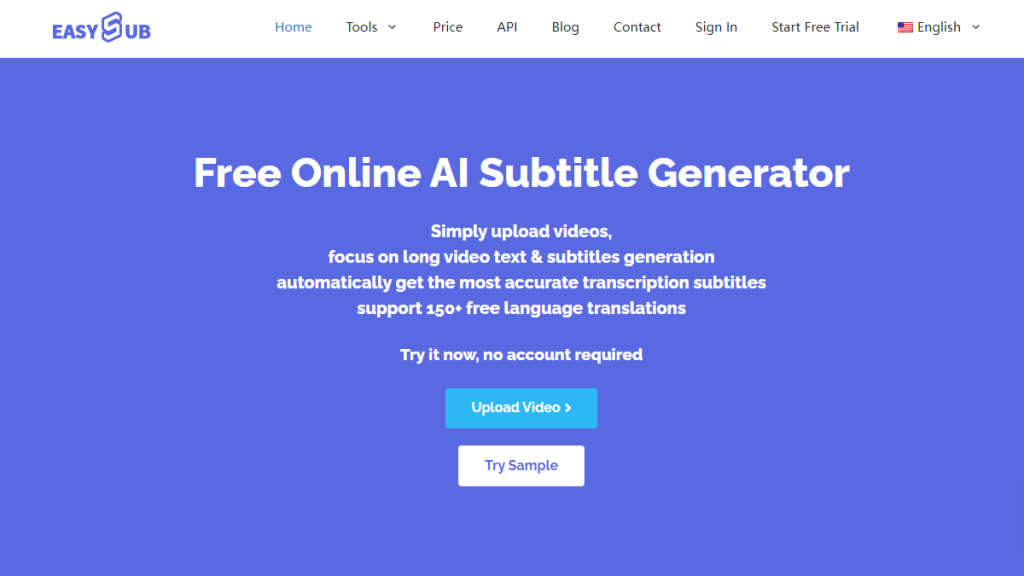
許多內容創作者現在都在尋求 更快更有效率地為影片添加字幕的方法. This has led to a common question: “How to Add Subtitles to a Video?” This article will systematically introduce how to easily add high-quality subtitles to your videos from both traditional methods and AI-powered tools. We also recommend a simple and user-friendly subtitle generation tool – 易訂閱.
目錄
為影片添加字幕的常用方法
In the process of adding subtitles to videos, common methods can roughly be divided into the “traditional way” and the “modern intelligent way”, and the differences between the two are significant in terms of efficiency, accuracy and operational threshold.
傳統方法
傳統方法主要依賴人工轉錄和字幕編輯軟體,例如 Aegisub 和 Premiere Pro。使用者需要逐句轉錄音訊內容,並手動標記每句話的時間軸。雖然這種方法非常靈活,但卻繁瑣耗時。尤其是在處理長影片或多語言字幕時,往往需要專業團隊的支持,成本也相應較高。.
人工智慧(AI)
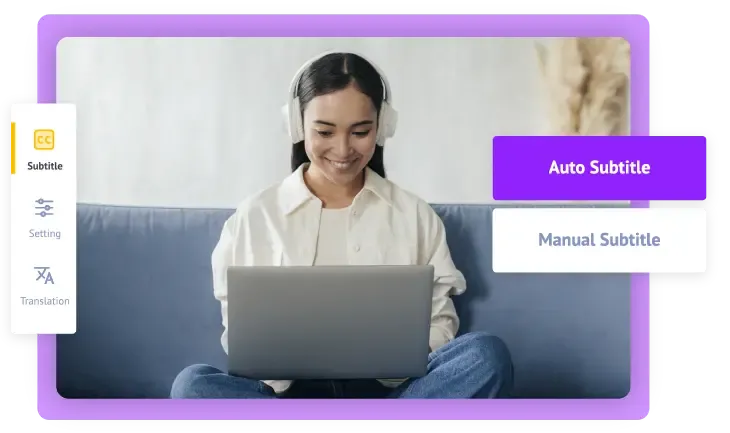
相比之下,現代方法依賴 利用人工智慧(AI)技術自動產生字幕. 基於自動語音辨識(ASR)、時間對齊和自然語言處理(NLP)等技術,人工智慧可以快速識別音訊中的語言內容,自動添加時間碼和標點符號,甚至支援多種語言的即時翻譯。. AI字幕工具 喜歡 易訂閱 它們不僅操作簡單、辨識準確,而且無需使用者俱備字幕製作經驗。這顯著提高了工作效率,尤其適合內容創作者、教育工作者和企業行銷團隊。.
總而言之,選擇合適的字幕添加方式的關鍵在於效率、成本和使用門檻之間的平衡。如果您正在尋找一款快速、聰明、支援多語言且無需安裝軟體的解決方案,Easysub 無疑是一款值得嘗試的高效工具。.
ASR,自動語音識別
易訂閱 它基於先進的語音辨識技術,能夠即時將視訊中的音訊訊號轉換為文字。其核心依賴深度神經網路模型(例如Transformer或RNN-CTC架構),可以對音訊波形進行聲學建模和語言建模,自動判斷語速、口音和發音清晰度等因素,從而實現高精度的字幕轉錄。與傳統的人工轉錄相比,AI ASR在速度和成本方面具有絕對優勢,尤其適用於大規模或多語言場景。.
機器翻譯
辨識完成後,系統即可呼叫神經機器翻譯(NMT)模型,將字幕內容準確翻譯成目標語言。 Easysub 支援主流語言之間的自動轉換。此翻譯模型基於大量雙語語料庫進行訓練,具備上下文理解能力,能夠產生語法正確、語言地道的翻譯文本。它尤其適用於需要全球傳播的教育內容、產品影片或多語言行銷。.
線上字幕編輯器
Easysub 提供可視化的網頁編輯介面。使用者可以在瀏覽器中對每個字幕進行詳細操作,例如修改文字、調整時間軸(起始和結束時間)、分割和合併句子以及設定字體樣式。此功能基於前端 JavaScript 音訊和視訊處理框架(例如 FFmpeg WASM 或 HTML5 視訊 API)和自訂時間軸邏輯,可實現毫秒控制,並確保字幕與音訊完美對齊。.
無需安裝,即可立即使用
Easysub 作為純粹的線上 SaaS 平台,無需用戶下載軟體或安裝插件,也無需外部字幕檔案。透過雲端處理架構(通常基於伺服器叢集 + CDN 最佳化),使用者上傳影片後即可直接在瀏覽器中完成識別、編輯和匯出,大大降低了使用門檻。即使是沒有任何字幕製作經驗的新手也能輕鬆上手。.
一鍵匯出為多種格式
字幕製作完成後,Easysub 支持 一鍵匯出並下載各種常用字幕格式, , 例如 .srt (通用文字格式), .。屁股 (高級樣式字幕)和嵌入式字幕影片(硬字幕)。.
匯出模組會根據字幕時間軸和內容自動產生標準相容文件,方便用戶直接上傳到 YouTube、Vimeo 等平台。, TikTok, 等等,或用於教學、會議資料存檔等。.
如何使用 Easysub 為影片新增字幕(逐步指南)
第一步:註冊並登入 Easysub 帳戶
前往 Easysub 官方網站, 然後點擊 “登記” 點擊右上角的按鈕。您可以選擇輸入您的電子郵件地址和密碼來完成註冊,或者您可以直接使用… Google 帳戶,一鍵登入 快速取得免費帳號。.
注意:註冊帳號不僅可以保存專案進度,還可以享受額外的字幕編輯和匯出功能。.
步驟二:上傳影片或音訊文件
登入後,點擊 “新增項目” 點擊上傳按鈕,在彈出的上傳視窗中選擇您的影片檔案。.
- 您只需點擊選擇要上傳的文件即可。.
- 或將影片檔拖到上傳區域。.
- 您也可以直接貼上 YouTube 影片連結, and the video file doesn’t need to be downloaded to process it (recommended, faster speed)
Easysub 支援多種視訊格式(如 MP4、MOV、AVI 等)和音訊格式(如 MP3、WAV 等),具有強大的相容性。.
步驟三:自動產生字幕
影片上傳成功後,點選 “添加字幕” 按下此按鈕進入字幕設定頁面。.
- 首先,選擇影片的原始語言(支援多種語言和口音)
- 如果您需要多語言版本,可以選擇目標翻譯語言。
- 點擊 “確認”, 系統將自動啟動語音辨識和字幕產生。
感謝 人工智慧自動語音辨識(ASR)技術 使用 Easysub,產生字幕的過程通常只需幾分鐘,並且可以準確地區分語速、停頓和口音的差異。.
第四步:線上編輯與多語言翻譯
字幕生成後,點擊 “編輯” 按下此按鈕即可進入線上字幕編輯器。在這裡,您可以:
- 調整字幕的時間線,確保與音訊和視訊完全同步。.
- 更正識別文本中的任何拼字錯誤或用詞不當之處。.
- 可輕鬆翻譯成其他語言,方便建立多語言字幕版本。.
- Customize the style of the subtitles (font, color, position, background, etc.) to match the video’s style.
第五步:匯出或嵌入字幕
完成字幕的審核和修改後,您可以根據需要將字幕檔案匯出為不同格式,或匯出最終影片:
- 匯出 SRT、ASS 和其他字幕文件 方便上傳到 YouTube 和 Vimeo 等平台
- 產生具有嵌入式字幕的視訊文件 將字幕直接顯示在視訊螢幕上
- 選擇不同的解析度、背景顏色,新增浮水印或標題,創造個人化的影片產品
Easysub 的一鍵匯出功能可實現從上傳到發布字幕的無縫過渡。.
使用 Easysub 產生字幕的優勢
- 發電速度快,節省時間成本
Easysub 利用先進的 AI 自動語音辨識 (ASR) 技術,只需幾分鐘即可為整個影片產生字幕。與傳統的手動輸入或使用專業字幕軟體逐句處理相比,效率提升數倍,非常適合需要快速製作內容的創作者、行銷團隊或教育機構。.
- 支援多語言和多口音識別
無論是 英語, 法語, 日本人, 無論是人聲,還是帶有不同地區口音的聲音,Easysub 都能準確識別並將其轉換為字幕。同時,識別完成後,即可立即進行轉換。 已翻譯成多種目標語言 滿足跨境溝通和多語言市場的需求。.
- 線上使用,無需下載或安裝
用戶可以輕鬆存取 Easysub’s official website via their browser to use it. There is no need to download or install any additional software, nor to configure a complex environment. This truly enables “immediate use upon opening”, significantly lowering the usage threshold. - 自動字幕對齊,減少後製調整的需要
在辨識過程中,Easysub 會根據語音的節奏和速度自動進行精確的時間軸匹配,避免字幕超前或延遲的問題。這確保了字幕在播放過程中與影片自然同步。. - 適合初學者和專業用戶
對於初學者而言,Easysub 的操作介面簡潔直觀,即使是沒有任何字幕製作經驗的使用者也能輕鬆上手。同時,專業用戶可以利用其線上編輯功能自訂字幕樣式、調整時間軸並優化翻譯結果,滿足更進階的創作需求。.
如何製作有效的字幕
a. 每行字元數和行數控制(可讀性)
The subtitles fall under the “fast reading” scenario. The eye movements and short-term memory of the viewers determine the number of characters they can read each time. Very long lines will increase the cognitive load, causing the viewers to miss the next sentence before they finish reading the current one.
英文和中文的資訊密度不同:英文通常以字母或單字來衡量,建議每行字數不要超過… 35-42 個英文字符. 由於中文每個字的資訊量都很大,因此更適合保持每行字數較少。 14-18個漢字. 同時,盡量將其控制在…之內 兩行. 這樣可以確保大多數觀眾在字幕出現時有足夠的時間完成閱讀,而不會分心。.
練習重點:優先翻譯短語而非逐字翻譯。如有必要,可將句子拆分,以保持語義完整性和閱讀節奏。.
b. 時間軸與同步(影音融合原則)
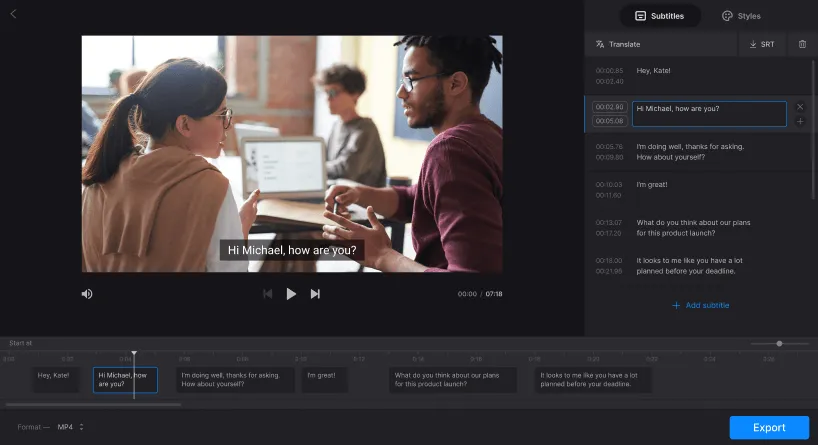
Humans are highly sensitive to the mismatch between audio and video – when the mouth movements do not match the heard speech, it can cause an unnatural or distracting feeling. Therefore, subtitles should be highly time-aligned with the audio: the start time should ideally be close to the beginning of the speech, and the end time should leave enough time for the sentence to be fully read.
From experience, ensuring that the subtitles are no more than approximately 0.2 seconds (200 ms) ahead or behind the audio can make most viewers feel a natural synchronization (the actual tolerance varies depending on the language, the video, and the viewer’s attention). The implementation method relies on forced alignment and word-aligned techniques. When encountering noise or multiple people speaking simultaneously, it can be corrected through manual fine-tuning (±0.1 – 0.2 seconds).
注意:對於語速較快的句子,您可以將其拆分成多個短字幕,並適當重疊時間,以確保可讀性。.
c. 建議顯示長度(閱讀速度和認知負荷)
字幕應留出足夠的閱讀時間,但不應佔據螢幕過長,以免妨礙訊息接收。根據平均螢幕閱讀速度,建議短句(單行)至少顯示一定時間。 about 1.5 – 2 seconds; 建議顯示較長的字幕或兩行字幕。 about 3 – 6 seconds. 顯示時間應根據句子的長度線性增加。.
如果字幕消失得太快,觀眾就必須重新播放內容;如果字幕在螢幕上停留時間過長,就會幹擾視覺訊息的傳遞。.
像 Easysub 這樣的工具通常會自動計算顯示長度。但是,在編輯過程中,應該手動檢查關鍵句子或段落(例如編號、數字或術語)是否需要延長顯示時間,以便更好地理解。.
d. 語言風格與可讀性處理(語言工程)
Automatic recognition often produces text that is very close to a “word-for-word transcript”, including interjections, repetitions, hesitation words, etc. High-quality subtitles should follow the principle of “readability first, fidelity to the original meaning”. Without changing the original meaning, delete filler words (such as “um”, “that”) that have no substantive information, appropriately simplify complex sentences or make localized rewrites to match the reading habits of the target audience.
短影片通常使用口語化的語言和簡潔的表達方式;而教育/培訓影片則保留專業術語並保持正式的句式結構。翻譯字幕時,應優先使用目標語言中自然的語序和習慣表達方式,而不是逐字逐句地進行翻譯。.
e. 適應多種平台(顯示佈局和互動遮蔽)

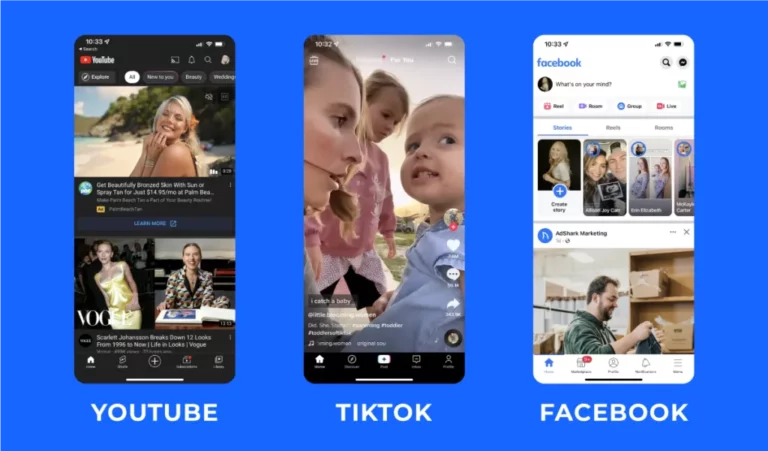
在豎屏短視頻中,底部經常被互動按鈕遮住。因此,字幕位置應該略微上移或利用螢幕下半部。對於橫屏平台,字幕可以放置在底部中央。.
此外,還要考慮字幕的解析度和大小:行動裝置上的字體大小應略大於桌面裝置上的字體大小,以確保清晰易讀。匯出時,還需要選擇合適的字幕格式(SRT 便於平台加載,ASS 支援樣式,嵌入式影片用於無法加載外部字幕的平台)。.
f. 字幕樣式和易讀性(視覺設計)
字幕的可讀性不僅取決於文字本身,還取決於字體、對比和背景處理。高對比(例如白底黑邊或半透明邊框)在各種背景環境下都能保持清晰。.
建議使用無襯線字體以提高螢幕可讀性;避免使用純色,以免與複雜背景混淆;必要時,可添加邊框或背景框。.
字體大小應根據播放裝置進行調整:對於面向行動裝置的內容,應使用較大的字體,並預留足夠的螢幕邊距。樣式設計應兼顧品牌辨識度和整體可讀性,避免因樣式設計而損害可讀性。.
g. 文化差異與本土化(跨文化交流)
Translation is not a word-for-word substitution, but rather a “re-expression of meaning and context”. Factors such as culture, habits, humor, time units or measurements (imperial/ metric) can all affect the audience’s understanding. High-quality multilingual subtitles require localization processing: replacing culturally specific expressions, interpreting idioms literally, and retaining annotations or footnotes where necessary to explain proper nouns. To ensure consistency, it is recommended to establish a glossary (term list) and translation guidelines, especially for brand names, product names, and technical terms, which should be uniformly translated or kept in their original form and annotated at the beginning.
常見問題:關於新增字幕的常見問題
問題1:視訊字幕的常見格式有哪些?
一個: 常見格式包括可編輯的文字標題(例如) .srt, .vtt),具有樣式和定位功能的高級字幕(例如 .ass/.ssa), and “embedded/programmed (hard-coded)” videos (where the captions are directly written onto the screen). Easysub supports exporting multiple common formats (such as SRT, ASS, TXT), and can generate videos with embedded captions, making it convenient for uploading to YouTube, social platforms, or for offline playback.
Q2:Easysub 支援哪些語言?
一個: Easysub 非常重視對多語言的支持,無論是轉錄還是翻譯:其官方網站和眾多用戶評價均表明,該平台可處理 100 多種(語音識別)至 150 多種(字幕翻譯)語言/方言,涵蓋主流語言以及大量不太常見的語言。因此,它非常適合多語言視訊的全球發布。.
Q3:Easysub 是否適用於商業用途(例如公司推廣、付費課程)?
一個: Suitable. Easysub offers free trials and paid plans (by the minute, Pro and team plans, API, etc.), which can meet usage scenarios ranging from individual to enterprise levels. At the same time, its service terms and price page clearly list commercial subscriptions and team functions. It is recommended to read and abide by the platform’s terms and billing policies before commercial use. If handling enterprise sensitive content, additional confirmation of privacy and storage policies is required.
問題4:自動辨識的準確率如何?如果出現錯誤該怎麼辦?
一個: Both the official and third-party evaluations indicate that the automatic recognition accuracy of Easysub is quite high (the official website claims market-leading precision, and some evaluations have given an identification rate of nearly 90%+). However, the recognition effect is still affected by factors such as audio quality, accent, and background noise. The platform provides an online subtitle editor, which enables users to make corrections to the recognition results on a line-by-line basis, make minor adjustments to the timeline, and perform one-click translation. Users should regard the automatically generated initial draft as the “efficient starting point”, and then conduct necessary manual proofreading to ensure the final quality.
Q5:上傳影片會侵犯隱私或版權? Easysub 如何保護使用者資料?
一個: 字幕工具本身就是一種技術服務。. 其合法性 使用權取決於使用者是否擁有上傳影片的權利或版權。. Easysub在其隱私權政策和使用條款中解釋了其資料使用和保護原則(包括隱私權聲明和責任警告),並提醒平台使用者確保上傳的內容合法合規;對於商業或敏感內容,建議先閱讀隱私權政策和條款,或聯絡平台確認資料儲存和加密的詳細資訊。總而言之,該工具可以幫助產生字幕,但版權和合規責任由上傳者承擔。.
使用 Easysub 讓您的影片更易於訪問
Easysub makes subtitle production efficient, accurate and multilingual. Whether it’s YouTube educational videos, TikTok short clips, or corporate promotional and course content, you can easily add subtitles in a format that meets international standards, enhancing the viewing experience of the audience and the efficiency of information acquisition. With automatic speech recognition, intelligent translation and online editing tools, you can complete subtitle generation and optimization in just a few minutes, significantly saving time and labor costs. At the same time, multi-platform compatibility and commercial usage support make your videos more competitive worldwide.
立即體驗 Easysub 免費版,開啟高效字幕創作之旅。讓更多人理解、聆聽並記住您的影片內容。.
👉 點此免費試用: easyssub.com
感謝您閱讀本部落格。. 如有更多問題或客製化需求,請隨時與我們聯繫!