If you’re creating content for TikTok, relying solely on the platform’s built-in subtitles isn’t enough. You need higher accuracy, faster processing speeds, and a more professional presentation of subtitles. An AI subtitling tool can help address these challenges. It can automatically generate subtitles, support multiple languages, and significantly enhance the video viewing experience. By using the right AI subtitling tool, you can scale your content, boost completion rates, and increase conversion rates.
Table of Contents
Why TikTok Subtitles Are Different?

On TikTok, captions aren’t just supplementary text—they’re an integral part of the content. You should treat captions as an extension of the visuals. Captions directly influence whether users will keep watching your video.
Unlike YouTube, TikTok moves at a faster pace, and users spend less time on each video. If your captions aren’t clear or engaging enough, users will easily swipe past your video.
Key Characteristics of TikTok Captions
1. Captions Must Keep Up with the Pace
Your captions must stay in sync with the audio. TikTok videos move at a rapid pace, typically requiring a new caption every 1 to 3 seconds. You need to ensure the captions match the speaking rhythm so users can easily follow along.
To ensure your TikTok video captions are short, fast-paced, and just the right length, keep the total text within 50–150 words (approximately 300–800 characters).
| Video Length | Recommended Subtitle Length |
|---|---|
| 5–10 seconds | 20–50 words |
| 10–30 seconds | 50–120 words |
| 30–60 seconds | 80–150 words |
2. Make Subtitles Eye-Catching and Highlight Key Content
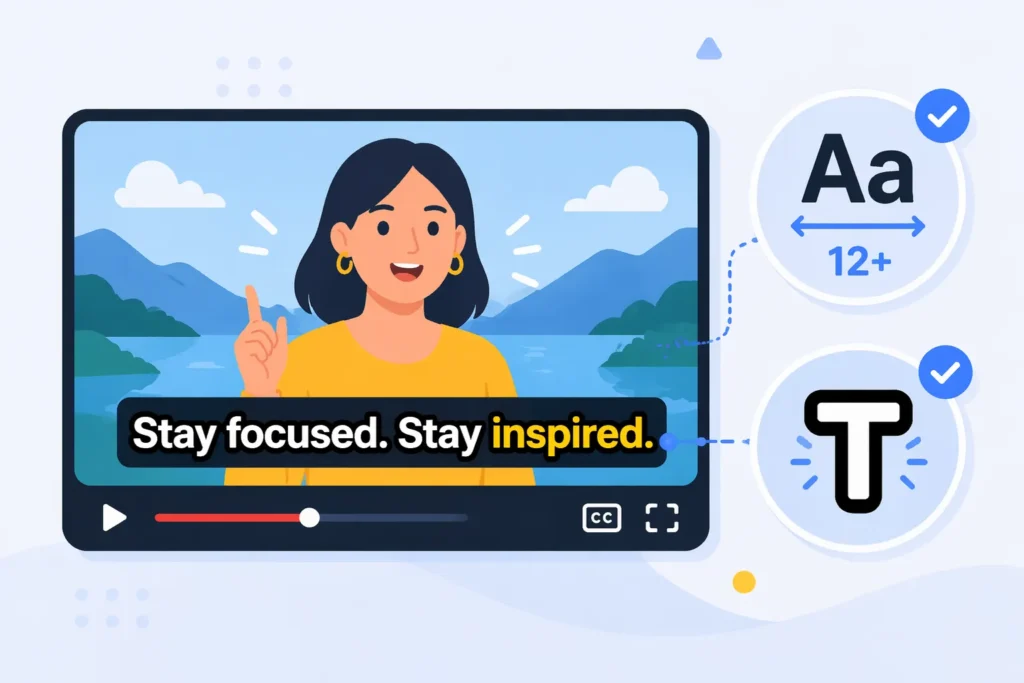
Users’ attention is highly scattered when they’re scrolling through videos. If subtitles aren’t eye-catching enough, they’re easily overlooked. You need to ensure subtitles are noticed immediately—for example, by using a larger font (minimum 12-point font with 14-point line spacing) or a clearer color (preferably white text with a black border or outline).
Users don’t read subtitles word for word; they scan them quickly. You need to highlight the most important information, such as keywords or key sentences. By using simple emphasis techniques, you can help users grasp the main points in a very short time.
4. Best Subtitle Length for TikTok
The optimal subtitle length for TikTok is: 3–7 words per segment, displayed for 1–3 seconds, with no more than 40 characters per line and a maximum of 2 lines. This allows users to read the text quickly without disrupting their viewing experience.
| Item | Recommended Standard | Reason |
|---|---|---|
| Words per paragraph | 3–7 words | Users can scan the text at a glance |
| Display time | 1–3 seconds | Matches reading speed |
| Characters per line | ≤40 characters | Avoids clutter |
| Number of lines | 2 lines maximum | Keeps the screen clean |
5. Subtitle Placement
TikTok uses a vertical layout with many fixed buttons on the screen. Be sure to place subtitles within the safe zone and avoid having them obscured by likes, comments, or profile pictures.
Best Fonts for TikTok Subtitles 2026
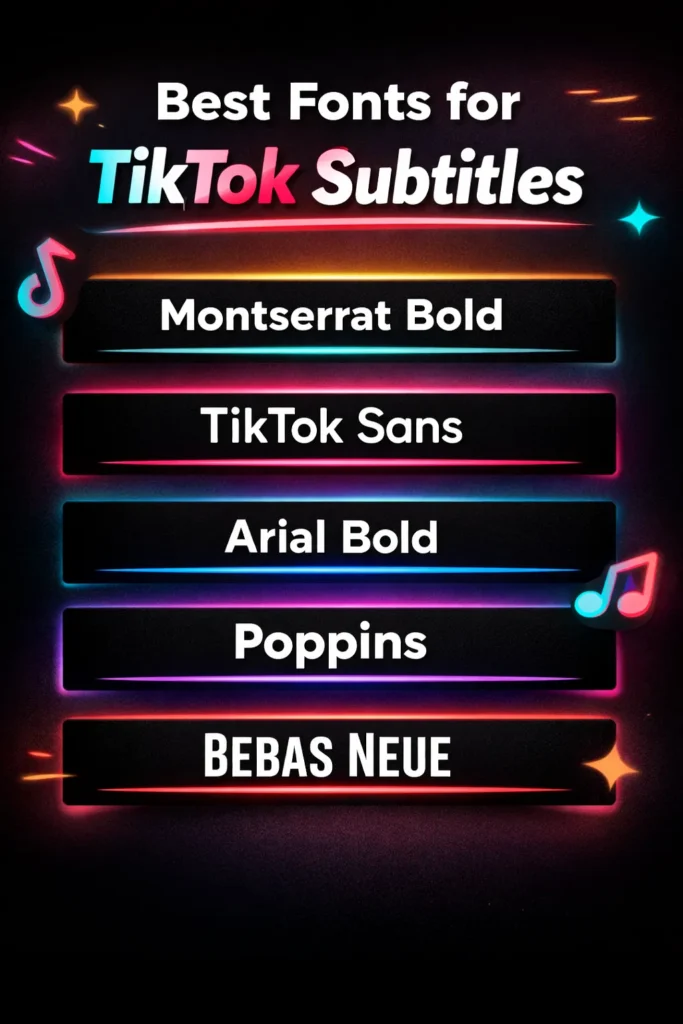
The best fonts for TikTok captions are: Montserrat Bold, TikTok Sans, Arial Bold, Poppins, and Bebas Neue. These fonts are clearer and more eye-catching on mobile devices, directly enhancing the viewing experience and increasing completion rates.
Why Caption Style Determines Video Performance
Most of your videos are watched with the sound muted. Users don’t listen to the audio; they only read the captions. Research by Meta (Facebook) shows that a large number of users watch videos in a silent environment. Data from Verizon Media indicates that captions can significantly increase watch time and engagement rates. TikTok Creative Center also emphasizes that clear captions help improve content performance.
Analysis of the Best Caption Styles for TikTok
a. Word-by-Word Highlighted Subtitles
These subtitles change word by word in sync with the audio. The currently spoken word is highlighted. Users don’t need to read the entire sentence; they just follow the rhythm. This makes it easier for your video to be watched all the way through. It is currently one of the most effective ways to boost completion rates.
b. Keyword Emphasis Subtitles
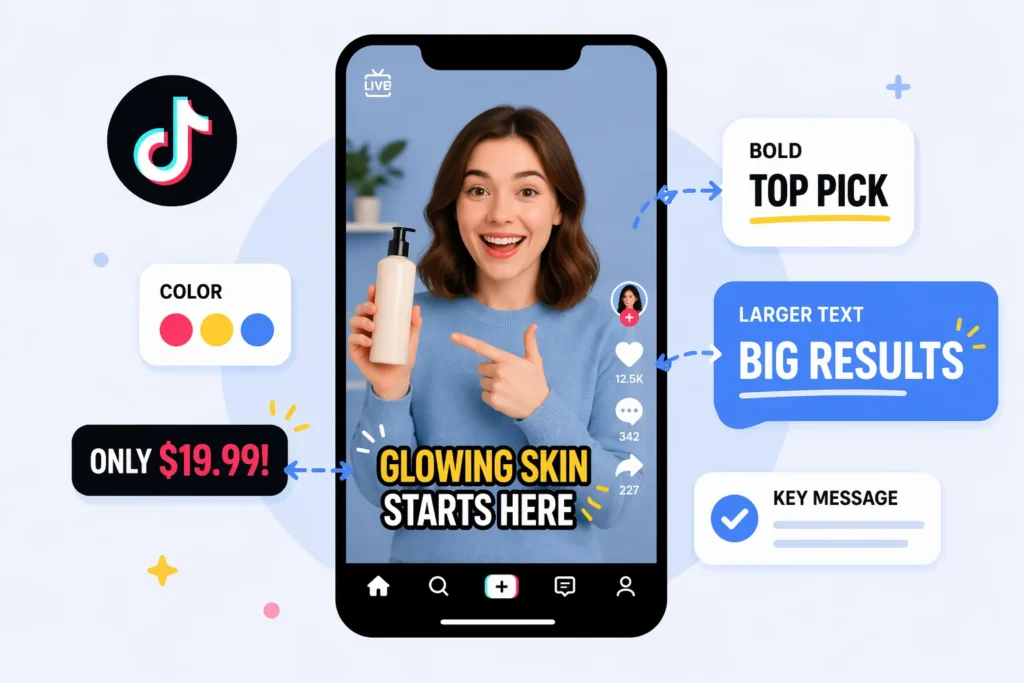
You need to highlight prices, selling points, or core messages. This can be achieved through color, bold text, or enlarged font. This allows users to grasp key information within a second. This is crucial for product promotion and conversions.
c. Bold High-Contrast Subtitles
Subtitles must be visible at a glance. We recommend using bold sans-serif fonts, such as Montserrat or Arial, paired with high-contrast color combinations like yellow-black or white-black. This ensures clear readability against any background. The higher the readability, the longer users will engage with the content.
d. Kinetic Subtitles
Kinetic subtitles enhance visual appeal through simple animations, such as zooming or pop-up effects. This can add rhythm and make the video more engaging. But excessive animation can be distracting. You need to control how often you use it.
e. Short Phrase Captions
Long sentences in captions increase the reading load. You should break the content into short phrases and display only a small portion at a time. This allows users to quickly grasp the content without feeling overwhelmed. This is particularly important for fast-paced videos.
How to Add Subtitles to TikTok Videos?
You can use TikTok’s built-in features directly, or use AI captioning tools for better results.
This is the simplest method. It’s ideal for quickly publishing content.
Step 1: Upload or record a video. Once you’re in the editing interface, locate the “Captions” feature.
Step 2: Tap “Automatically Generate Captions.” The system will generate text based on the audio.
Step 3: You’ll need to manually review the captions. Correct any incorrect words or inaccuracies.
Step 4: Once everything is correct, publish the video. This method is easy to use but has limited functionality. There are certain restrictions on caption styles and accuracy.
Method 2: Use an AI Captioning Tool
.png)
If you want higher-quality captions, you can use an AI tool. Take EasySub as an example:
Step 1: Upload your video to the captioning platform. The system will automatically recognize the audio and generate captions.
Step 2: You can edit the caption content. Adjust the text, timeline, and formatting.
Step 3: You can customize the caption style.
For example, you can customize colors, font sizes, or highlight keywords.
Step 4: Export the video with subtitles. Then upload it to TikTok for publication.
This method offers greater flexibility. It’s ideal for users who want to enhance their video quality or produce content in bulk.
Choose the Method That’s Right for You
If you only post videos occasionally, the built-in subtitle feature is sufficient. However, if you want to improve your video’s performance or need to create more content, an AI subtitle tool is a better choice.
What Makes the Best AI Subtitles for TikTok?
A good AI captioning tool must offer high accuracy, fast processing, robust styling controls, and multilingual support. Only by meeting these core criteria can it truly help you boost the performance of your TikTok videos.
1. Are the captions accurate enough?
2. Does it genuinely improve production efficiency?
3. Do the captions have visual appeal?
4. Does it support multilingual content expansion?
A good AI captioning tool can automatically translate while maintaining good semantic accuracy. This allows you to reach different markets with the same video without having to produce multiple versions, significantly improving content utilization.
5. Does it support large-scale content production?
Best AI Subtitle Tools for TikTok 2026
| Tool | Accuracy | Speed | Multi-language | Pricing |
|---|---|---|---|---|
| EasySub | High (optimized AI speech model) | Fast (automated workflow) | Strong (multilingual + bilingual) | Flexible (suitable for bulk processing) |
| VEED | High | Moderate | Supported | Slightly high (subscription-based) |
| Kapwing | Moderate | Moderate | Supported | Moderate |
| Descript | High | Moderate | Strong | Slightly high |
| CapCut | Moderate | Fast | Limited | Free |
EasySub: Designed for Efficiency and Scalability (High-Accuracy)
-1024x598.png)
EasySub’s core strength lies in its ability to enable automated and scalable processing while ensuring extremely high subtitle accuracy. It is not merely a simple speech-to-text tool, but rather a system optimized specifically for “high-accuracy subtitle generation.”
EasySub focuses on two key areas: First, the optimization of speech recognition models. Compared to general-purpose models, it has been trained specifically for video scenarios, enabling better handling of accents, speaking speed, and real-world ambient noise. Current industry data shows that leading AI subtitling systems can achieve 90%–98% accuracy under ideal conditions, while the optimized model can further approach a “ready-to-use” level.
Second is the design of automated workflows. EasySub minimizes error rates during the generation phase, reducing revision costs at the source.
Regarding multilingual support, EasySub integrates AI translation models to generate subtitles and translations simultaneously. With just one video, you can quickly generate multiple language versions.
A good AI subtitling tool is fundamentally about generating high-precision subtitles while minimizing manual intervention. This is the key to efficiency and scalability.
VEED: Accurate but Moderate Speed
VEED’s strength lies in its “editor-driven” approach. It functions more like an online video editing tool than a pure subtitling tool. It typically integrates with mature speech recognition APIs (such as third-party models), resulting in consistently stable accuracy.
However, the process is relatively cumbersome. Subtitle generation is just one part of the editing workflow, and you still need to make adjustments on the timeline.
Kapwing: A Balanced Choice
Kapwing takes the “lightweight editing platform” approach. It hasn’t optimized its subtitling features particularly deeply.
Its subtitle generation relies on general-purpose speech recognition models. It hasn’t been fine-tuned for short-form video scenarios. Consequently, its performance is fairly balanced. It works, but it isn’t particularly fast or accurate. It hasn’t been deeply optimized for TikTok.
Descript: Accurate, but More Professional
At its core, Descript is “audio-driven editing.” It was originally designed for podcasts and long-form videos. Its speech recognition model is trained specifically for longer audio content. As a result, it achieves high accuracy in scenarios with clear audio.
However, in the TikTok context, two issues arise: processing is relatively slow, and the subtitle styles aren’t well-suited for short videos. It’s optimized for long-form content, not short videos.
CapCut: Why It’s Fast but Has Limited Capabilities
CapCut’s strength lies in its “native integration.” It is deeply integrated with the TikTok ecosystem. Caption generation is built directly into the editing workflow. Consequently, it’s very fast to use and has virtually no learning curve.
However, its limitations are also clear: its speech recognition model is relatively basic. Caption styles and multilingual capabilities are limited. It does not support large-scale processing. It’s suitable for simple use but not for professional scenarios.
How to Choose the Right AI Subtitle Tool?
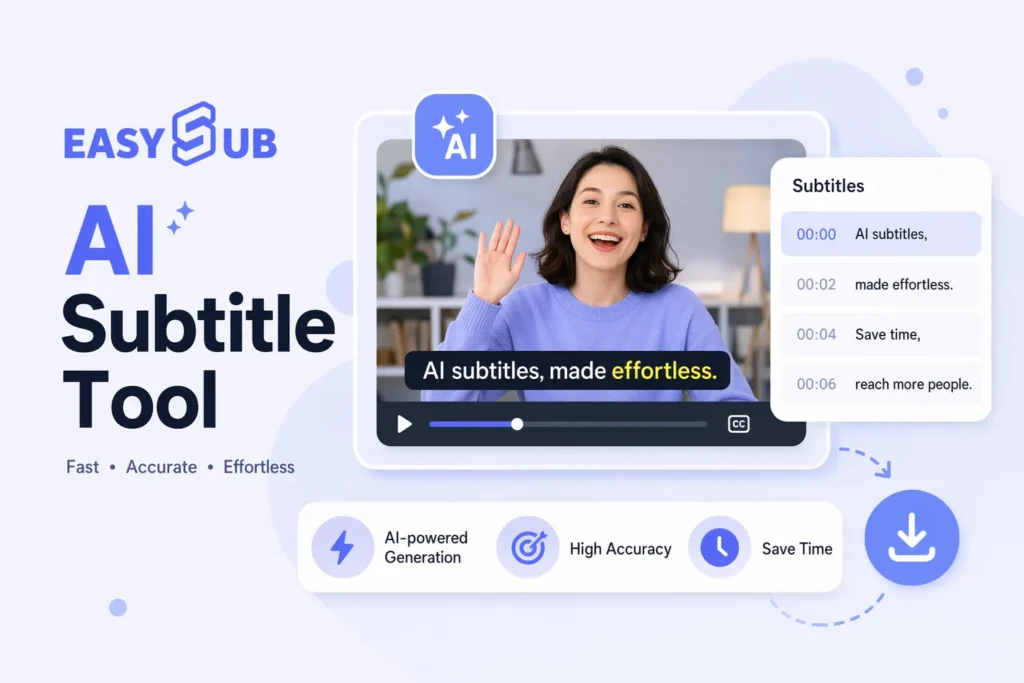
If you post videos every day, prioritize efficiency and precision—go with EasySub. If you create cross-border content and need multilingual capabilities, EasySub is also your best choice.
If you only use it occasionally, CapCut is sufficient—it’s fast and easy to use. If you’re looking for precise editing, consider Descript.
| User Type | Your Core Goal | What to Prioritize | Best Choice | Alternative Tools | Why This Choice |
|---|---|---|---|---|---|
| Content Creator | Increase posting frequency | Speed, accuracy, subtitle quality | EasySub | CapCut | EasySub generates near-ready subtitles, reducing editing time; CapCut is simple but has limited accuracy |
| TikTok Sellers (E-commerce) | Increase conversion rates | Multilingual support, keyword highlighting, clarity | EasySub | VEED | EasySub supports rapid multilingual expansion; VEED offers rich styles but is more expensive |
| Brands/Teams (Agency) | Mass-produce content | Batch processing, stability, consistent style | EasySub | Descript | EasySub is better suited for scaling short videos; Descript is better suited for longer videos |
| Beginners | Quick to learn | Simple operation, low cost | CapCut | Kapwing | CapCut is the easiest to use; Kapwing offers more features but is slightly more complex |
| Professional Editors | Fine-tuned subtitle control | Editing capabilities, timeline control | Descript | VEED | Descript is suitable for detailed editing; however, it is less efficient than automated tools |
FAQ
Q1. Are free subtitle tools good enough for TikTok?
If you only post videos occasionally, free tools are sufficient. However, if you want to improve efficiency or create content in bulk, free tools are usually not enough. They have significant limitations in terms of accuracy, multilingual support, and formatting options.
Q2. Do AI subtitles really increase TikTok views?
Q3. How accurate are AI subtitles for TikTok videos?
Mainstream AI captioning tools can achieve over 90% accuracy under ideal conditions. However, actual results depend on accents, speaking speed, and background noise. You should choose a tool that generates captions requiring “minimal editing.”
Q4. Can AI captions translate TikTok videos into multiple languages?
Yes. Most AI captioning tools support automatic multilingual translation. You can generate multiple language versions from a single video, thereby reaching a wider audience.
Q5. What is the best subtitle style for TikTok videos?
The most effective subtitle style features word-by-word highlighting, keyword emphasis, and large, high-contrast text. This combination improves readability and makes it easier for users to follow the content’s pace.
Start Creating High-Impact TikTok Subtitles Today
Take your videos to the next level—it’s time to get started. You can begin with a free trial. Test the results on real videos to see if the subtitles are ready to use.
If you have more advanced needs, request a demo. Find out if batch processing, multilingual support, and automated workflows are right for you.
Start testing now, and you’ll see the difference in no time.👉 Click here for a free trial: easyssub.com
Thanks for reading this blog. Feel free to contact us for more questions or customization needs!