在當今高度全球化的視訊內容環境中,字幕不再只是“輔助功能”,而是提升視訊覆蓋率和用戶體驗的關鍵要素。越來越多的影片開始添加多語言字幕,以觸達更廣泛的受眾。.
首先,字幕可以顯著提升觀眾的觀看時間和參與度。研究表明,大多數人在社交平台上觀看影片時都處於「靜音」狀態。此時,字幕就成了唯一傳遞訊息的橋樑。其次,字幕對於聽障人士、非母語人士以及搜尋引擎優化(SEO)用戶都至關重要,它能使影片內容更易於存取和搜尋。此外,增加多語言字幕還能有效擴大海外市場的影響力,幫助企業實現在地化溝通和全球化發展。.
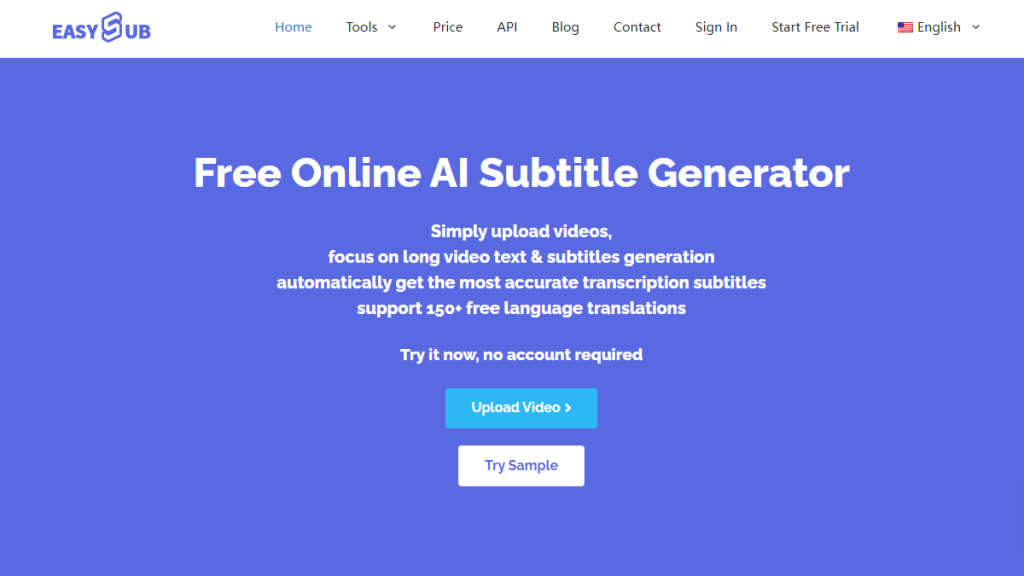
許多內容創作者現在正在尋求 更快、更有效地為影片添加字幕的方法. 這就引出了一個常見問題:「如何為影片添加字幕?」本文將系統地介紹如何使用傳統方法和人工智慧工具輕鬆為影片添加高品質字幕。我們也推薦一款簡單易用的字幕產生工具—— 易訂閱.
目錄
為影片添加字幕的常用方法
在為影片添加字幕的過程中,常用方法大致可以分為“傳統方式”和“現代智慧方式”,兩者在效率、準確性和操作門檻方面有顯著差異。.
傳統方法
傳統方法主要依賴手動轉錄和字幕編輯軟體,例如 Aegisub 和 Premiere Pro。使用者需要逐句轉錄音訊內容,並手動標記每句話的時間軸。這種方法雖然靈活性高,但操作繁瑣且耗時。尤其是在處理長影片或多語言字幕時,通常需要專業團隊的支持,成本也相應較高。.
人工智慧(AI)
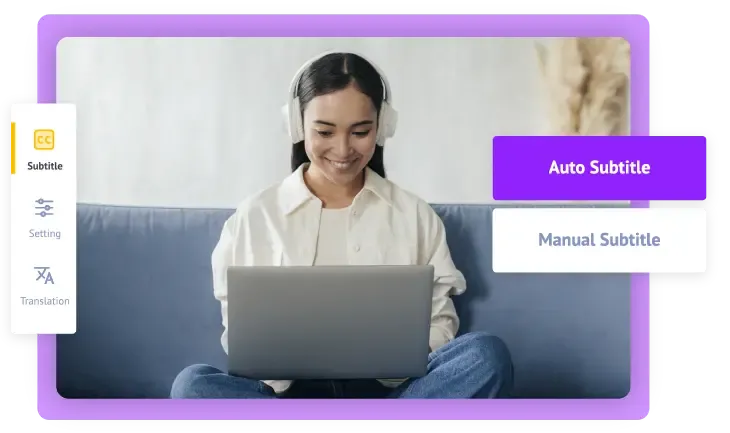
相比之下,現代方法依賴 人工智慧(AI)技術自動產生字幕. 基於自動語音辨識(ASR)、時間對齊、自然語言處理(NLP)等技術,AI可以快速辨識音訊中的語言內容,自動加入時間碼和標點符號,甚至支援多種語言的即時翻譯。. AI字幕工具 喜歡 易訂閱 不僅操作簡單、辨識準確率高,而且無需用戶具備字幕製作經驗,大幅提升工作效率,尤其適合內容創作者、教育工作者、企業行銷團隊等。.
總而言之,選擇合適的字幕添加方式,關鍵在於效率、成本和使用門檻之間的平衡。如果您正在尋找一款快速、聰明、支援多語言且無需安裝軟體的解決方案,Easysub 無疑是一款值得嘗試的高效工具。.
ASR,自動語音識別
易訂閱 基於先進的語音辨識技術,將視訊中的音訊訊號即時轉換為文字。其核心依賴深度神經網路模型(例如 Transformer 或 RNN-CTC 架構),這些模型可以對音訊波形進行聲學建模和語言建模,自動判斷語速、口音、發音清晰度等因素,從而實現高精度字幕轉錄。相較於傳統人工轉錄,AI ASR 在速度和成本上擁有絕對優勢,尤其適用於大規模或多語言場景。.
機器翻譯
辨識完成後,系統可以呼叫神經機器翻譯(NMT,Neural Machine Translation)模型,將字幕內容精確地翻譯成目標語言。 Easysub 支援主流語言之間的自動轉換。此翻譯模型基於大量雙語語料庫進行訓練,具備上下文理解能力,能夠產生語法正確、符合語言習慣的翻譯文本。它尤其適用於教育內容、產品影片或需要全球傳播的多語言行銷。.
線上字幕編輯器
Easysub 提供可視化的 Web 編輯介面。使用者可在瀏覽器中對每段字幕進行精細操作,例如修改文字、調整時間軸(起止時間)、分割和合併句子以及設定字體樣式。此功能基於前端 JavaScript 音訊視訊處理框架(例如 FFmpeg WASM 或 HTML5 Video API)和自訂時間軸邏輯,實現毫秒控制,確保字幕與音訊完美對齊。.
無需安裝,立即可用
Easysub作為純線上SaaS平台,無需使用者下載軟體安裝插件,也無需外部字幕檔。透過雲端處理架構(通常基於伺服器叢集+CDN最佳化),使用者上傳影片後,直接在瀏覽器中即可完成識別、編輯、匯出,大幅降低了使用門檻。即使沒有字幕經驗的新手也能輕鬆操作。.
一鍵匯出多種格式
完成字幕製作後,Easysub支持 一鍵匯出下載各種常見字幕格式, , 例如 .srt (通用文字格式),, .。屁股 (高級字幕)和嵌入式字幕影片(硬字幕)。.
匯出模組會根據字幕時間軸和內容自動產生標準相容文件,方便用戶直接上傳到YouTube、Vimeo等平台,, TikTok, 等,或用於教學、會議資料存檔等。.
如何使用 Easysub 為影片新增字幕(逐步指南)
步驟1:註冊並登入Easysub帳戶
前往 Easysub官方網站, ,然後點擊 “登記” 按鈕。您可以選擇輸入您的電子郵件和密碼來完成註冊,也可以直接使用 Google 帳戶一鍵登入 快速獲得免費帳戶。.
注意:註冊帳號不僅可以保存專案進度,還可以享受額外的字幕編輯和匯出功能。.
第 2 步:上傳影片或音訊文件
登入後,點擊 “新增項目” 按鈕,然後在彈出的上傳視窗中選擇您的影片檔案。.
- 您只需單擊即可選擇要上傳的檔案。.
- 或將影片檔拖曳到上傳區域。.
- 您也可以直接貼上 YouTube 影片連結, 而且無需下載影片檔案即可進行處理(推薦,速度更快)。
Easysub支援多種視訊格式(如MP4、MOV、AVI等)和音訊格式(如MP3、WAV等),相容性強。.
步驟3:自動產生字幕
影片上傳成功後,點選 “添加字幕” 按鈕進入字幕配置頁面。.
- 首先,選擇影片的原始語言(支援多種語言和口音)
- 如果需要多語言版本,可以選擇目標翻譯語言
- 點擊 “確認”, ,系統將自動啟動語音辨識和字幕生成
感謝 AI自動語音辨識(ASR)技術 Easysub 的字幕產生過程通常只需幾分鐘,並且可以準確區分語速、停頓和重音的差異。.
第四步:線上編輯與多語言翻譯
字幕生成後,點擊 “編輯” 按鈕進入線上字幕編輯器。在這裡,您可以:
- 調整字幕的時間線,確保與音訊和視訊完全同步。.
- 糾正識別文本中的任何拼字錯誤或詞彙選擇。.
- 輕鬆翻譯成其他語言,方便建立多語言字幕版本。.
- 自訂字幕樣式(字體、顏色、位置、背景等),使其與影片風格相符。.
步驟 5:匯出或嵌入字幕
完成字幕的審核和修改後,您可以根據需要匯出不同格式的字幕檔案或最終影片:
- 匯出SRT、ASS等字幕文件 方便上傳到 YouTube 和 Vimeo 等平台
- 產生帶有嵌入字幕的視訊文件 將字幕直接顯示在視訊螢幕上
- 選擇不同的解析度、背景顏色、添加浮水印或標題來創建個人化的影片產品
Easysub 的一鍵匯出功能可實現從上傳到發布字幕的無縫過渡。.
使用 Easysub 產生字幕的好處
- 生成速度快,節省時間成本
Easysub 依托先進的 AI 自動語音辨識技術 (ASR),只需幾分鐘即可為整部影片產生字幕。相較於傳統的手動輸入或使用專業字幕軟體逐句處理,效率提升數倍,非常適合需要快速製作內容的內容創作者、行銷團隊或教育機構。.
- 線上使用,無需下載或安裝
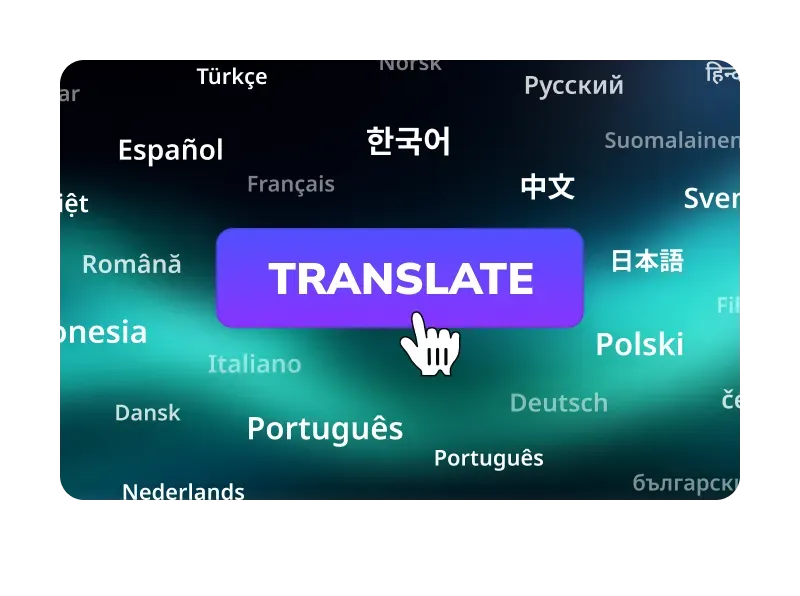
用戶只需訪問 Easysub 官方網站 使用者可透過瀏覽器使用應用,無需下載或安裝任何其他軟體,也無需配置複雜的環境。這真正實現了“開箱即用”,顯著降低了使用門檻。. - 自動字幕對齊,減少後製調整的需要
在辨識過程中,Easysub 會自動根據語音的節奏和語速進行精準的時間軸匹配,避免字幕超前或延遲的問題,確保字幕在播放過程中與影片自然同步。. - 適合初學者和專業用戶
對於初學者來說,Easysub 的操作介面簡潔直觀,即使沒有字幕製作經驗的使用者也能輕鬆上手。同時,專業用戶可以利用其線上編輯功能自訂字幕樣式、調整時間軸、優化翻譯結果,滿足更進階的創作需求。.
創建有效字幕的技巧
a. 每行字元數和行數控制(可讀性)
字幕屬於「快速閱讀」範疇。觀眾的眼球運動和短期記憶決定了他們每次能夠閱讀的字元數。過長的字幕行會增加認知負荷,導致觀眾在讀完當前句子之前就錯過下一句。.
英文和中文的資訊密度不同:英文通常以字母或單字來衡量,建議每行不超過 35-42個英文字符. 。中文由於每個字的資訊量很大,所以每行都保持在 14-18個漢字. 。同時,盡量保持在 兩條線. 這樣可以確保大多數觀眾在字幕出現時有足夠的時間完成閱讀,而不會分心。.
練習要點:優先使用短語而非直譯。必要時,可以拆分句子以保持語義完整性和閱讀節奏。.
b. 時間軸與同步(視聽融合原則)
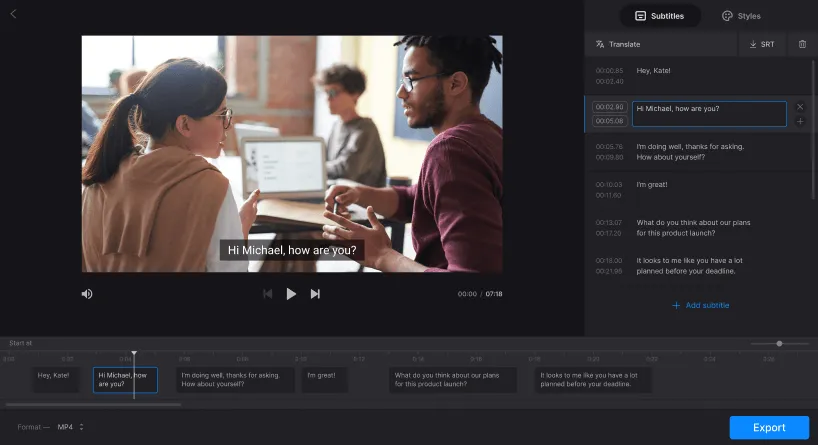
人類對音畫不同步非常敏感——當口型與聽到的語音不匹配時,會給人一種不自然或分散注意力的感覺。因此,字幕應該與音訊高度同步:理想情況下,字幕的開始時間應接近語音的開頭,結束時間應留出足夠的時間讓觀眾完整地閱讀完句子。.
根據經驗,確保字幕與音訊的同步誤差不超過0.2秒(200毫秒),大多數觀眾就能感受到自然的同步效果(實際誤差範圍取決於語言、影片以及觀眾的注意力)。實作方法依賴強制對齊和單字對齊技術。遇到噪音或多人同時說話的情況,可以透過手動微調(±0.1-0.2秒)進行校正。.
注意:對於語速較快的句子,可以將其拆分成多個短字幕,並適當重疊時間,以確保可讀性。.
c. 建議展示時長(閱讀速度與認知負荷)
字幕應提供觀眾充足的閱讀時間,但不應佔用螢幕太長時間,以免造成資訊阻塞。根據平均螢幕閱讀速度,建議短句(單行)至少顯示 大約1.5-2秒; ;建議顯示較長或兩行字幕 約 3 – 6 秒. 。並且顯示時間應該根據句子的長度線性增加。.
如果字幕消失得太快,就會讓觀眾必須重新觀看內容;如果字幕在螢幕上停留的時間太長,就會幹擾視覺訊息的傳遞。.
像 Easysub 這樣的工具通常可以自動計算顯示時間。然而,在編輯過程中,需要手動檢查關鍵句子或段落(例如枚舉、數字或術語)是否需要延長顯示時間,以便更好地理解。.
d. 語言風格與可讀性處理(語言工程)
自動辨識產生的文本往往非常接近“逐字轉錄”,包括感嘆詞、重複詞、猶豫詞等等。高品質的字幕應遵循「可讀性第一,忠於原文意義」的原則。在不改變原文意義的前提下,刪除沒有實質內容的填充詞(例如「嗯」、「那個」),適當地簡化複雜句子,或根據目標受眾的閱讀習慣進行在地化改寫。.
短視訊語言通俗易懂,表達簡潔;教育/訓練類影片則保留專業術語,句式規範。翻譯字幕時,優先考慮使用目標語言中自然的語序和慣用表達方式,而非逐字逐句地翻譯。.
e. 多平台適配(顯示佈局、互動遮蔽)

垂直螢幕短視訊底部經常被互動按鈕遮擋,因此字幕位置應略微上移或利用螢幕下方。橫屏平台可將字幕置於底部中央。.
另外,也要考慮字幕的解析度和大小:行動裝置上的字體大小應略大於桌面設備,以確保可讀性。匯出時,還需要選擇合適的字幕格式(SRT 方便平台加載,ASS 支援樣式,而嵌入式影片則適用於無法載入外部字幕的平台)。.
f. 字幕風格和可讀性(視覺設計)
字幕的可讀性不僅取決於文字本身,還取決於字體、對比和背景處理。高對比(白色文字搭配黑色邊框或半透明框架)在各種背景設定下都能保持清晰。.
建議使用無襯線字體,增強螢幕可讀性;避免使用純色,以免與複雜背景混淆;必要時添加邊框或背景框。.
字體大小應根據播放裝置調整:對於行動裝置的內容,應使用較大的字體,並為螢幕預留足夠的邊距。樣式應在品牌辨識度和整體可讀性之間取得平衡,避免使用損害可讀性的樣式。.
g.文化差異與在地化(跨文化交流)
翻譯並非逐字替換,而是「意義和脈絡的重新表達」。文化、習慣、幽默、時間單位或計量單位(英制/公制)等因素都會影響受眾的理解。高品質的多語種字幕需要進行在地化處理:替換具有文化特殊性的表達方式,直譯習語,並在必要時保留註釋或腳註來解釋專有名詞。為確保一致性,建議建立術語表和翻譯指南,尤其對於品牌名稱、產品名稱和技術術語,應統一翻譯或保留原文並在開頭添加註釋。.
常見問題:關於新增字幕的常見問題
Q1:視訊字幕常見的格式有哪些?
一個: 常見格式包括可編輯的文字標題(例如 .srt, .vtt)、帶有樣式和定位的高級字幕(例如 .ass/.ssaEasysub 支援匯出多種常用格式(例如 SRT、ASS、TXT),並可產生帶有嵌入式字幕的視頻,方便上傳至 YouTube、社交平台或離線播放。此外,它還支援“嵌入式/程式化(硬編碼)”視訊(字幕直接顯示在螢幕上)。.
Q2:Easysub 支援哪些語言?
一個: Easysub 非常重視轉錄和翻譯的多語言支援:官網和眾多用戶評價顯示,該平台支援 100 多種(語音識別)到 150 多種(字幕翻譯)語言/方言,涵蓋主流語言以及大量鮮為人知的翻譯選項。因此,它非常適合多語言視訊的全球發行。.
Q3:Easysub適合商業用途嗎(如公司推廣、付費課程)?
一個: 適用。 Easysub 提供免費試用和付費方案(按分鐘計費、專業版和團隊版、API 等),可滿足從個人到企業級的各種使用情境。同時,其服務條款和價格頁面清楚列出了商業訂閱和團隊功能。建議在商業用途前仔細閱讀並遵守平台的條款和計費政策。如果處理企業敏感內容,則需要額外確認隱私和儲存政策。.
Q4:自動辨識的準確率如何?如果出現錯誤怎麼辦?
一個: 官方和第三方評估均表明,Easysub 的自動識別準確率相當高(官網宣稱其精準度市場領先,部分評估的識別率甚至接近 90%+)。然而,辨識效果仍會受到音訊品質、口音和背景噪音等因素的影響。該平台提供線上字幕編輯器,使用者可以逐行修改識別結果,對時間軸進行微調,並進行一鍵翻譯。使用者應將自動產生的初始草稿視為“高效起點”,然後進行必要的校對,以確保最終品質。.
Q5:上傳影片會侵犯隱私或版權嗎? Easysub如何保護使用者資料?
一個: 字幕工具本身就是一種技術服務。. 其合法性 使用取決於用戶是否擁有上傳影片的權利或版權. Easysub在其隱私權政策和使用條款中解釋了其資料使用和保護原則(包括隱私權聲明和責任警告),並提醒平台使用者確保上傳內容合法合規;對於商業或敏感內容,建議先閱讀隱私權政策、條款,或聯絡平台確認資料儲存和加密的具體細節。總而言之,該工具可以幫助產生字幕,但版權和合規責任由上傳者承擔。.
使用 Easysub 讓您的影片更易於訪問
Easysub 讓字幕製作變得有效率、精準且支援多語言。無論是 YouTube 教育視頻、TikTok 短視頻,還是企業宣傳片和課程內容,您都可以輕鬆添加符合國際標準的字幕,提升觀眾的觀看體驗和信息獲取效率。憑藉自動語音辨識、智慧翻譯和線上編輯工具,您只需幾分鐘即可完成字幕產生和優化,大幅節省時間和人力成本。同時,多平台相容性和商業用途支持,讓您的影片在全球範圍內更具競爭力。.
立即體驗 Easysub 免費版,開啟高效字幕製作之旅。讓更多人理解、聆聽並記住您的影片內容。.
👉 點此免費試用: easyssub.com
感謝您閱讀本部落格。. 如有更多問題或客製化需求,請隨時與我們聯繫!