
How To Use the Best AI Subtitle Generator Free?

Articles and tutorials for more creativity

How To Use Automatic Online Subtitle Generator
If you want to know how to use the automatic online subtitle generator, AutoSub will tell you the detailed steps to use it.

Do you know the AI subtitle generator free?

AI online subtitle generator, as the name suggests, is an online AI tool that can help users generate captions for their videos. AI subtitle generator free is an automatic online subtitle generator, better adding subtitles and captions. Because it uses artificial intelligence to generate subtitles. It is quick, convenient, fast and cost-effective.

Is it harder to add subtitles to your files than to use a rock hammer to walk through a concrete wall? Then don’t worry! With EasySub, you can now easily add video and audio files as text, all of which are done automatically.

But how is this possible? good question! Using the tiny electronic Oompa Loompa (transport and handling sold separately) and the power of artificial intelligence that we place in your computer, we enable you to automatically add subtitles and edits to your files.

How to use AI online subtitle generator?

You can follow the steps below to automatically generate your title online.

First, create an account on EasySub.

Second, upload your video.
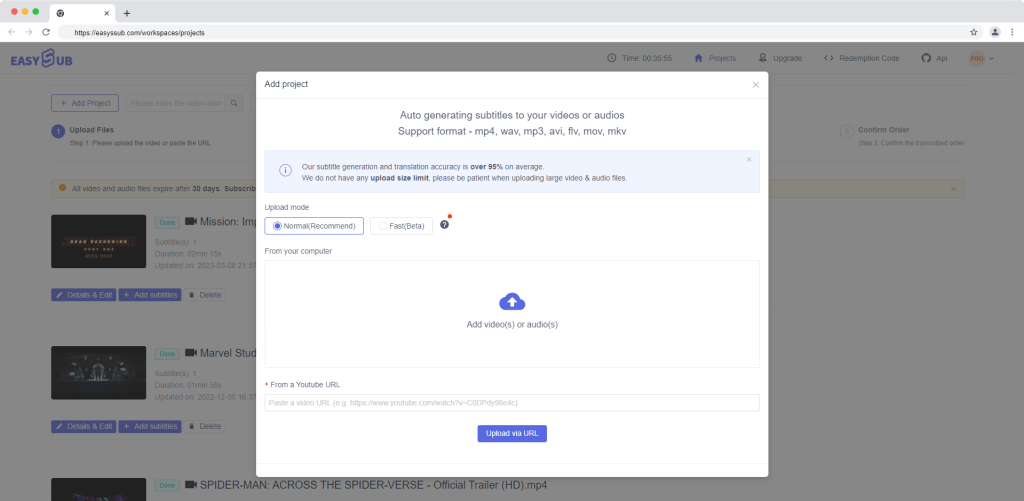
AI subtitle

Third, choose your video language or target language.
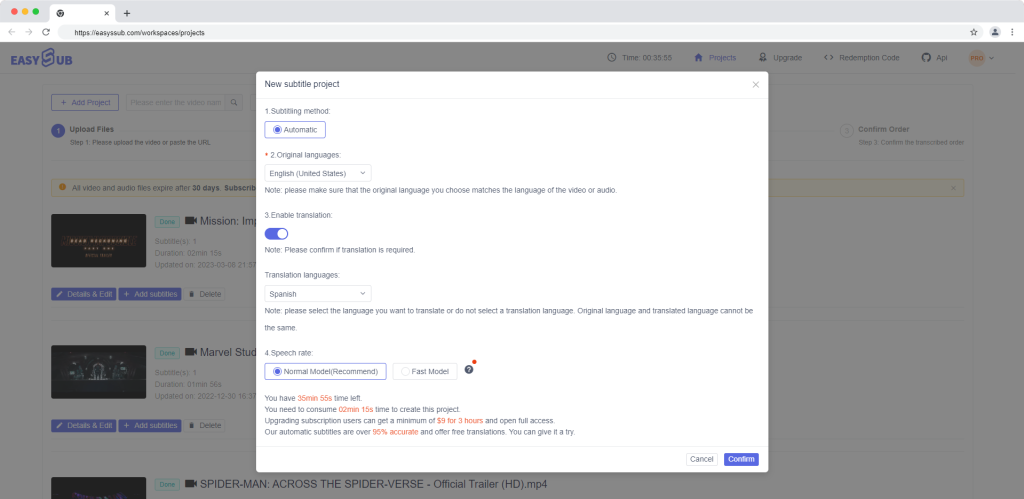
AI subtitle

Next comes the automatically generated subtitles. This step may take a few seconds. It depends on how long your video is.

Then, proofread the transcript and correct minor errors.

Finally, save and export.
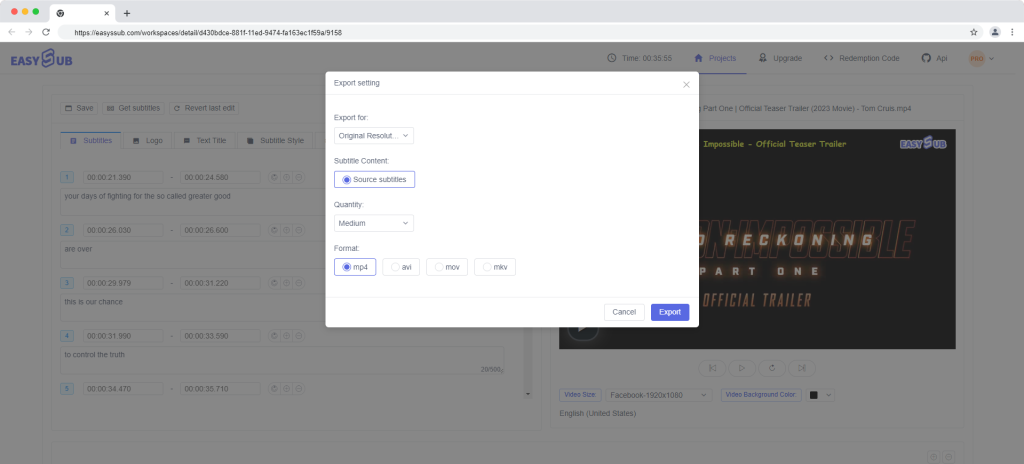
AI subtitle

In summary
After completing these steps, you will get a video with subtitles. But if you want to obtain the SRT file separately, you can download the SRT here.
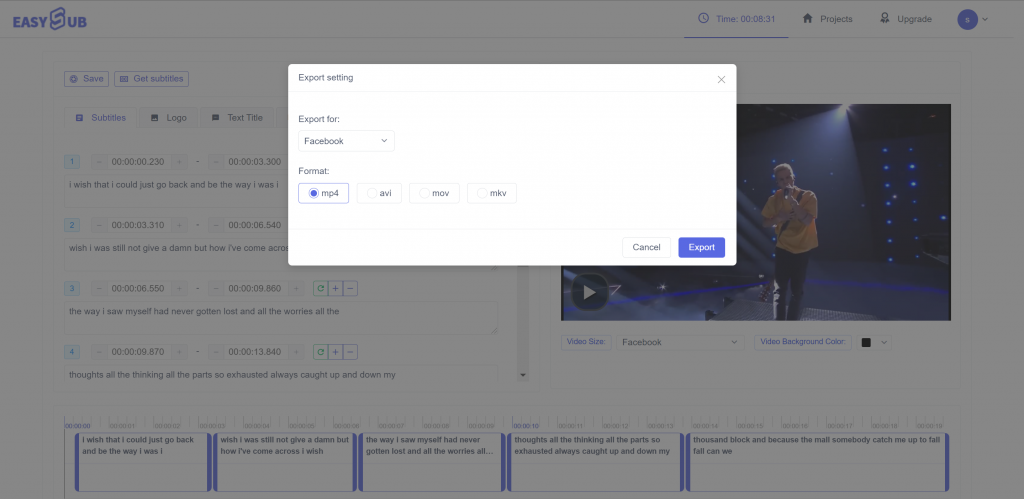
AI subtitle
Download subtitle files separately

You can upload the SRT file to Vimeo, YouTube, Facebook…If you want, you can upload it to any other social media platform.

Have a nice day everyone! See you next week.

Popular Readings

Subtitling Guidelines

Standard Subtitling Guidelines

If you want to create effective subtitles, you must follow clear subtitling guidelines: limit each line to 5–7 words, use a font size of at least 12pt, and ensure high-contrast white text on a black background. These are proven subtitling best practices. In fast-paced environments like TikTok, if your subtitles aren’t concise, clear, and eye-catching

Best AI Subtitles for TikTok

Best AI Subtitles for TikTok

If you’re creating content for TikTok, relying solely on the platform’s built-in subtitles isn’t enough. You need higher accuracy, faster processing speeds, and a more professional presentation of subtitles. An AI subtitling tool can help address these challenges. It can automatically generate subtitles, support multiple languages, and significantly enhance the video viewing experience. By using

Kapwing Alternatives

10 Best Kapwing Alternatives for Video Editing and Subtitles

What Is the Best Kapwing Alternative? Kapwing is an online video editing and captioning tool used by many creators to trim videos and generate subtitles. However, its free version comes with watermarks, feature limitations, and performance issues. So what are some good Kapwing alternatives? VEED.io is the closest browser-based video editor, CapCut offers a free,

DMCA
PROTECTED