If you’re searching for a free subtitle generator without watermarks, you’ve likely encountered these issues: subtitle tools appear free, yet exported videos carry prominent watermarks; subtitles generate but remain unusable for actual publishing; or free versions only allow previews without download options. These limitations directly impact the professionalism and publishing efficiency of content for short-form video creators, new YouTube channels, and educational/corporate content.
This guide tests multiple subtitle tools based on real-world scenarios, focusing on what they can actually deliver under “free” and “watermark-free” conditions. If your goal is to generate ready-to-use subtitles without repeatedly hitting roadblocks, this article provides clear, realistic guidance.
目錄
How We Tested Free Subtitle Generators Without Watermarks
What We Focused On
The test focuses on three core dimensions directly relevant to you:
True Watermark-Free Status
Thoroughly inspect exported video and subtitle files. This includes corners of the screen, subtitle areas, and opening/closing credits. Any form of branding marks will be deemed “watermarked.”Actual Export Capability
Can you download subtitle files or videos for free, rather than being limited to previews or trial views?Usable Free Quota
Is the free duration sufficient to complete a full video? Are there hidden restrictions, such as requiring an upgrade to export?
How We Tested
All testing was conducted using authentic video content, not official demos or feature descriptions provided by the tools. We used real videos with clear human voices, completing the entire process of subtitle generation, editing, and export.
During testing, we examined the final exported subtitle files or videos to confirm whether the results could be directly published to common platforms without requiring additional processing or secondary payments.
| 工具 | Truly No Watermark | Free Export Available | Supported Formats | Usage Limitations |
|---|---|---|---|---|
| EasySub | Clean output, no watermark | 是的 | Multiple subtitle files (SRT / VTT) | Free quota supports standard video length |
| Vmaker AI | Free subtitle generation, no watermark | 是的 | Multilingual subtitles, downloadable | Advanced styles and animations may require login or higher access |
| Media.io Auto Caption Generator | Generates subtitles without watermark | 是的 | 多語言支援 | Direct subtitle export with no watermark |
| 卡普溫 | Subtitle generation available; no watermark requires registration | 是的 | SRT / MP4, etc. | Longer videos may require login or have free-plan limits |
| 克利迪奧 | Subtitle tool available, but free no-watermark export is inconsistent | Partial | Multiple subtitle settings | Free version may include platform branding |
| EchoWave | Auto subtitles supported with export | 是的 | Multiple formats | Basic subtitle generation only |
| Caply | Online subtitle tool, claims no watermark | Yes (export) | Standard subtitle formats | Best suited for simple use cases |
| FrameNet AI | Claims to support free no-watermark export | 是的 | SRT / VTT, etc. | Focused on subtitle optimization |
- True Watermark-Free: Verify not only that the generation page claims no watermarks, but also inspect the exported file or hard-subtitled video for any tool marks or logos.
- Free Export: Allows users to export subtitle files or videos without charge, rather than restricting export to previews or requiring login.
- Supported Formats: Standard downloadable subtitles include SRT, VTT, TXT, etc., facilitating subsequent editing or multi-platform distribution.
- Usage Restrictions: Includes login requirements, video length limits, free quotas, output resolution, etc.
Top Free Subtitle Generators No Watermark
EasySub can genuinely generate and export watermark-free subtitle files under free conditions, meeting the requirements for “free subtitle generator no watermark” releases.
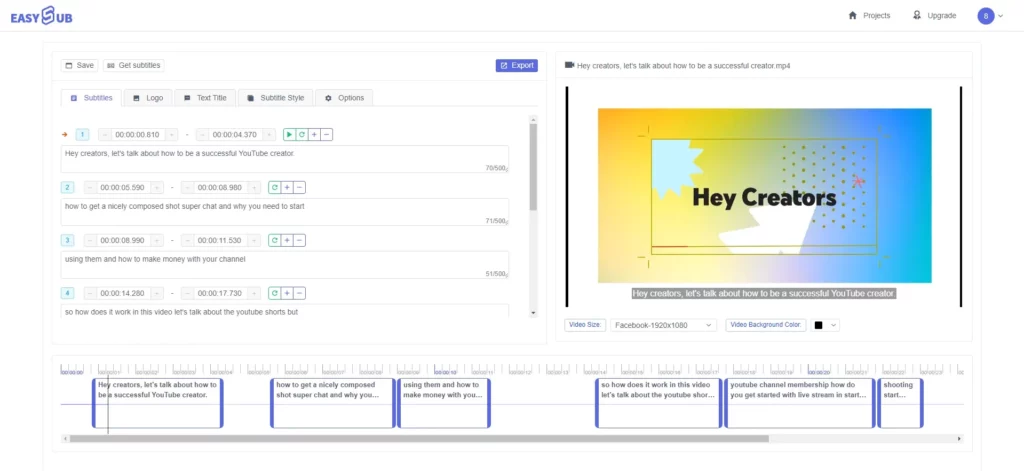
EasySub supports online automatic subtitle generation and export in multiple standard formats (such as SRT, VTT, etc.), with output files free of tool watermarks. The tool is designed to help creators complete subtitle generation and downloads within the free trial scope, while accommodating publishing needs across multiple platforms.
- Watermark-Free Export: Generate and download subtitle files within the free quota without any branding visible on the files or subtitles themselves.
- Multi-Format Support: EasySub supports mainstream subtitle formats, facilitating cross-platform publishing and secondary editing.
- Free Quota for Basic Needs: Suitable for subtitle generation in short videos or single projects, meeting most fundamental content creation requirements.
- Wide Applicability: Ideal for creators, educators, and enterprise users for content localization or subtitled publishing.
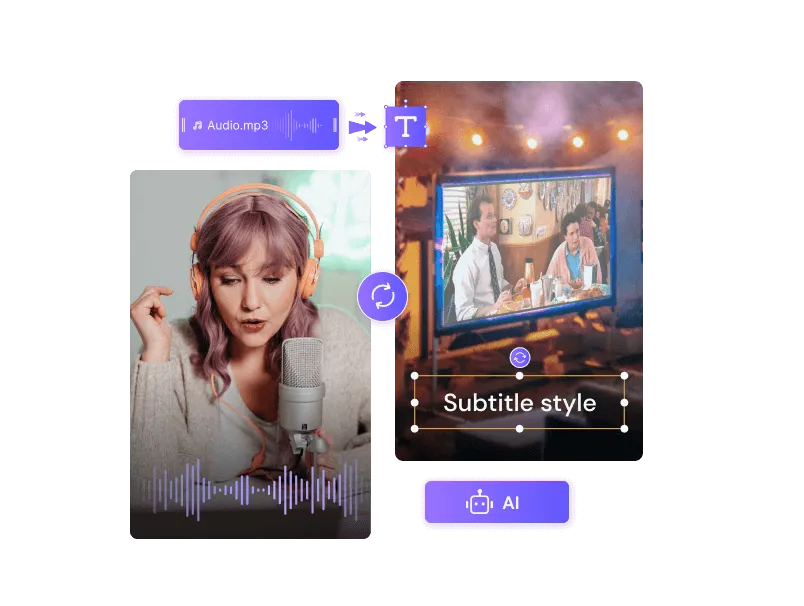
Media.io offers a free auto-caption feature that adds subtitles to videos without watermarks. The generation process is relatively straightforward, supporting multiple languages and various video format exports.
- Watermark-Free Output: Automatically generated captions and exported videos carry no branding marks.
- Multilingual Support: Recognizes speech and generates captions in dozens of languages.
- Editable Subtitle Content: Adjust font, color, and layout after generation for enhanced presentation.
- 限制: While watermark-free, free quotas and certain advanced styles may be restricted.
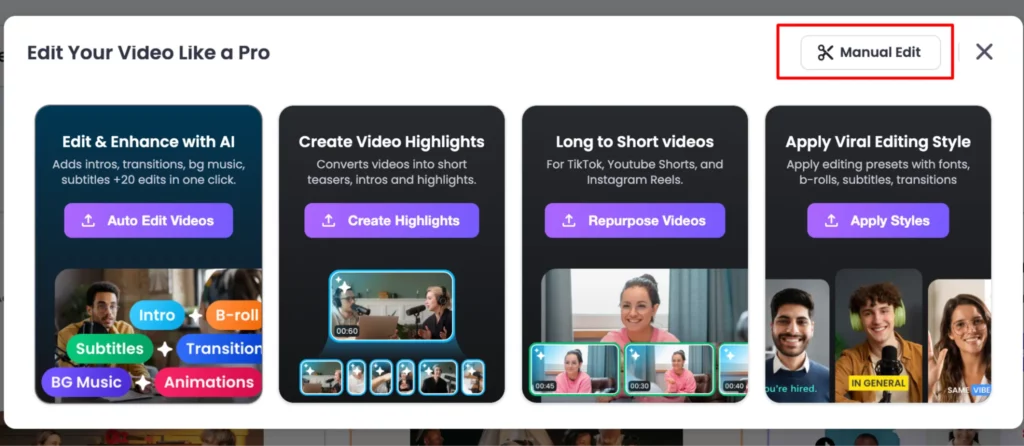
Vmaker AI’s automatic caption generator supports exporting captions without watermarks while offering a wide range of caption styles and animation effects. Ideal for short videos requiring visual appeal. This tool is especially useful for social media content creators, helping videos better engage viewers and increase watch time.
- Watermark-Free Generation & Export: Supports exporting captions in select languages and styles without watermarks.
- Multilingual & Styling: Offers recognition for 35+ languages and diverse subtitle design options.
- Visual Style Subtitles: Utilize styling and animation options to enhance the visual appeal of your subtitles.
- Usage Restrictions: Advanced styles or longer video generation may require account login or payment.
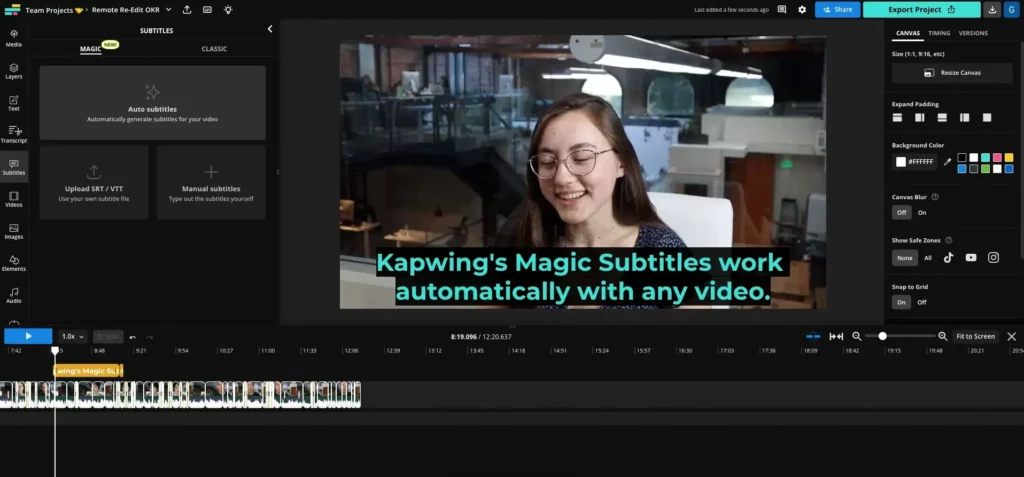
卡普溫 offers online automatic captioning, enabling users to generate captions and export them as SRT, VTT, or subtitled video files.
- Comprehensive caption generation: Automatically recognizes speech and generates synchronized captions.
- Downloadable Subtitle Files: Supports exporting standard formats for easy post-editing.
- Watermark Considerations: Basic free tools may not add video watermarks during interface operations, but certain advanced exports or high-resolution videos may require payment.
- 限制: Free versions may impose restrictions on output dimensions or usage frequency.
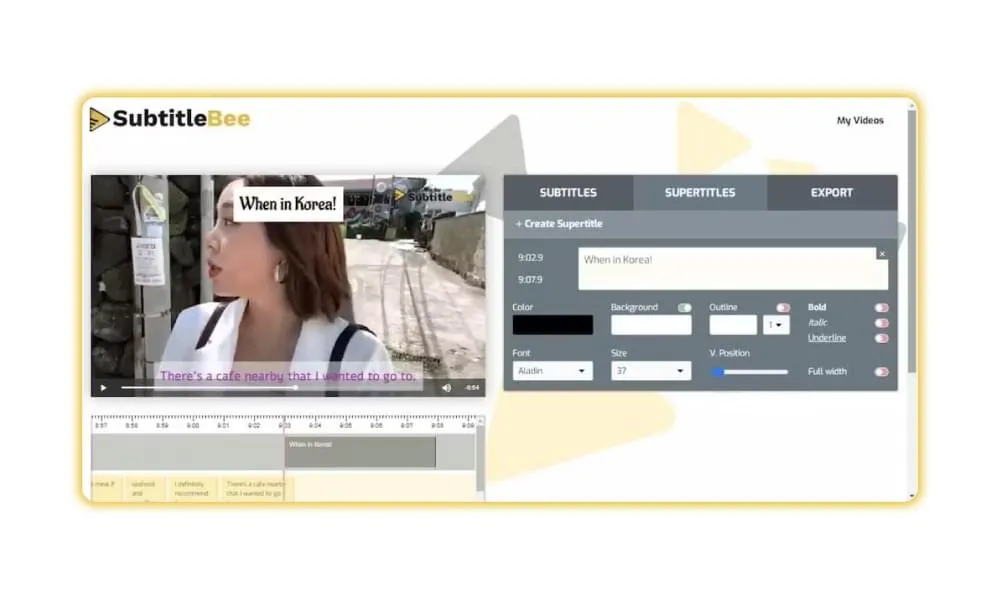
字幕蜂 is an AI-powered subtitle tool that automatically generates captions with no watermarks during the initial experience.
- Free trial of auto-subtitling: Generate subtitles with your first upload.
- Watermark-free preview: Preview subtitles without watermarks during the trial period.
- Export conditions: Upgrading may be required to export watermark-free files or access advanced features.
- Use Cases: Ideal for testing subtitle generation quality and proofreading styles.
What You Can and Cannot Do for Free with Subtitles
When using subtitle generation tools, you need to understand which tasks can be completed for free and which require payment.
Tasks Available for Free
- You can upload videos and automatically generate a draft subtitle file.
- You can download standard subtitle formats like SRT, VTT, or TXT.
- Basic subtitle recognition for common languages is generally free.
- Within the free quota, you can test subtitle quality and familiarize yourself with the tool’s workflow.
- Some tools allow direct download of watermark-free subtitle files without payment.
Scenarios Requiring Payment

- When your video exceeds the free duration limit.
- When you need to export higher-resolution videos with styled subtitles.
- When you require professional-grade subtitles (e.g., multilingual translations or terminology database support).
- When batch processing large volumes of videos—free quotas often prove insufficient.
- When you need team collaboration or API integration for automation.
Who Should Consider Upgrading
- You are a frequent publisher who generates captions daily or weekly.
- You need to produce multilingual versions while maintaining consistent caption quality.
- You require caption output in more formats or with enhanced visual presentation.
- Your videos are used for commercial purposes or enterprise publishing scenarios.
Why EasySub Is a Practical Choice for No-Watermark Subtitles
When selecting a subtitle generation tool, it’s essential not only to output subtitle files or videos without watermarks but also to ensure the generation process is robust, controllable, and suitable for your specific use case.
The True Value of EasySub's Free Tier
When using EasySub to generate subtitles, you can experience the entire workflow within the free tier: from video upload to AI automatic recognition, followed by subtitle editing and download. EasySub employs advanced AI speech recognition technology to rapidly generate subtitles that closely match your video’s audio. It supports translation and output in over 150 languages, lowering the barrier for processing multilingual videos.
During the free trial, you can:
- Upload videos and generate initial subtitle drafts
- Edit and proofread recognition results
- Download watermark-free subtitle files (e.g., SRT/VTT)
This typically meets the basic needs of short-form video creators, educators, and corporate content publishers.
Key Differences from Editing Software / Other Tools
Unlike traditional editing software, EasySub focuses solely on the streamlined process of subtitle generation and export—rather than bundling subtitling features within cumbersome video editing interfaces. While powerful, traditional editing software often lacks convenience in the three critical steps of subtitle generation, proofreading, and exporting subtitle files, requiring a steep learning curve.
Compared to other online tools, some popular platforms offer free versions with automatic subtitle generation, but they often impose watermarks during export or require paid upgrades for watermark-free videos. EasySub’s advantage lies in providing downloadable standard subtitle files directly under free conditions, without significant “distribution restrictions.”
FAQ – Free Subtitle Generator No Watermark
Q1. Can I really get subtitles for free without watermarks?
Yes, you can use some online subtitle generators to create and export watermark-free subtitle files within their free quotas. However, free usage rules vary across platforms, so please verify the export conditions beforehand.
Q2. Is it legal to use free subtitle generators without watermarks for my videos?
Generally, using these tools to generate subtitles for your own videos is legal. If used for copyrighted content belonging to others, comply with relevant laws and platform rules to avoid infringement risks.
Q3. Can I export subtitle files like SRT or VTT without watermarks?
Most free subtitle tools supporting watermark-free export allow direct download of standard subtitle files (e.g., SRT, VTT), which can be used for publishing across different platforms.
Q4. Will the exported video also be free of watermarks?
This depends on the tool’s free usage policy. Some tools only remove watermarks from subtitle files, while videos exported with subtitles may still carry marks. Verify specific rules before exporting.
Q5. What should I do if automatic subtitles are inaccurate?
AI-generated subtitles cannot guarantee 100% accuracy. We recommend carefully proofreading them after generation and manually editing them according to linguistic conventions before exporting. This ensures release-ready subtitle quality.
Conclusion – Choose Based on Your Real Needs
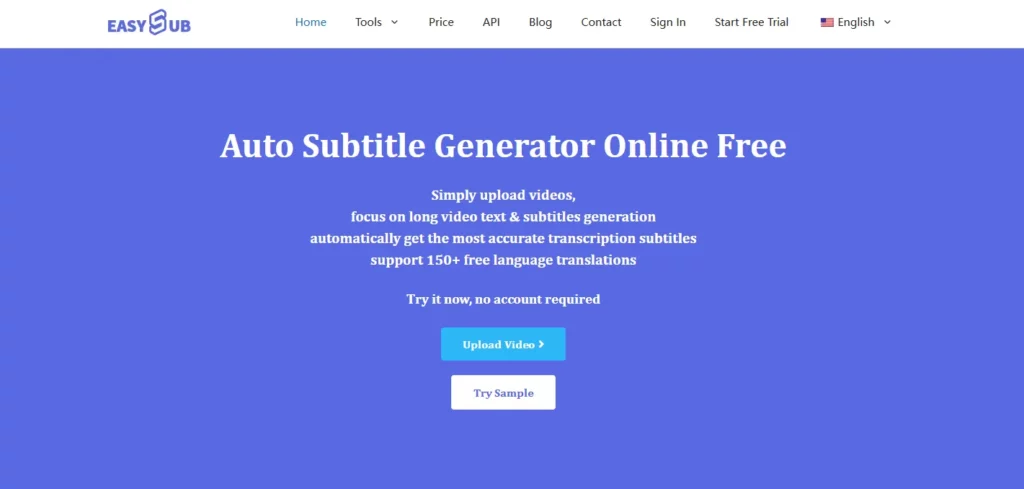
If you need publishable, watermark-free subtitles for free, EasySub is a practical choice.
Free doesn’t mean unlimited. Focus on the exported results, not the feature page descriptions. For short videos or infrequent content creation, free watermark-free subtitles suffice. For high-frequency or commercial content, editability and stability matter more.
EasySub’s strength lies in its streamlined workflow. You can generate subtitles, edit them, and export watermark-free files within the free quota. This approach suits users who want to minimize trial and error and maximize efficiency.
👉 點此免費試用: easyssub.com
感謝您閱讀本部落格。. 如有更多問題或客製化需求,請隨時與我們聯繫!