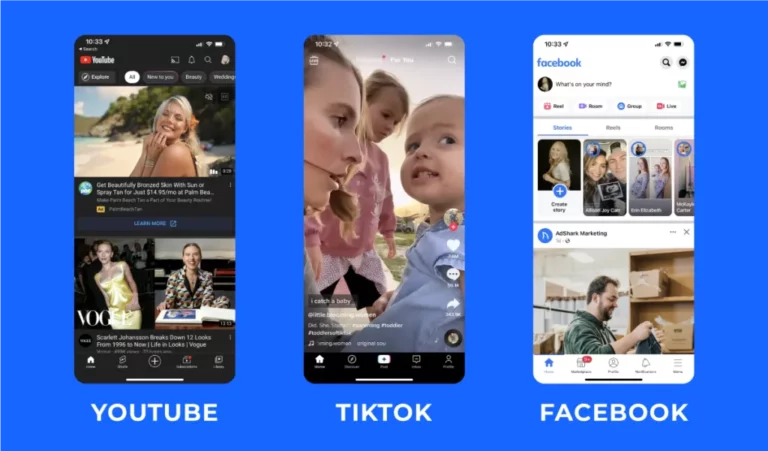
As TikTok emerges as one of the world’s fastest-growing video platforms, subtitles have become a crucial tool for boosting viewership, enhancing engagement, and expanding audiences. Many creators ask: “What software is used to generate subtitles for TikToks?” In fact, from mobile apps to professional AI captioning tools, various software solutions can automatically recognize speech and generate high-quality subtitles. This guide provides a quick overview of common TikTok subtitle tool types, their pros and cons, and how to choose the solution best suited for you—allowing you to complete subtitle creation in minutes.
Tabla de contenido
Why TikTok Videos Need Subtitles?
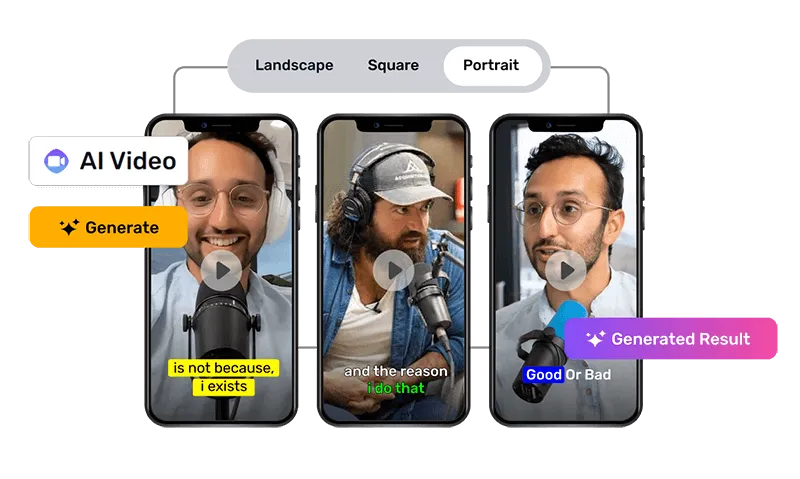
- High silent viewing rate (users often watch with sound off in public settings).
- Boost completion rates and user engagement (subtitles maintain attention).
- Enhance TikTok SEO (keyword-rich subtitles help content rank higher in searches).
- Make content more accessible to non-native speakers.
- Improve brand consistency and professionalism.
Types of TikTok Subtitle Software
1️⃣ Mobile App Auto-Captioning Tool (Mobile Apps)
This method leverages built-in or cloud-based automatic speech recognition (ASR) models within mobile apps to transcribe video audio into text and generate timestamps directly on the device. Subtitles can then be permanently embedded into the video or saved as editable layers.
Ventajas
- Extremely convenient: No computer required—generate and publish with one tap immediately after filming.
- Simple operation: Interface designed for video creators, ideal for rapid iteration of short videos.
- Integrated Editing: Supports filters, effects, and animated subtitle styles simultaneously.
Desventajas
- Accuracy affected by phone microphone quality and network conditions (during cloud-based recognition).
- Limited recognition for multilingual or complex text (technical terms, proper nouns).
- Some advanced styles/export features restricted or require payment.
Escenarios adecuados
- Daily short videos, vlogs, challenges, and fast-paced content creation.
- Creators who want to publish quickly and complete all work on their phones.

2️⃣ Online AI Subtitle Generators
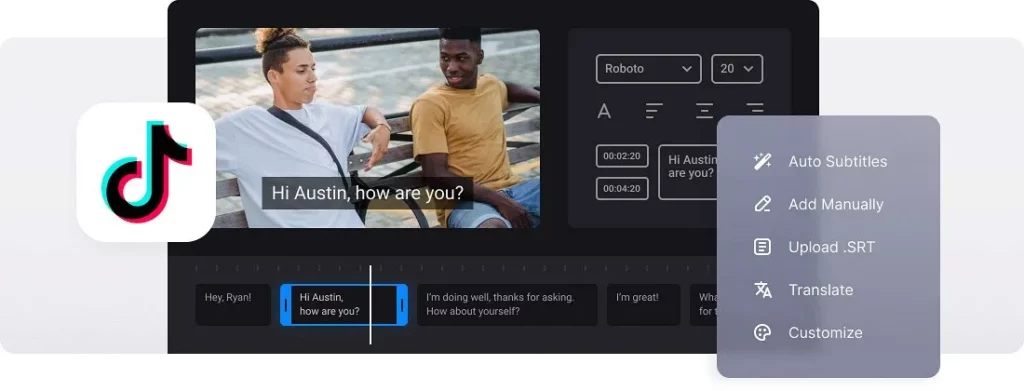
Users upload videos via their browsers. The platform runs ASR + NLP (potentially combined with large language models) in the cloud to generate subtitles, sentence segmentation, and timecodes. It provides an online editor for fine-tuning and exporting (SRT/VTT/burned-in video, etc.).
Ventajas
- Typically higher accuracy than mobile apps (especially professional platforms like Easysub), with multilingual support and automatic translation.
- Comprehensive features: online proofreading, batch processing, format export, API integration.
- No local computing power required; cross-device operation; ideal for team collaboration.
Desventajas
- Requires uploading videos to the cloud; privacy policies must be reviewed if sensitive information is present.
- Free plans may have time or usage limits; advanced features are often paid.
Escenarios adecuados
- Creators and brands requiring high-quality subtitles, bulk processing, or cross-language distribution.
- Enterprise users seeking to integrate subtitle generation into their workflows (CMS, LMS, video publishing processes).
Key Advantages of Easysub
- Supports recognition and translation in over 120 languages, with semantic optimization (NLP + LLM) enhancing sentence segmentation and contextual accuracy.
- Offers an online WYSIWYG editor with SRT/VTT export, multiple encoding formats, and burning options.
- Enterprise-grade security (encrypted transmission, user-controlled deletion, no use for training) makes it suitable for commercial content.
3️⃣ Manual + AI Hybrid Solutions
Lorem ipsum dolor sit amet, consectetur adipiscing elit. Ut elit tellus, luctus nec ullamcorper mattis, pulvinar dapibus leo. Lorem ipsum dolor sit amet, consectetur adipiscing elit.
Ventajas
- Highest quality: Combines machine efficiency with human linguistic understanding, making it ideal for high-stakes or brand-sensitive content.
- Enables cultural localization, advertising compliance, and legal terminology accuracy.
Desventajas
- Highest cost and relatively time-consuming (though still more efficient than purely manual work).
- Less suitable for immediate needs of small teams or individual creators.
Escenarios adecuados
- Videos, brand advertisements, and content requiring extreme precision in interpretation or subtitling within legal, medical, and financial industries.
- Cross-border marketing scenarios demanding cultural localization and information compliance.
4️⃣ Desktop Video Editing Software + Plugins
Desktop editing software integrates native or plugin-based ASR capabilities for local or cloud-based speech recognition, generating subtitle tracks with support for precise timeline adjustments, style customization, and advanced post-processing.

Ventajas
- Professional-grade control: Precise timeline fine-tuning, style and brand consistency, audio processing capabilities.
- Seamless integration with complex post-production workflows, suitable for film/TV or advertising-grade output.
Desventajas
- Steep learning curve and higher costs (software licensing, plugin fees).
- Not suitable for rapid publishing workflows of high-frequency short videos (workload does not align with turnaround time).
Escenarios adecuados
- Commercial advertisers, filmmakers, documentary producers, or brand video creators requiring stringent quality standards.
- Organizations with professional editing teams and dedicated post-production pipelines.
Top TikTok Subtitle Generators
| Software | Tipo | Free Option | Idiomas admitidos | Exactitud | Style Editing | SRT Export | Ventajas | Contras | Mejor para |
|---|---|---|---|---|---|---|---|---|---|
| TikTok Auto Captions | Built-in Feature | Gratis | Limitado | ★★★☆☆ | Basic | ❌ | Easy & native | Limited accuracy; no multilingual support | Casual TikTok creators |
| CapCut | Mobile App | Free (optional paid) | 30+ | ★★★★☆ | Rich templates | ❌ | Fast & integrated with TikTok | Weak translation; less professional | Short-form creators |
| Easysub (Recommended) | Online AI Tool | Free forever | 120+ | ★★★★★ | Advanced online editor | ✔ | High accuracy, multilingual, easy export | Requires internet | Pros, businesses, global creators |
| Veed.io | Online Editor | Limited free version | 50+ | ★★★★☆ | Many styles | ✔ | All-in-one editor | Free version limitations | Social media editors |
| Ala de pájaro | Online Tool | Limited free version | 60+ | ★★★★☆ | Simple & fast | ✔ | Easy for beginners | Watermark, limited features | New creators |
| Premiere Pro Auto Captions | Desktop Software | Paid | 20+ | ★★★★★ | Full customization | ✔ | Professional control | Complex & costly | Editors, production teams |
Optimal Solution:
- Need quick subtitle generation → CapCut / TikTok’s built-in feature
- Want professional, multilingual, high-accuracy subtitles → Easysub
- Need deep post-production → Premiere Pro
Step-by-Step Guide – Easysub for TikTok Subtitles
Easysub is an AI subtitling platform designed for creators and businesses, supporting recognition and translation in over 120 languages. It enables one-click export to SRT or VTT formats, or direct generation of subtitled videos. Below is the complete process for generating TikTok subtitles using Easysub—even complete beginners can accomplish this in minutes.
Step 1: Open the Easysub Official Website
Visit the Easysub official website (search for “Easysub Subtítulos de IA”).
The entire process is conducted online—no software download required.

Step 2: Upload the video you want to post to TikTok
Click the “Subir vídeo” button and select a local video file.
All common formats are supported:
MP4
MOV
MKV
AVI
Pro Tip:
For more accurate captions, choose videos with clear audio and minimal background noise.
.png)
Step 3: Select Video Language (Recognized Language)
Choose the original audio language of your video from the language list.
Easysub supports over 120 languages, including English, Chinese, Japanese, Spanish, Arabic, and more.
If you wish to create multilingual TikTok content, you can also enable:
“Auto-Translate” feature
Automatically generate subtitles in a second language, such as:
- English video → Chinese subtitles
- Japanese video → English subtitles
- Spanish video → Multilingual subtitles
Ideal for cross-border TikTok creators.
.png)
Step 4: Preview and Edit Subtitles Online
Easysub provides a visual subtitle editor where you can:
- Modify inaccurately recognized content
- Adjust the timeline for each subtitle line
- Optimize sentence segmentation and split long sentences
- Correct proper nouns and brand names
- Adjust the number of lines displayed per subtitle
The process is extremely simple—just click on a subtitle to edit it.
Best Practices for TikTok Subtitles
- Keep subtitles short and readable: Limit each line to 1–2 lines so viewers can read them within seconds.
- Use high-contrast colors: White text with black outlines or background frames offers maximum clarity and works on any background.
- Avoid covering faces or key content: Position subtitles at the bottom or within safe zones to avoid obscuring crucial information.
- Ensure subtitles sync with audio: Accurate timing enhances viewing experience; manually adjust if needed.
- Maintain consistent subtitle style: Long-term creators or brand accounts should use uniform fonts, colors, and positioning for recognition.
- Use AI for multilingual content: Tools like Easysub support 120+ languages to rapidly generate bilingual subtitles.
- Conduct a final proofread: While AI is highly accurate, manually review proper nouns, accents, and cultural references.
Conclusión
The selection of subtitle software for TikTok is incredibly diverse, ranging from built-in editing tools like CapCut to various online AI subtitle platforms. Creators now have more options than ever before. Different tools emphasize different strengths: some prioritize integrated editing capabilities, others are better suited for basic subtitle needs, while others focus on automation and multilingual support.
If your goal is simply to quickly add basic subtitles, local editing software can already meet fundamental requirements. However, when your content creation reaches a higher level—requiring multilingual versions, finely editable subtitle structures, more natural phrasing, and overall efficiency—professional AI subtitle platforms offer clear advantages. For these needs, Easysub provides stable recognition, multilingual subtitling and translation capabilities, along with flexible online editing and export options, making it a solution worth prioritizing.
From a broader perspective, subtítulos de IA are transforming TikTok content creation. They are no longer merely “time-saving” tools but essential infrastructure that helps creators lower language barriers, expand their audience reach, and elevate content professionalism. As algorithmic recommendations increasingly prioritize content readability and user engagement duration, high-quality subtitles have become an indispensable element in TikTok content creation.
Empiece a utilizar EasySub para mejorar sus vídeos hoy mismo
👉 Haga clic aquí para una prueba gratuita: easyssub.com
Gracias por leer este blog. ¡No dude en contactarnos si tiene más preguntas o necesita personalización!